
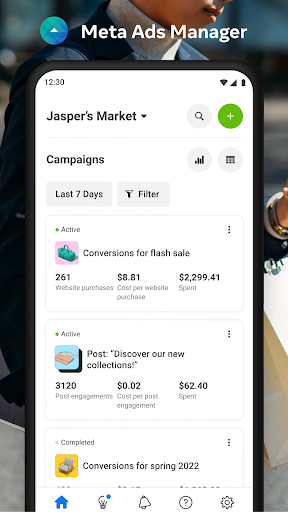

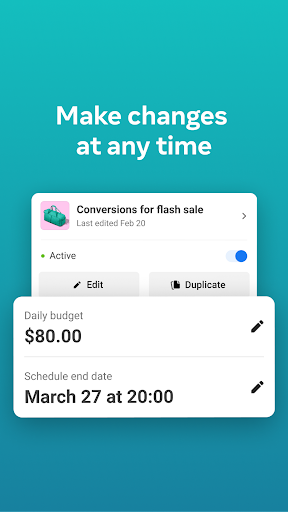
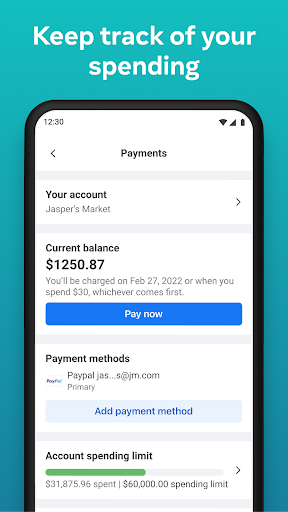
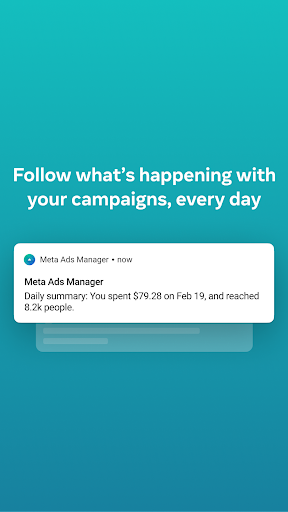
Meta Ads Manager is a comprehensive business tool designed for advertisers managing campaigns across Meta's platforms, including Facebook, Instagram, Messenger, and WhatsApp. The app enables users to create and edit ad campaigns while providing real-time insights into performance metrics. With its robust functionality, advertisers can monitor their campaigns' effectiveness, turn campaigns on or off, and receive instant alerts about important changes. This ensures that businesses can optimize their advertising strategies efficiently, no matter where they are.
In addition to campaign management, the app offers advanced features such as side-by-side comparisons of campaigns and ad sets, allowing for more informed decision-making. Users can also easily switch between different Pages and ad accounts, streamlining the process of handling multiple advertising projects. Whether you're a small business owner or part of a large marketing team, Meta Ads Manager provides the tools necessary to stay connected with your campaigns and maximize ROI.
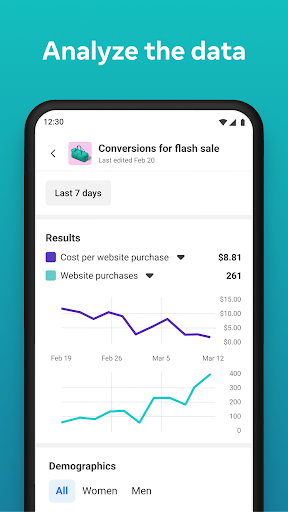
Meta Ads Manager stands out with its rich feature set tailored for modern advertisers. One of its key capabilities is the ability to view detailed real-time insights from all campaigns, empowering users to make data-driven decisions quickly. The app allows for seamless control over campaigns by enabling users to turn them on or off based on performance indicators, ensuring optimal budget allocation.
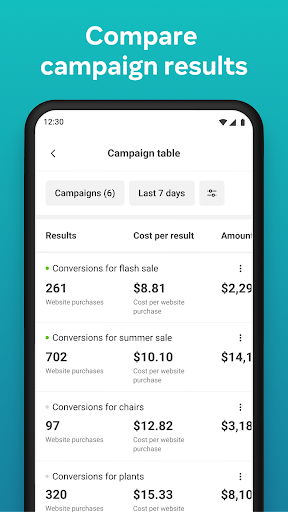
Another notable feature is the side-by-side view, which lets users compare different campaigns and ad sets. This functionality helps identify top-performing ads and refine targeting strategies. Additionally, quick alerts keep advertisers informed about significant changes in their campaigns, while the ability to switch between Pages and ad accounts adds flexibility for those managing multiple brands or clients. These features collectively enhance productivity and improve overall campaign outcomes.
User-friendly interface
Real-time analytics
Cross-platform support
Quick alerts system
Side-by-side comparison
Limited offline access
Requires stable internet
Complex for beginners
No advanced bidding options
Occasional sync delays

Find flexible, hourly jobs hiring near you in restaurant, retail & hospitality!
 4.00
4.00
Convert Your Lovable.dev Website into a Mobile App Instantly!
4.4
Windows App allows you to connect to remote PCs and virtual apps.
3.70
Find work, shifts and gigs near you. Jobs lasting a few hours to a few months.
4.30
All your team communication in one place
4.70
Master crypto trading with real-time simulations and exciting challenges!
4.50
Job search app that finds jobs for you! Takes the work out of looking for a job!
4.90
Collaborate seamlessly with Google Chat, part of Google Workspace
4.50
Roadie connects people with stuff to send with drivers already going that way.
3.50
BuildCalc - the easiest AND the most advanced construction calculator app.
4.80
The MyWalmart App is available for all associates in stores.
4.70
Earn free swag, G-Cards & food • Enter sweepstakes • Find stores • So much more.
4.70
Recover what matters — quickly and easily.
4.70
Use Generative Summary to understand your rental or insurance docs in seconds.
4.70
Ask Accio anything about business. Alibaba-backed, built by experts, not just AI
4.60
Your employer must have UKG Ready software configured for Mobile.
4.60
FX Plus adds media, networking, and cloud capabilities to FX File Explorer.
4.10
viewing and sharing of PDFs
3.60
Find part-time earning opportunities near you that pay within days.
3.20


User Reveiws