



Zoom for Chromebook

3.90

Information

Category:

Business

Price:

Free

Rank:

57

Rating:

3.90

Overview

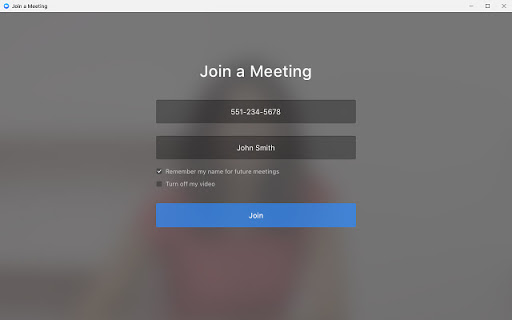
Zoom for Chromebook is a comprehensive business communication tool that combines team chat, video meetings, phone capabilities, and whiteboard functionality into a single web application. Designed for seamless remote work, it allows users to schedule or join video meetings with a single tap, receive AI-powered meeting summaries, and collaborate through virtual whiteboards.

The app supports both internal and external communication via public or private channels, making it ideal for businesses of all sizes. With features like virtual backgrounds, automatic updates, and remote installation options for administrators, Zoom ensures a polished and secure experience. Optimized for Chrome OS 91+, this app is perfect for professionals seeking an efficient, all-in-one communication solution.

Features

Zoom for Chromebook offers a rich set of features tailored for modern business needs. Users can place and receive phone calls or send SMS messages directly from the app, streamlining communication workflows. The inclusion of AI Companion provides automated meeting summaries, helping teams stay organized and informed.

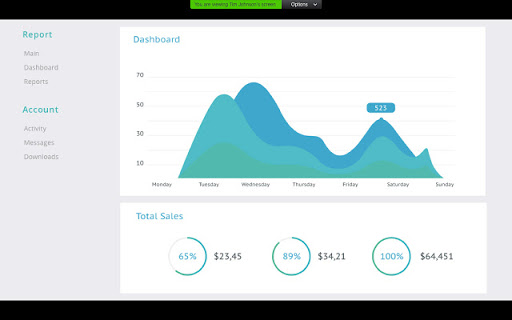
One of the standout features is its virtual whiteboard, which enables creative brainstorming sessions and collaborative planning. The app also supports virtual backgrounds, ensuring a professional appearance during video calls. Administrators benefit from centralized configuration and security options, while automatic updates guarantee access to the latest functionalities without manual intervention.

For optimal performance, the app requires Chrome OS 91+. While many features are available with a free account, certain advanced capabilities require a paid Zoom One subscription, offering scalability based on business needs.

Collaborative work features

Collaborative work features are essential components of modern business applications enabling teams to work together efficiently regardless of their physical locations. Zoom for Chromebook excels in this area by providing a comprehensive suite of tools that facilitate seamless collaboration. The application allows users to schedule or join video meetings with a single tap making it easy to connect with team members instantly. Additionally the chat functionality supports communication with colleagues and external contacts through public or private channels ensuring that important information is shared promptly and securely. One of the standout collaborative features is the virtual whiteboard which enables teams to brainstorm and visualize ideas in real time. This interactive tool is particularly valuable for creative sessions and problem solving activities where visual aids enhance understanding and engagement. Furthermore the integration of AI Companion provides automated meeting summaries allowing participants to review key points and action items without having to sift through lengthy recordings. These collaborative work features not only streamline communication but also foster a more dynamic and productive work environment. By consolidating team chat meetings phone calls and whiteboarding into a single web app Zoom for Chromebook ensures that all collaboration needs are met within one platform. This unified approach reduces the need for multiple applications simplifying workflows and enhancing overall efficiency. For businesses looking to improve remote work capabilities and maintain high levels of productivity Zoom for Chromebook offers a robust solution that supports effective teamwork and collaboration.

Task management

Task management is a critical aspect of business applications as it helps organizations keep track of projects deadlines and responsibilities ensuring that nothing falls through the cracks. Zoom for Chromebook addresses this need by incorporating several features that support efficient task management. While the primary focus of the application is on communication and collaboration it indirectly enhances task management through its integrated functionalities. For instance the ability to schedule meetings and receive automated summaries via AI Companion allows users to stay organized and informed about upcoming tasks and follow ups. Meeting summaries serve as concise records of discussions decisions and assigned actions enabling participants to prioritize their workload effectively. Moreover the chat feature facilitates ongoing communication among team members which is vital for coordinating tasks and addressing any issues that may arise. Another notable aspect is the virtual whiteboard which can be used to map out project plans assign tasks and track progress visually. Although Zoom for Chromebook does not offer traditional task lists or project management boards its combination of real time collaboration tools creates an environment conducive to managing tasks efficiently. The automatic updates ensure that users always have access to the latest features and security patches reducing the administrative burden on IT teams. Additionally remote install options for administrators provide centralized control over configurations and security settings further streamlining task management at an organizational level. Overall while Zoom for Chromebook might not be a dedicated task management tool its comprehensive set of collaborative features significantly contributes to better organization and execution of tasks within a business context.

Props

Seamless integration

User-friendly interface

AI-powered summaries

Secure communication

Automatic updates

Cons

Paid features limited

Chrome OS dependent

SMS costs extra

AI not global

Requires subscription

Features and Functions

What is this app and what can I use it for?

A unified Web app for team chat, video meetings, phone calls, and whiteboard collaboration.

How do I download and install this app on my device?

Visit Google Play Store on your Chromebook, search for 'Zoom for Chromebook', and click Install.

How do I get started after opening the app for the first time?

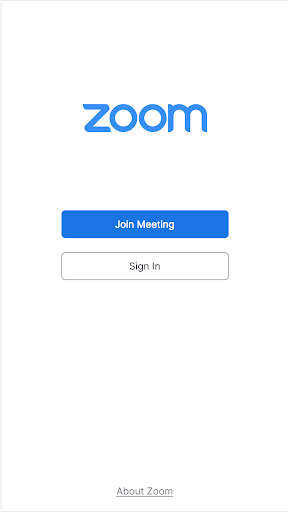
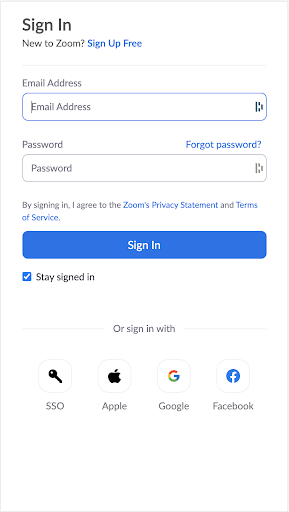
Sign in with your Zoom credentials, explore the dashboard, and customize settings as needed.

What are the main features and capabilities of this app?

Video meetings, team chat, phone calls, SMS, whiteboard, virtual backgrounds, and AI summaries.

How can I customize my experience and adjust preferences?

Adjust preferences in Settings, including notification types, themes, and default audio/video options.

How do I save or bookmark my favorite content for later access?

Use the Star or Save option during chats or meetings to bookmark important content for later.

How can I share content with friends or on social media?

Click the Share button to send meeting links or content directly to friends via email or social media.

How do I access detailed information and explore more content?

Access detailed information through the Help Center or explore more features in the app's Settings menu.

What permissions does this app need and how do I manage them?

The app needs camera, microphone, and storage permissions, manageable via Chrome OS settings.

How do I check for updates and keep the app running smoothly?

Enable automatic updates in Chrome OS settings or check for updates manually in the Play Store.
Show more

User Reveiws

{{ comment.reviewer_name }}
{{ comment.review_date_formatted}}
{{ comment.review_content }}
{{ tab.name }}
{{ comment.reviewer_name }}
{{ comment.review_date_formatted}}
{{ comment.review_content }}
No reviews with this rating