PDF Reader

3.40

Information

Category:

Business

Price:

Free

Rank:

19

Rating:

3.40

Overview

PDF Reader is a versatile business tool designed to streamline document management on the go. This application allows users to view, manage, and share PDF files with ease, making it an essential companion for professionals.

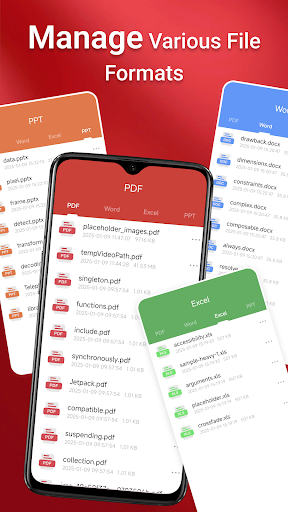
The app features a sleek interface that supports quick navigation and access to various document types including PDF, Doc, PPT, and Excel files. Its intuitive design ensures that locating and reading documents is hassle-free, while advanced sharing capabilities enable seamless collaboration.

Whether you're in the office or traveling, PDF Reader provides reliable access to your important files. The app's ability to handle documents across folders and devices makes it particularly valuable for business users who need constant access to their data.

Features

PDF Reader offers a comprehensive set of features that cater to diverse document handling needs. The app's one-click reading functionality allows users to open PDF files instantly, while its multi-format support covers popular document types like Doc, PPT, and Excel.

Advanced navigation tools enable quick page transitions and easy content exploration. The integrated file management system lets users organize their documents efficiently, while cross-folder operations ensure smooth workflow even with complex folder structures.

Security and accessibility are prioritized through Android's MANAGE_EXTERNAL_STORAGE permission, which allows reliable offline access and background processing. This ensures uninterrupted productivity regardless of network conditions or storage locations.

Collaborative work features

In today's fast-paced business environment collaborative work features have become essential for effective team coordination and project management The PDF Reader app recognizes this need and offers robust functionalities that facilitate seamless collaboration among team members One of the standout collaborative features is the integrated support for various document types including Doc PDF PPT and Excel This versatility allows teams to work with different file formats within a unified platform eliminating the need for multiple applications When it comes to sharing PDFs the app provides a straightforward mechanism to distribute documents to colleagues and stakeholders ensuring that everyone has access to the most up-to-date information Moreover the app's quick page navigation enhances the reading experience making it easier for teams to review and discuss specific sections of a document The requirement of MANAGE_EXTERNAL_STORAGE permission on Android 11 and later versions underscores the app's commitment to providing reliable and unrestricted access to files across different storage locations This feature is particularly beneficial for teams that need to perform operations across folders or require access to files stored in SD cards or non-standard locations By enabling background and offline document management the app ensures that collaborative efforts are not hindered by connectivity issues Overall these collaborative work features empower businesses to streamline their workflows improve communication and boost productivity by providing a comprehensive solution for managing and sharing PDF documents

Task management

Task management is a critical component of any business application and the PDF Reader app excels in this area by offering a suite of features designed to enhance efficiency and organization The app's sleek and intuitive interface plays a significant role in simplifying task management as it allows users to quickly locate and access their PDF files without unnecessary complications One of the key aspects of task management within the app is its one-click PDF reading capability which saves valuable time and effort especially when dealing with large volumes of documents The ability to navigate through pages swiftly further contributes to efficient task handling enabling users to focus on the content rather than the mechanics of document viewing Additionally the app's request for MANAGE_EXTERNAL_STORAGE permission on newer Android versions highlights its dedication to delivering comprehensive task management solutions This permission facilitates performing operations across folders accessing files in various storage locations and managing documents reliably even when offline Such capabilities are indispensable for maintaining workflow continuity and ensuring that important tasks are not interrupted by technical limitations Furthermore the app's emphasis on essential file-related operations such as file preview multi-file merging and persistent access to stored documents demonstrates its understanding of the nuanced needs of modern businesses By addressing these requirements the PDF Reader app provides a solid foundation for effective task management allowing users to organize prioritize and execute their responsibilities with greater ease and confidence

Props

User-friendly interface

Multi-format document support

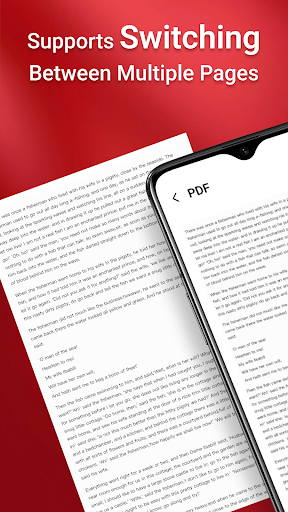
Quick page navigation

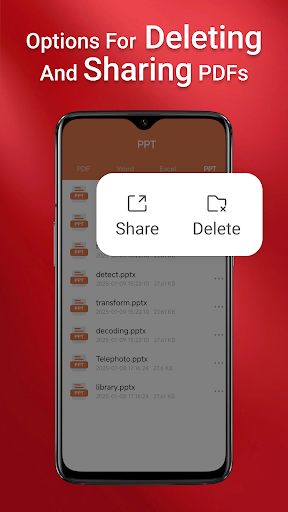
Seamless file sharing

Reliable offline access

Cons

Requires special permissions

Limited free features

Occasional performance issues

No cloud integration

Heavy on storage

Features and Functions

What is this app and what can I use it for?

A robust PDF reader for viewing and managing documents

How do I download and install this app on my device?

Visit Google Play Store, search for PDF Reader, and tap Install

How do I get started after opening the app for the first time?

Grant necessary permissions and explore the main dashboard

What are the main features and capabilities of this app?

Viewing, managing, and sharing PDFs across devices

How can I customize my experience and adjust preferences?

Adjust settings via the Preferences menu option

How do I save or bookmark my favorite content for later access?

Use the Bookmark feature to save favorite pages

How can I share content with friends or on social media?

Tap Share button to send files via email or social media

How do I access detailed information and explore more content?

Access detailed information through File Properties option

What permissions does this app need and how do I manage them?

App needs storage permissions for file management tasks

How do I check for updates and keep the app running smoothly?

Enable auto-update in Google Play Store settings
Show more

User Reveiws

{{ comment.reviewer_name }}
{{ comment.review_date_formatted}}
{{ comment.review_content }}
{{ tab.name }}
{{ comment.reviewer_name }}
{{ comment.review_date_formatted}}
{{ comment.review_content }}
No reviews with this rating