Lark Player

4.60

Information

Category:

Music & Audio

Price:

Free

Rank:

46

Rating:

4.60

Overview

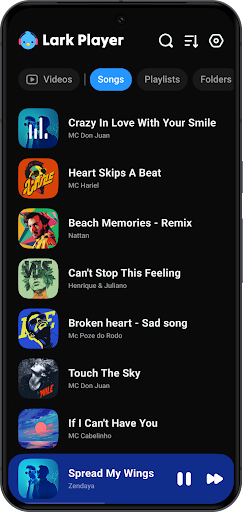
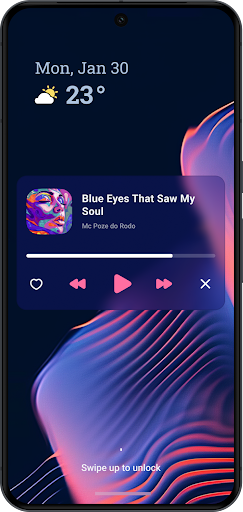
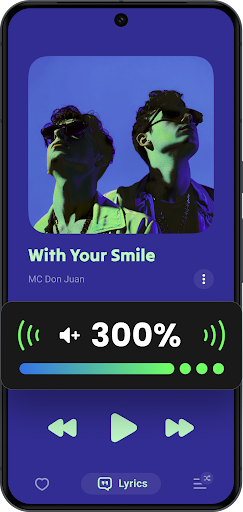
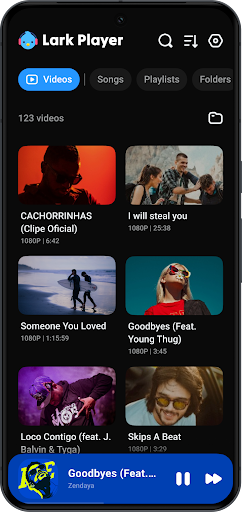
Lark Player is a versatile offline music and video player for Android, supporting all major audio and video formats. This free app features a powerful equalizer, customizable sound effects, and an intuitive user interface.

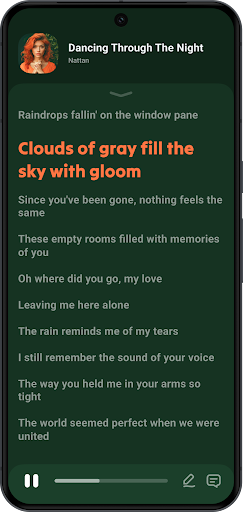
The player allows users to manage files directly, create playlists, and match lyrics with offline songs. Its floating window feature enables multitasking while enjoying media, making it ideal for users who want high-quality playback and robust functionality without an internet connection.

Features

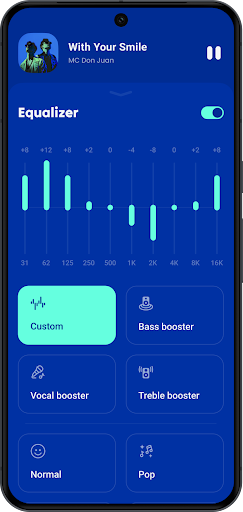
Lark Player stands out with its comprehensive format support, including MP3, WAV, FLAC for audio and MP4, MKV for videos. The built-in equalizer offers various presets like Classical, Pop, and Rock, allowing users to tailor their listening experience.

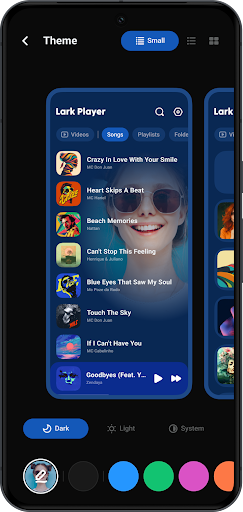
Unique features include a floating media window for multitasking, day/night theme switching, and the ability to set local music as ringtones. These capabilities, combined with playlist management and lyric synchronization, make Lark Player a complete multimedia solution for Android users.

Music library size & copyright authenticity

The music library size and copyright authenticity are crucial aspects of any music player application as they determine the breadth of content available to users and ensure that the music provided is legally accessible. Lark Player excels in these areas by offering a vast array of offline music options while maintaining strict adherence to copyright laws. This free music player supports all major formats of offline music, allowing users to enjoy an extensive collection of songs without the need for internet connectivity. The app's compatibility with numerous audio formats such as MP3 MIDI WAV FLAC AC3 AAC M4A ACC ensures that users can play their personal music files without limitations. Moreover Lark Player takes pride in its commitment to copyright authenticity ensuring that users can enjoy their favorite tracks with peace of mind. By focusing on legal music playback and supporting various audio formats this music player provides a comprehensive and worry-free listening experience. Users benefit from having a rich music library at their fingertips with the assurance that their music enjoyment is fully compliant with copyright regulations enhancing both the variety and legitimacy of their audio content.

Audio quality options

Audio quality options represent a fundamental feature set within music player applications enabling users to tailor their listening experiences to personal preferences and device capabilities. Lark Player offers an impressive range of audio quality settings designed to maximize sound fidelity and user satisfaction. At the core of this functionality lies a powerful equalizer complete with preset modes for various music genres including Normal Classical Dance Flat Folk Heavy Metal Hip-hop Jazz Pop and Rock. These presets allow users to customize their sound experience when playing music offline ensuring optimal audio performance across different types of content. Beyond genre-specific settings the app provides advanced audio enhancement features such as bass boost reverb adjustment and sound field customization giving users precise control over their listening environment. The combination of multiple audio format support including high-quality options like FLAC and AAC with these sophisticated equalization tools ensures that listeners can enjoy their music collection at its best possible quality. Furthermore Lark Player maintains consistent audio excellence whether playing music in the background through notification controls or utilizing the floating window feature for multitasking. This comprehensive approach to audio quality empowers users to create their ideal listening experience regardless of their current activity or device configuration making Lark Player a versatile choice for discerning music enthusiasts seeking both convenience and superior sound reproduction.

Props

User-friendly interface

Wide format compatibility

Powerful equalizer

Lyrics synchronization

Floating video mode

Cons

No music downloading

Ads in free version

Occasional bugs

Limited sharing options

Notification issues

Features and Functions

What is this app and what can I use it for?

A versatile offline music and video player for Android devices

How do I download and install this app on my device?

Search Lark Player on Google Play Store and tap Install

How do I get started after opening the app for the first time?

Grant necessary permissions and follow setup instructions

What are the main features and capabilities of this app?

Plays audio/video files, creates playlists, matches lyrics

How can I customize my experience and adjust preferences?

Adjust equalizer settings and switch day/night themes

How do I save or bookmark my favorite content for later access?

Create playlists or set as ringtone within the app

How can I share content with friends or on social media?

Share music via Bluetooth or social media platforms

How do I access detailed information and explore more content?

Browse by albums, artists, genres, or folders

What permissions does this app need and how do I manage them?

Needs storage access to manage media files

How do I check for updates and keep the app running smoothly?

Enable auto-update in Google Play Store settings
Show more

User Reveiws

{{ comment.reviewer_name }}
{{ comment.review_date_formatted}}
{{ comment.review_content }}
{{ tab.name }}
{{ comment.reviewer_name }}
{{ comment.review_date_formatted}}
{{ comment.review_content }}
No reviews with this rating