
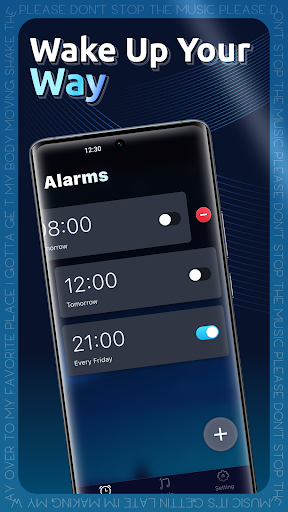
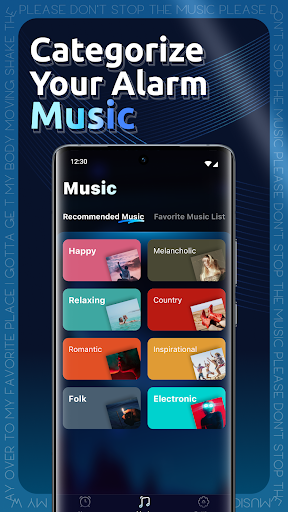
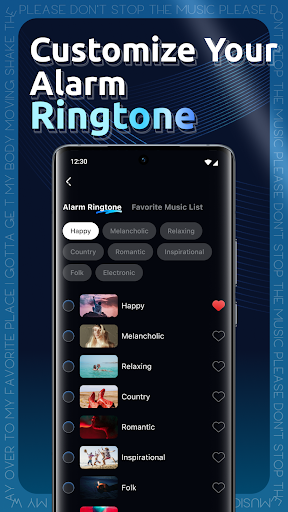

Geta Music is a revolutionary alarm app designed to transform your morning routine by replacing traditional alarm sounds with personalized music selections. This Android application allows users to wake up to their favorite tracks, whether they prefer high-energy songs to kickstart the day or calming melodies for a gentle rise. The app's flexibility extends beyond just music selection, offering features like multi-alarm setups tailored to different schedules and routines.
With Geta Music, you can customize your wake-up experience based on your lifestyle and preferences. Whether you need an early morning boost or a slow, relaxing start, this app adapts to your rhythm, ensuring that every day begins exactly how you want it to. Its intuitive design and seamless integration into daily life make it an essential tool for anyone looking to enhance their mornings with music.
Geta Music stands out with its unique combination of personalization and functionality. One of its core features is the ability to set personalized alarm music, allowing users to choose any track that resonates with their mood or energy needs. From energizing hits to soothing tunes, the app ensures that waking up becomes an enjoyable experience rather than a mundane task.
In addition to personalized alarms, Geta Music offers a flexible multi-alarm setup. Users can configure multiple alarms for different days or routines, each with its own distinct song. This feature ensures that your wake-up call is always fresh and perfectly aligned with your schedule. The app also provides a user-friendly interface that makes setting up and managing alarms simple and efficient, enhancing the overall user experience.
By combining these innovative features with a sleek design, Geta Music delivers a superior audio experience that caters to individual preferences while maintaining ease of use. It's not just about waking up; it's about starting your day right with music that inspires and motivates you.
User-friendly interface
Customizable alarms
Variety of music options
Flexible scheduling
Enhanced wake-up experience
Limited free tracks
Premium subscription required
Occasional bugs
Ads in free version
High battery usage

The Music Journey in Your Hands
 4.30
4.30
Control your MIDI USB or Bluetooth devices in app and avoid some trampling
3.30
A synth that really lets you shape your sounds!
4.50
Save hundreds of dollars for a physical strobe tuner and instead use this app.
4.50
No wifi music app. Mp3 offline. Tuner radio, young radio music. Music downloader
4.20
Learn and play 2M+ music tabs & chords on guitar, ukulele, bass, and more
4.30
Offline Music Player&MP3 Player with themes, equalizer, lyrics, music play mode
4.60
A complete sound package for the sound engineer or enthusiast
4.60
The iconic iOS metronome app is now on Android.
3.70
Most Advanced AI Song Generator and Music Creator. Rap, Pop, Rock, Gospel & more
4.70
Over 100 million tracks available for high quality streaming and download
4.60
Pay Once, no monthly payment
4.60
Super Sound Editor, Song Maker & Mixer, Vocal Remover, Voice Recorder & Changer!
4.60
Advanced 10-Band Audio Graphic Equalizer Sound Booster Pro
4.30
Enjoy singing any song, no matter how high or low it is
4.30
The alternative folder based music player.
4.20
Offline Tunes, Unlimited Vibes
3.90
Background pads for your band
3.80
Simply convert wav to mp3. Clear. Reliable. Safe.
4.2


User Reveiws