Shaper

4.50

Information

Category:

Music & Audio

Price:

$ 4.99

Rank:

53

Rating:

4.50

Overview

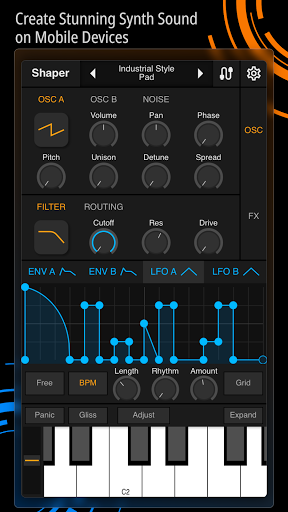
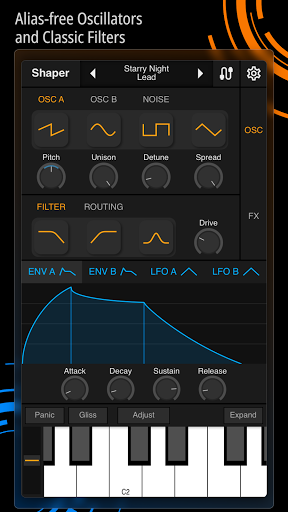
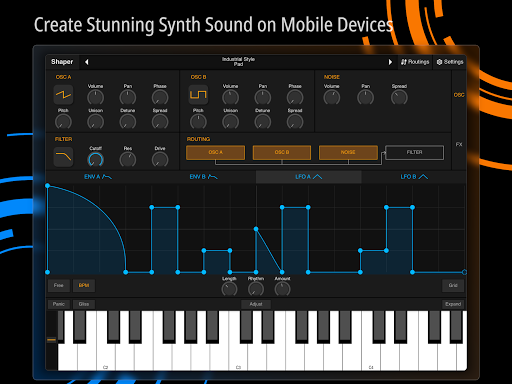
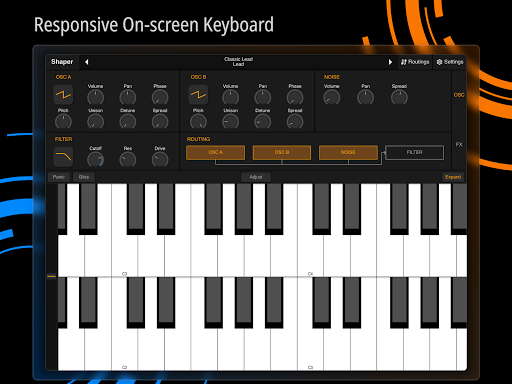
Shaper is a professional-grade subtractive synthesizer designed specifically for mobile platforms. This application allows musicians and sound designers to create dynamic sounds using advanced synthesis tools. The app features an intuitive interface that streamlines the sound design process, making it accessible even to beginners while still offering depth for professionals.

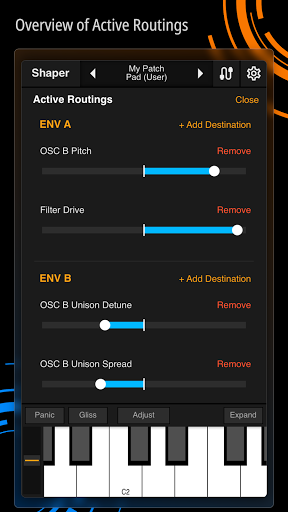
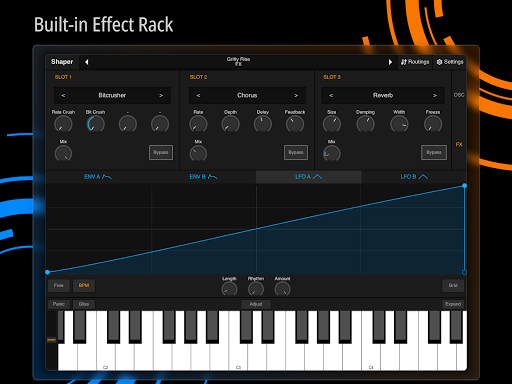
Key functionalities include an advanced modulation matrix, fully configurable LFO graphs, and an amazing-sounding classic analog filter. Shaper also provides eight additional built-in effects such as Bitcrusher, Chorus, Delay, and Reverb. These features make it an ideal tool for electronic music production or experimental sound design on the go.

The app's thoughtful design ensures a seamless creative experience. Whether you're crafting sounds in the studio or performing live, Shaper delivers professional-quality results directly from your mobile device.

Features

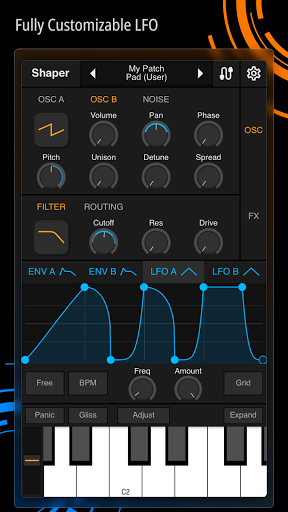
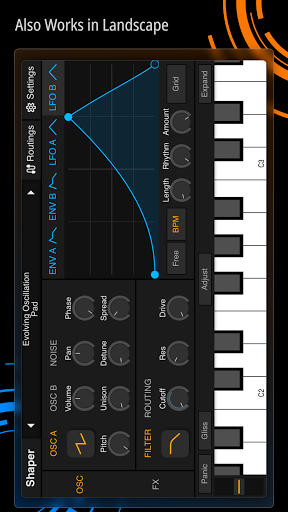
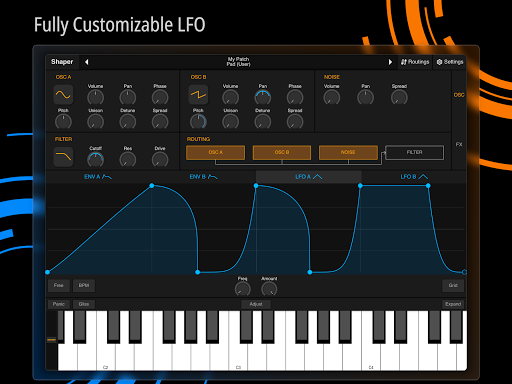
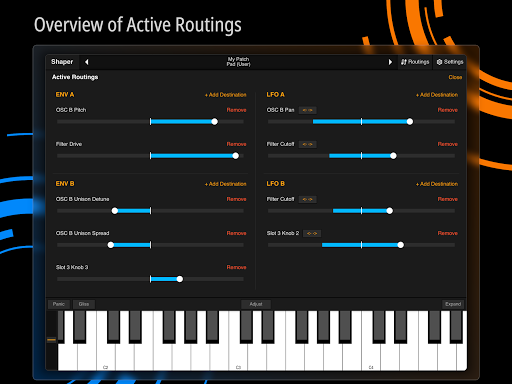
Shaper stands out with its comprehensive set of sound design features. The app includes an advanced modulation matrix that allows users to create complex sound interactions. Its fully configurable LFO graphs provide precise control over modulation shapes and timing, enabling intricate sound manipulations.

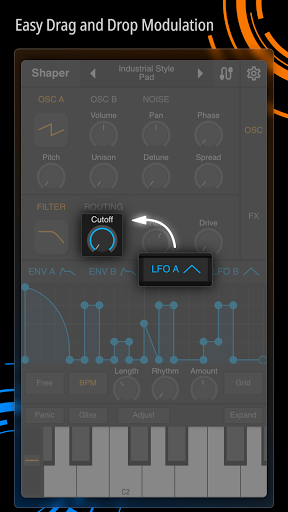
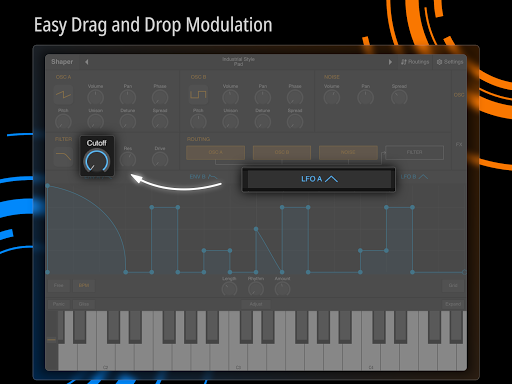
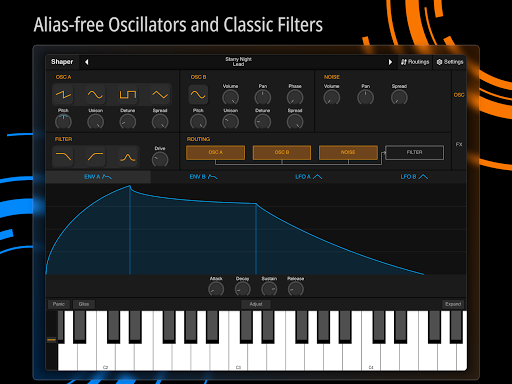
Another notable feature is the intuitive drag-and-drop modulation assignment system. This innovative approach simplifies the traditionally complex process of routing modulation sources, making advanced synthesis techniques more accessible. Additionally, the app incorporates a classic analog filter renowned for its rich, warm sound characteristics.

Shaper also offers eight professional-grade built-in effects including Bitcrusher, Chorus, Delay, Groove Delay, Distortion, Filter, Phaser, and Reverb. These effects expand the creative possibilities, allowing users to shape their sounds with industry-standard processing tools.

Music library size & copyright authenticity

In the realm of music and audio applications like Shaper a substantial music library with proper copyright authorization is essential for providing users with a diverse range of sound options while ensuring legal compliance. Shaper although primarily a synthesizer rather than a sample-based app offers an extensive array of sound design possibilities through its advanced synthesis features. The app's strength lies in its powerful subtractive synthesis engine which allows users to create unique sounds from scratch without relying on pre-recorded samples. This approach inherently avoids copyright issues as users generate original content using the app's comprehensive modulation tools and filters. The advanced modulation matrix and configurable LFO graphs provide musicians with the means to craft complex evolving sounds that are entirely their own. Furthermore the eight built-in effects including Bitcrusher Chorus Delay Groove Delay Distortion Filter Phaser and Reverb expand the creative possibilities without infringing on any existing copyrights. While Shaper doesn't function as a traditional music library application its ability to generate a vast spectrum of original sounds through synthesis effectively serves the same purpose. The app's thoughtful design ensures that all created sounds are royalty-free and can be used without any legal concerns making it an excellent tool for both professional and amateur musicians seeking to produce original compositions. By focusing on synthesis rather than sampling Shaper provides an innovative solution to the challenges of copyright while offering users unparalleled creative freedom.

Audio quality options

Audio quality options represent a crucial aspect of any music production application particularly for synthesizers like Shaper where sound clarity and fidelity directly impact the final composition. Shaper excels in this area by implementing a sophisticated analog-style filter that delivers exceptional sound quality reminiscent of classic hardware synthesizers. The app's signal path is carefully designed to maintain audio integrity throughout the entire synthesis process from initial waveform generation to final output. Users can manipulate various parameters including the filter cutoff resonance and envelope settings with precise control ensuring that each sound maintains its intended character and quality. Additionally the eight built-in effects processors are engineered to enhance rather than degrade audio quality. For instance the reverb effect provides lush spaciousness without introducing unwanted noise or artifacts while the distortion effect offers rich harmonic content without compromising the original signal's clarity. Shaper also supports high-quality audio processing at various sample rates ensuring compatibility with different devices and audio interfaces. The app's architecture is optimized for low-latency performance which is crucial for real-time sound manipulation and live performances. Furthermore the intuitive drag-and-drop modulation assignment system allows users to create complex sound designs without sacrificing audio quality. Each modulation source and destination is processed with mathematical precision resulting in smooth parameter changes and seamless transitions between different sound states. This attention to detail in audio processing ensures that musicians can achieve professional-grade results regardless of whether they're working on studio productions or performing live sets. The combination of high-fidelity synthesis components and carefully crafted effects processors makes Shaper a standout choice for musicians who demand the highest standards of audio quality in their creative work.

Props

Professional-grade synthesis

Intuitive user interface

Comprehensive effect suite

Advanced modulation options

Mobile accessibility

Cons

Steep learning curve

High system requirements

Limited free features

No MIDI support

Occasional crashes

Features and Functions

What is this app and what can I use it for?

Shaper is a mobile synthesizer app for creating dynamic sounds using advanced synthesis tools

How do I download and install this app on my device?

Search 'Shaper' in Google Play Store, tap Install, and follow prompts

How do I get started after opening the app for the first time?

Launch the app, explore presets, and try basic sound adjustments

What are the main features and capabilities of this app?

Includes modulation matrix, LFOs, filters, and eight built-in effects

How can I customize my experience and adjust preferences?

Adjust settings through the main menu's preference section

How do I save or bookmark my favorite content for later access?

Save favorite patches using the dedicated save button

How can I share content with friends or on social media?

Share creations via audio export or social media links

How do I access detailed information and explore more content?

Access detailed information through the help documentation

What permissions does this app need and how do I manage them?

Requires audio permissions managed in app settings

How do I check for updates and keep the app running smoothly?

Check updates automatically through Google Play Store
Show more

User Reveiws

{{ comment.reviewer_name }}
{{ comment.review_date_formatted}}
{{ comment.review_content }}
{{ tab.name }}
{{ comment.reviewer_name }}
{{ comment.review_date_formatted}}
{{ comment.review_content }}
No reviews with this rating