
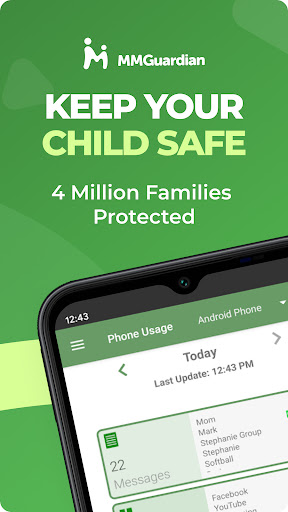
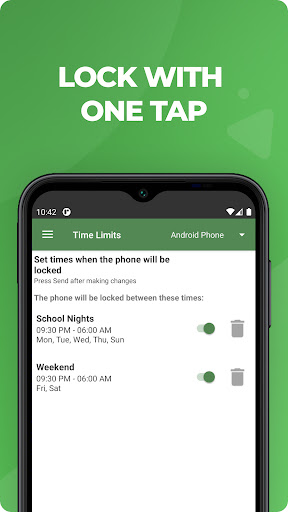
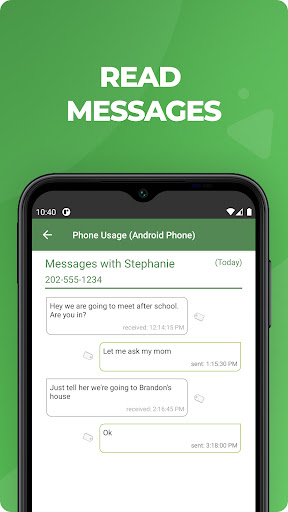


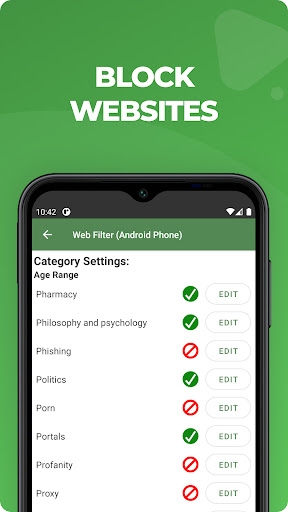

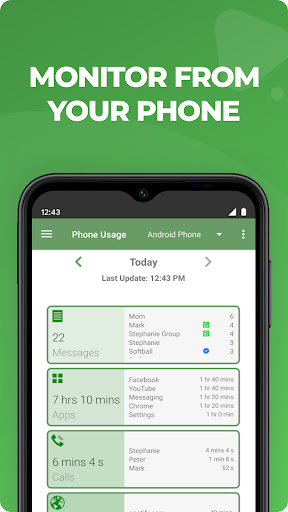
MMGuardian Parental Control is a comprehensive parental monitoring solution designed to ensure children's online safety. This app, installed on the parent's phone, works in tandem with a corresponding child app to provide real-time monitoring and control over various digital activities. Parents can remotely manage screen time, block inappropriate apps and games, filter web content, and receive safety alerts.
The application's key strength lies in its ability to monitor both traditional SMS messages and popular social media platforms including Facebook Messenger, WhatsApp, and Snapchat. It employs advanced algorithms to detect potential threats related to cyberbullying, sexting, and other concerning behaviors. The GPS location tracker adds an extra layer of security by allowing parents to locate their child's device in real-time.
This parental control solution caters specifically to families with Android devices, though iPhone support is also available. Its true value emerges when both parent and child devices are linked through the same email account, creating a robust protection network that helps parents maintain a safe digital environment for their children.
MMGuardian stands out through its comprehensive feature set that addresses multiple aspects of digital safety. The application provides detailed monitoring capabilities across various communication channels including SMS text messages, web browsing activity, application usage, and phone calls. What makes it particularly effective is its ability to analyze content from major social media platforms like Instagram, TikTok, and Discord, sending immediate alerts when detecting potentially harmful content.
The app's functionality extends beyond mere monitoring. Parents can actively manage their child's device through features like remote locking and unlocking, setting precise limits for screen time and app usage, and implementing web filtering rules. The comprehensive reporting system delivers detailed insights into text message patterns, app usage statistics, and web browsing history, enabling parents to identify potential issues early.
Additional notable features include the GPS location tracker, which provides real-time location updates, and the quick lock/unlock function for emergency situations. These features work together to create a complete safety net around the child's digital activities, while maintaining a balance between protection and privacy.
Comprehensive monitoring
Real-time alerts
Remote management
Social media coverage
Detailed reporting
Paid subscription
Complex setup
Requires data
Limited iOS features
Parental involvement

Daily Routine & Timer for kids, ADHD, & Autism
 4.80
4.80
Fake call application designed for parents and adults to discipline their children through the children's police.
4.20
Track your pregnancy, kick & contraction counter, baby & mom's heartrate monitor
4.60
Magic chalkboard coloring and drawing!
4.20
FamilyMode helps you manage your family’s digital lives—at home or on the go.
4.30
Parental control App for Location, Remote Camera, Screen Mirroring, Block Apps.
4.60
GeoLog - Real-Time Location Tracker
4.40
App/Game blocker & GPS tracker
4.50
Monitor screen time and build healthy habits with Family Safety
3.90
A simple way to track your baby’s breastfeeding, diaper changes, sleep patterns.
4.90
Fun Ideas for Parents
4.70
Reliable phone tracker by number & locate phone app. Protect your family.
4.50
Speech Therapy Exercises For All!
4.40
Protect kids online safety through GPS tracking,screen time control,app blocking
4.20
Affirmations | Stories | Bible
4.10
The 10 development leaps of your baby | newborn milestones & leap days tracker
4.10
Save money on diapers. Get the Pampers Rewards app.
3.90
Screen Time, App and Web Block & Monitoring, Location Tracker
3.60
Play activities, milestones, expert-led classes, baby tracker, and more!
3.00


User Reveiws