TurboScan Pro

4.80

Information

Category:

Business

Price:

$ 5.99

Rank:

1

Rating:

4.80

Overview

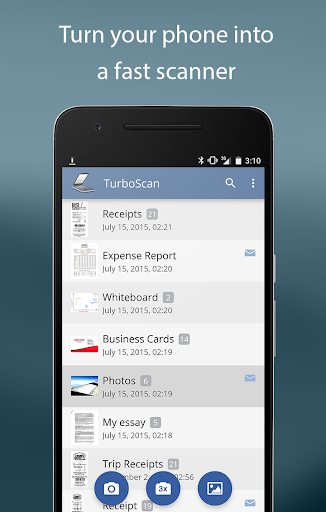
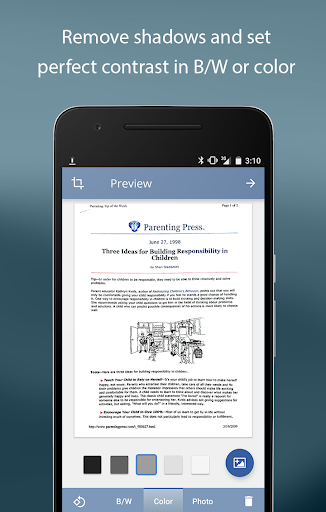
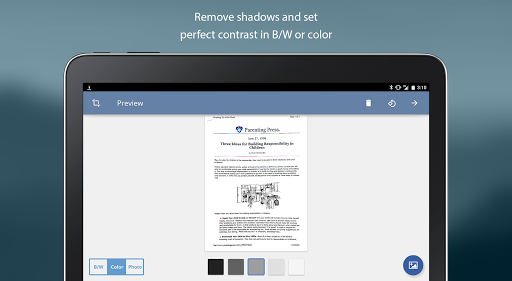
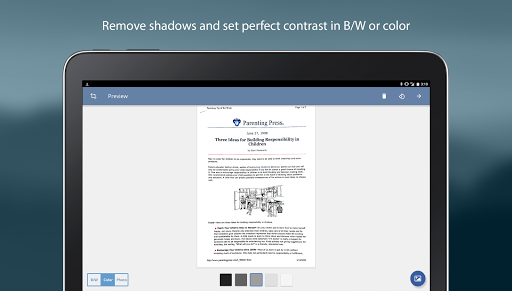
TurboScan Pro is a premier mobile scanning solution that transforms your smartphone into a sophisticated multipage scanner. Designed for professionals and everyday users, it excels in capturing high-quality scans of documents, receipts, notes, and more. The app utilizes advanced algorithms to detect document edges, correct perspective, and optimize contrast, ensuring every scan is clear and professional-looking.

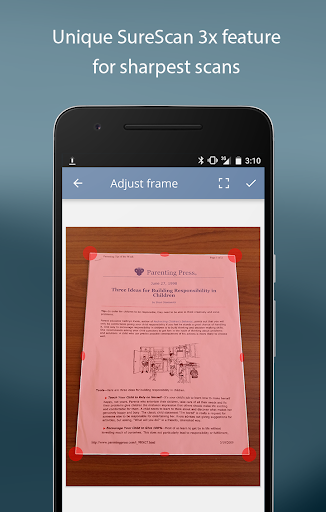
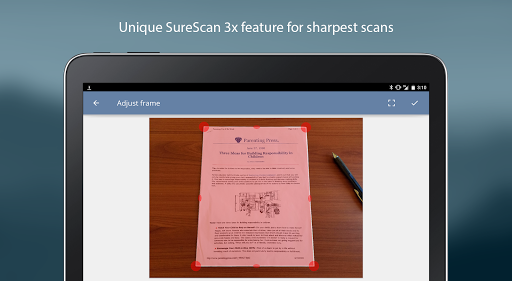
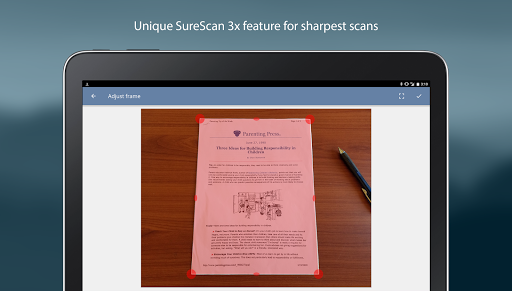
What sets TurboScan Pro apart is its proprietary SureScan mode, which captures sharper images even in low-light conditions by taking three consecutive shots. With ultra-fast processing speeds of under 3 seconds per page, users can quickly compile multipage PDF or JPEG files. Its intuitive interface provides instant one-tap controls for brightness, rotation, and color adjustments, making document management effortless.

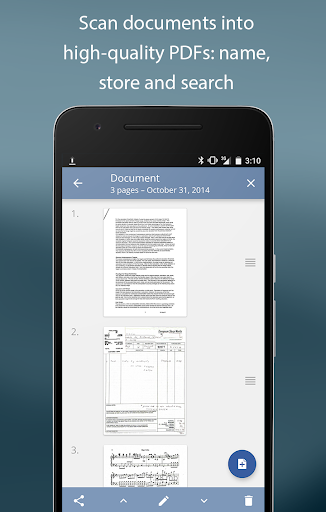
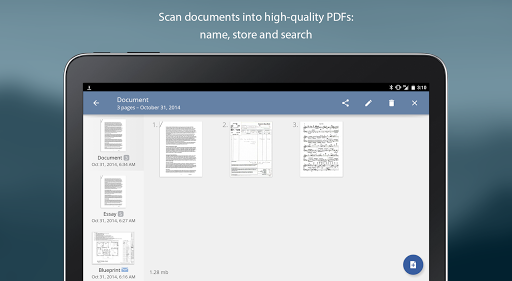
Ideal for business professionals, TurboScan Pro supports features like document naming, search functionality, and multipage editing. Users can email scans directly, upload them to cloud services like Evernote, or integrate with apps like Dropbox. All processing occurs locally on the device, ensuring data privacy without requiring an internet connection. This makes TurboScan Pro a reliable tool for secure document handling.

Features

TurboScan Pro offers a comprehensive suite of features designed to streamline document scanning and management. One standout capability is its automatic document edge detection and perspective correction, which ensures scanned documents appear perfectly aligned and professional. The app's SureScan mode enhances image clarity, particularly in challenging lighting conditions, by capturing three images of the same document and combining them for optimal sharpness.

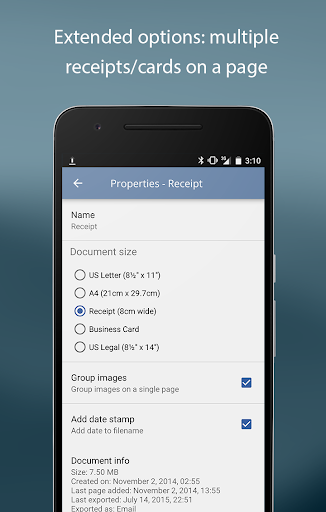
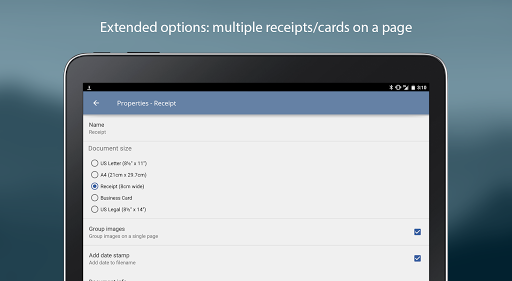
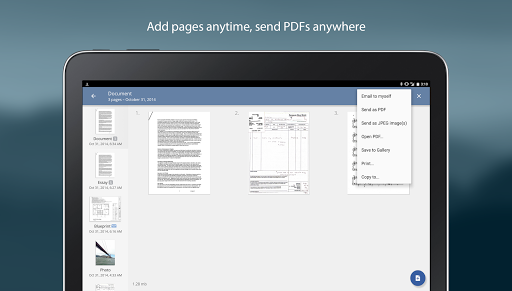
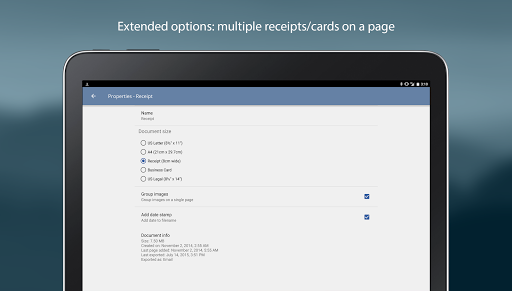
The app also boasts ultra-fast processing, completing scans in under 3 seconds per page. Its multipage editing tools allow users to add, reorder, and delete pages seamlessly. Additionally, TurboScan Pro supports copying pages between stored scans and arranging multiple receipts or business cards onto a single PDF page. These features make organizing complex documents straightforward and efficient.

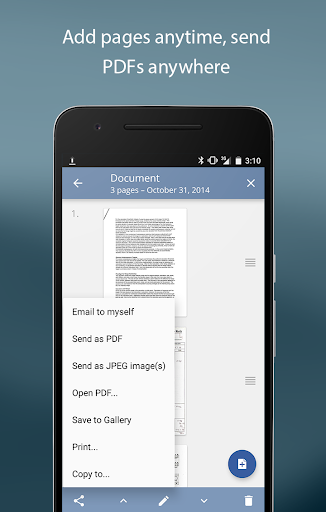
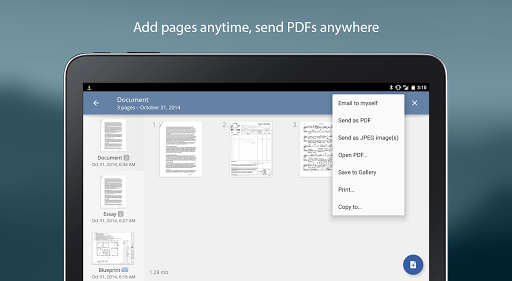
TurboScan Pro further enhances productivity with its "Email to myself" feature, enabling quick sharing of documents to predefined email addresses or cloud storage platforms. Users can export scans as PDF, JPEG, or PNG files, or save them directly to their camera roll. Integration with third-party apps like Dropbox, Google Drive, and Evernote expands its utility, while printing via Cloud Print ensures physical copies are easily accessible when needed.

Collaborative work features

In the realm of collaborative work features TurboScan Pro excels by offering tools that facilitate seamless teamwork and document sharing. The app allows users to scan documents in high quality and convert them into multipage PDF or JPEG files which can be easily shared among team members. With its advanced algorithms TurboScan Pro ensures that every scanned document is accurately detected for edges straightened to correct perspective and enhanced with perfect contrast making it highly legible for all collaborators. One standout feature is the ability to arrange multiple receipts or business cards on a single PDF page which is particularly useful for teams managing expenses or networking efforts. Additionally the app supports integration with various cloud services such as Evernote Google Drive and Dropbox enabling teams to upload and share documents effortlessly. This ensures that all team members have access to the latest versions of important files regardless of their location. The Email to Myself feature further simplifies communication allowing users to send documents to a predefined email address with just one tap. This functionality is invaluable for quick updates and ensuring that critical information reaches the right people promptly. All these features are encapsulated within an intuitive interface that consolidates essential controls like brightness rotation and color adjustments onto a single screen promoting efficient collaboration without unnecessary complexity. By handling all processing locally on the device TurboScan Pro also guarantees the confidentiality of shared data eliminating concerns about privacy breaches during document exchanges. These capabilities make TurboScan Pro an indispensable tool for businesses seeking to enhance their collaborative workflows while maintaining high standards of document quality and security.

Task management

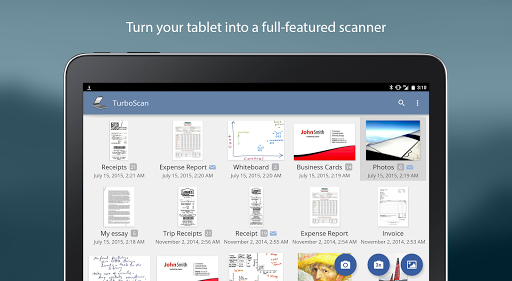
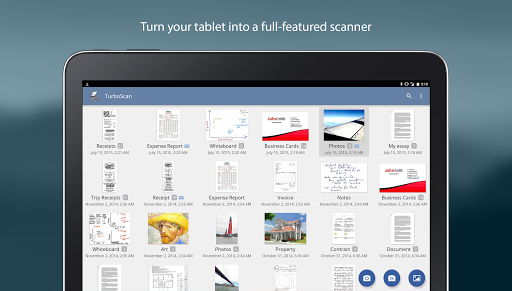
TurboScan Pro offers robust task management features that significantly enhance productivity and organization within a business environment. At the core of its task management capabilities is the app's ability to store and manage scanned documents efficiently. Users can name their documents making it easier to identify and retrieve specific files when needed. The app also provides a search function allowing users to quickly locate documents based on keywords or names which is crucial for maintaining an organized digital workspace. Another key aspect of TurboScan Pro's task management is its multipage editing feature. This functionality enables users to add reorder and delete pages within stored scans streamlining the process of compiling comprehensive reports or presentations. Furthermore the ability to copy pages between different scans adds another layer of flexibility especially useful for creating customized document sets tailored to specific tasks or projects. For professionals who need to manage numerous receipts or invoices TurboScan Pro offers the option to arrange multiple items on a single PDF page simplifying expense tracking and financial reporting. The appu2019s support for various file formats including PDF JPEG and PNG ensures compatibility with different systems and workflows. Users can save documents directly to their camera roll or open them in other applications such as cloud storage services enhancing accessibility and integration with existing task management ecosystems. Printing options via Cloud Print or other print apps provide additional convenience for those who require physical copies of their documents. With instant one-tap controls for brightness rotation and color adjustments TurboScan Pro empowers users to optimize their documents swiftly ensuring that each file meets the highest standards of clarity and professionalism. By performing all processing locally the app upholds stringent data confidentiality protocols reinforcing trust in its task management solutions. Overall TurboScan Pro stands out as a powerful ally in task management offering a suite of features designed to boost efficiency and maintain impeccable document organization.

Props

Advanced scanning algorithms

Fast processing speed

Secure offline operation

Intuitive user interface

Versatile file export options

Cons

Premium price point

Requires careful lighting

Limited free features

Occasional edge detection errors

Heavy on storage usage

Features and Functions

What is this app and what can I use it for?

TurboScan Pro is a mobile app for scanning documents, receipts, and notes into high-quality PDF or JPEG files.

How do I download and install this app on my device?

Download TurboScan Pro from Google Play Store and install it by following the on-screen instructions.

How do I get started after opening the app for the first time?

Open the app, grant necessary permissions, and start scanning by following the guided setup process.

What are the main features and capabilities of this app?

Key features include automatic edge detection, multipage scanning, SureScan mode, and cloud integration.

How can I customize my experience and adjust preferences?

Customize settings like flash usage, document naming conventions, and preferred file formats in the app menu.

How do I save or bookmark my favorite content for later access?

Save favorite scans within the appu2019s internal storage or export them to cloud services for later access.

How can I share content with friends or on social media?

Share scanned documents via email, messaging apps, or social media directly from the app interface.

How do I access detailed information and explore more content?

Access detailed information by opening saved scans or exploring additional features in the settings menu.

What permissions does this app need and how do I manage them?

The app requires camera and storage permissions; manage these in your device settings under app permissions.

How do I check for updates and keep the app running smoothly?

Check for updates in the app store and enable auto-update to ensure smooth performance and access to new features.
Show more

User Reveiws

{{ comment.reviewer_name }}
{{ comment.review_date_formatted}}
{{ comment.review_content }}
{{ tab.name }}
{{ comment.reviewer_name }}
{{ comment.review_date_formatted}}
{{ comment.review_content }}
No reviews with this rating