FaxCover Pro Create Cover Page

4.90

Information

Category:

Business

Price:

$ 1.99

Rank:

6

Rating:

4.90

Overview

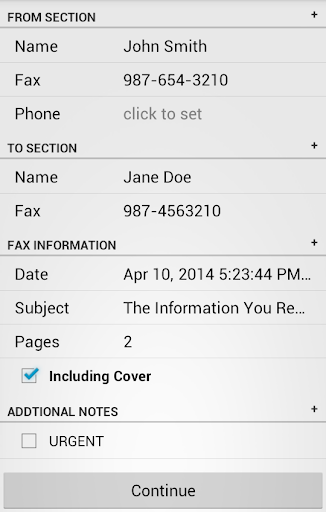
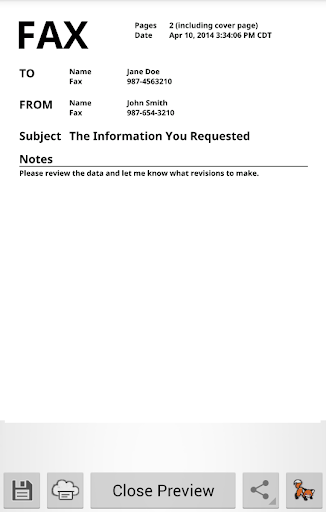
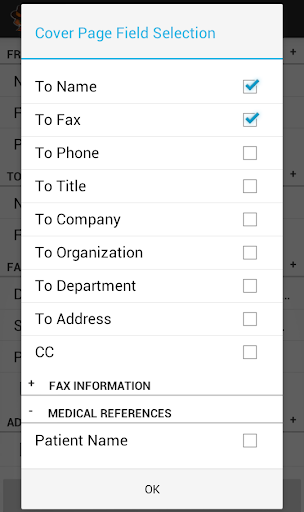
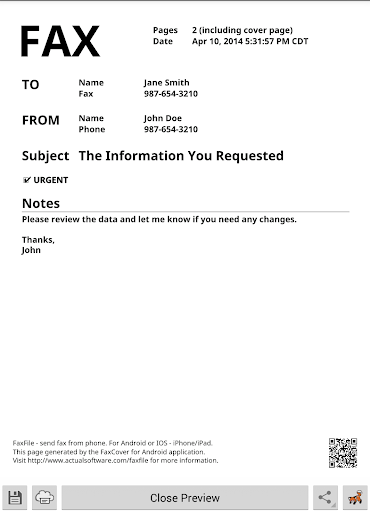
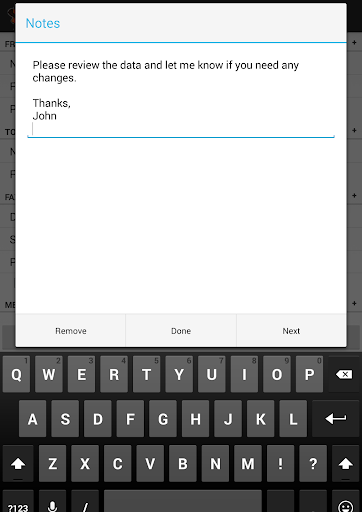
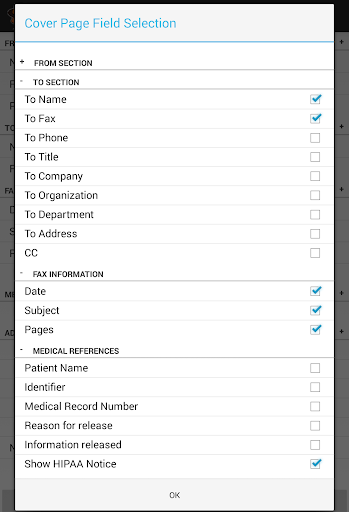
FaxCover Pro is a professional business tool designed to create customized fax cover pages in PDF format. This application allows users to design professional-looking fax cover sheets that can be used with any fax program or traditional fax machines. The app provides flexible customization options, enabling users to select specific fields to display on the cover page and include a note section for personalized messages.

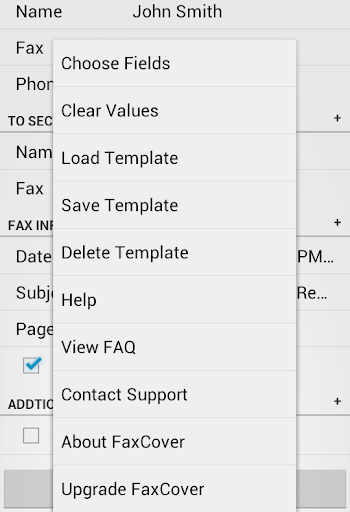
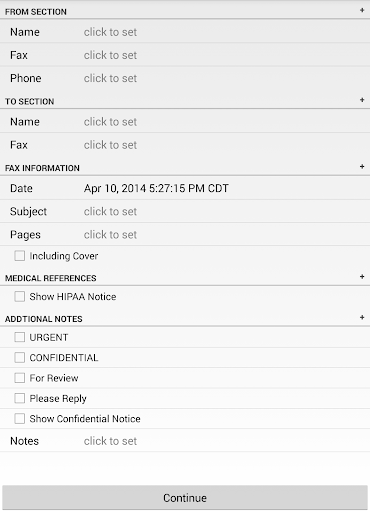
One of the standout features is the ability to save templates for frequently used fax types, streamlining the faxing process. Additionally, FaxCover Pro includes built-in disclaimers for confidential information and HIPAA compliance statements, ensuring your documents meet necessary legal standards. Whether you need a digital PDF for fax apps or a printed cover sheet for manual faxing, this app delivers both functionality and convenience for modern business communication needs.

Features

FaxCover Pro offers an array of practical features tailored for business professionals who regularly send faxes. The app allows users to customize every aspect of their fax cover pages, including choosing which fields to display and adding personalized notes to recipients. This level of customization ensures each fax is professional and conveys the necessary information clearly.

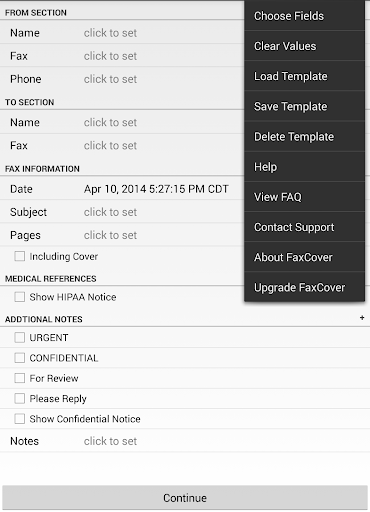
The app also supports template creation, allowing users to save common fax formats for quick reuse. This feature saves time and maintains consistency across communications. Furthermore, FaxCover Pro includes essential legal disclaimers related to confidentiality and HIPAA compliance, which can be automatically added to the bottom of each fax. These disclaimers help businesses adhere to regulatory requirements while protecting sensitive information. With its ability to generate PDF files compatible with various fax applications, FaxCover Pro bridges traditional faxing methods with modern digital solutions.

Collaborative work features

Collaborative work features in business applications are essential for teams that need to share information and work together efficiently. FaxCover Pro Create Cover Page offers a unique approach to collaboration by allowing users to create customized fax cover sheets that can be used across various platforms. The ability to choose which fields to display on the fax cover sheet ensures that all team members have access to the necessary information without cluttering the page with irrelevant details. This feature is particularly useful when different departments or team members require specific information to process the fax further. Additionally, the inclusion of a note section allows users to type personalized messages to recipients, enhancing communication clarity. By enabling users to save templates for common faxes, the application streamlines repetitive tasks and ensures consistency across all outgoing communications. This not only saves time but also reduces the likelihood of errors that can occur when manually entering information each time. Furthermore, the optional built-in disclaimers for confidential information and HIPAA compliance statements ensure that sensitive data is handled appropriately, providing peace of mind for businesses operating in regulated industries. Overall, these collaborative features make FaxCover Pro an invaluable tool for businesses looking to improve their fax communication processes while maintaining high standards of professionalism and security.

Task management

Task management is a critical component of any business application designed to enhance productivity and organization. FaxCover Pro Create Cover Page addresses this need by offering robust task management capabilities tailored specifically for creating and managing fax cover sheets. One of the standout features is the ability to generate PDF files that can be seamlessly integrated with the user's preferred fax application or printed out for use as a physical cover sheet. This flexibility ensures that users can incorporate the application into their existing workflows without disruption. Moreover, the option to create templates for frequently used fax types significantly enhances task management efficiency. Users can design templates that include predefined fields and notes, ensuring that every fax sent adheres to company standards and contains all necessary information. This feature is particularly beneficial for businesses that send out a high volume of faxes regularly, as it eliminates the need to recreate cover sheets from scratch each time. The application also supports saving these templates, making them readily accessible for future use and thereby reducing preparation time. Another noteworthy aspect is the attention to detail in handling sensitive information. With built-in disclaimers for confidential information and HIPAA compliance statements, FaxCover Pro ensures that businesses can manage tasks involving sensitive data with confidence. These features collectively contribute to a more organized and efficient task management system, empowering businesses to handle their fax communications more effectively while maintaining compliance with industry regulations.

Props

User-friendly interface

Customizable templates

HIPAA compliance support

PDF file generation

Professional appearance

Cons

Paid version only

No cloud integration

Limited design options

Manual updates required

Basic formatting tools

Features and Functions

What is this app and what can I use it for?

FaxCover Pro creates customizable fax cover pages in PDF format for professional use.

How do I download and install this app on my device?

Download FaxCover Pro from Google Play Store and install it on your Android device.

How do I get started after opening the app for the first time?

Open the app, select fields to display, and start customizing your first fax cover page.

What are the main features and capabilities of this app?

Key features include customizable fields, note sections, saved templates, and legal disclaimers.

How can I customize my experience and adjust preferences?

Adjust preferences by selecting desired fields and saving templates for future use.

How do I save or bookmark my favorite content for later access?

Save favorite templates within the app for quick access when creating new faxes.

How can I share content with friends or on social media?

Share generated PDF files via email or other apps directly from the app interface.

How do I access detailed information and explore more content?

Access detailed options by exploring field selections and disclaimer settings in the app.

What permissions does this app need and how do I manage them?

The app requires basic permissions like storage access to save PDF files on your device.

How do I check for updates and keep the app running smoothly?

Check for updates in the Google Play Store to ensure smooth performance and new features.
Show more

User Reveiws

{{ comment.reviewer_name }}
{{ comment.review_date_formatted}}
{{ comment.review_content }}
{{ tab.name }}
{{ comment.reviewer_name }}
{{ comment.review_date_formatted}}
{{ comment.review_content }}
No reviews with this rating