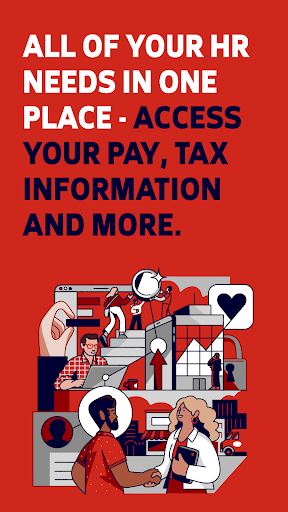

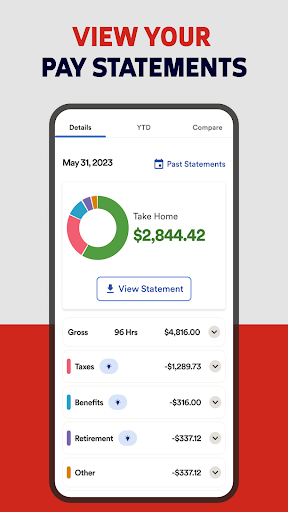
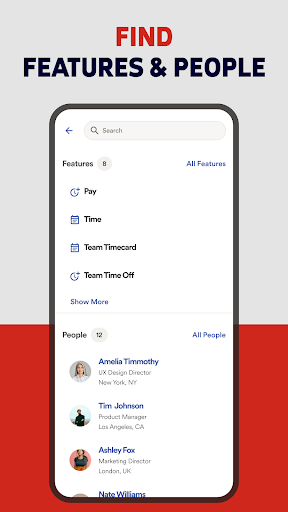


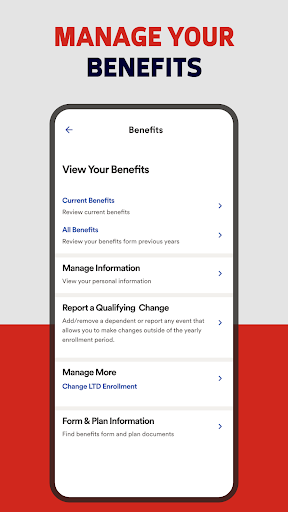
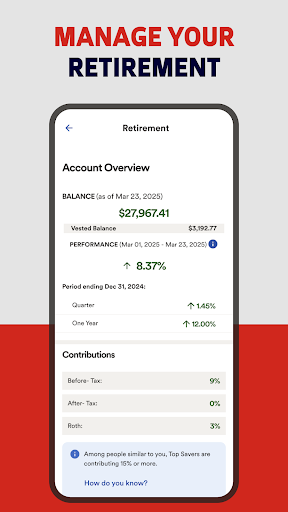
ADP Mobile Solutions is a comprehensive business application designed to streamline HR management for both employees and managers. The app provides instant access to crucial payroll, time tracking, benefits information, and other essential HR functions, making workforce management more efficient.
Key features include the ability to view pay statements, request time off, track attendance, and manage benefits - all from your mobile device. Managers can approve time cards, view team calendars, and access executive dashboards. With support for biometric authentication and industry-leading security protocols, ADP ensures that sensitive employee data remains protected at all times.
This app is particularly valuable for companies using ADP's Workforce Now, Vantage, or other ADP products. It enables remote workforce management while maintaining enterprise-grade security standards, making it an indispensable tool for modern businesses.
ADP Mobile Solutions stands out with its robust feature set tailored for both employees and managers. Employees can conveniently view their pay statements and W2 forms, request time off, and track their attendance through digital time cards. The app also supports creating and managing timesheets directly from mobile devices.
For managers, the app offers advanced tools including team calendar views, time card approvals, and executive dashboards for better workforce oversight. The application's security features are equally impressive, with end-to-end encryption, biometric authentication, and automatic session timeouts after periods of inactivity.
What sets ADP Mobile Solutions apart is its seamless integration with various ADP products and its ability to function across different operating systems, including Android 10 and above. This cross-platform compatibility combined with top-tier security measures makes it a reliable choice for businesses seeking to enhance their HR management capabilities.
User-friendly interface
Comprehensive security features
Seamless ADP integration
Remote workforce management
Real-time data access
Limited to ADP clients
Feature availability varies
Occasional connectivity issues
Steep learning curve
Additional fees for some features

ANDROID'S TOP MOBILE OFFICE - Word, Excel, PowerPoint and PDF at your fingertips
 4.50
4.50
BuildCalc - the easiest AND the most advanced construction calculator app.
4.80
Get your benefits on-the-go.
3.80
viewing and sharing PDFs and other files—anytime, anywhere!
4.1
Take the stress out of storage with the all-in-one app to manage your space.
3.70
Employee Management Made Easy
4.80
Use Generative Summary to understand your rental or insurance docs in seconds.
4.70
Roadie connects people with stuff to send with drivers already going that way.
3.50
Work happy with AI Companion
4.10
Start earning fast. Apply Today.
4.80
The MyWalmart App is available for all associates in stores.
4.70
USPS Mobile®Access USPS.com’s most popular tools on-the-go.
4.70
One marketplace. Hundreds of services. Unlimited possibilities. All on Fiverr.
4.40
All Your Gig Work. One App.
4.30
Deliver and earn money
4.30
Make money as a delivery driver with DoorDash and work when you want as a Dasher
4.30
The Penny Puss app with DG penny finder
4.10
enjoy effortless PDF reading anytime, anywhere
3.90
Find part-time earning opportunities near you that pay within days.
3.20


User Reveiws