Connecteam Team Management App

4.80

Information

Category:

Business

Price:

Free

Rank:

43

Rating:

4.80

Overview

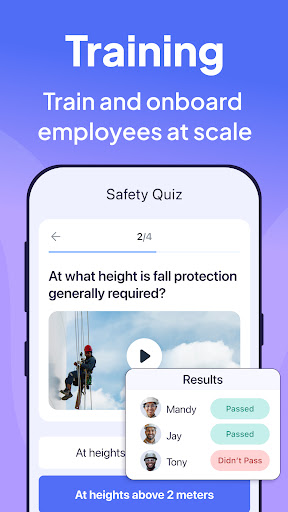
Connecteam is a comprehensive employee management app designed specifically for non-desk employees. It offers an all-in-one solution that includes work scheduling, time tracking, internal communication, task management, employee training, and more. The app stands out with its intuitive design and affordability, making it ideal for small to medium-sized businesses.

The platform provides essential tools like GPS-based job tracking, automated shift scheduling, and seamless payroll integrations. Its user-friendly interface allows business owners to manage their teams efficiently from any location. With Connecteam, companies can streamline operations, improve employee engagement, and ensure compliance with workplace procedures.

Features

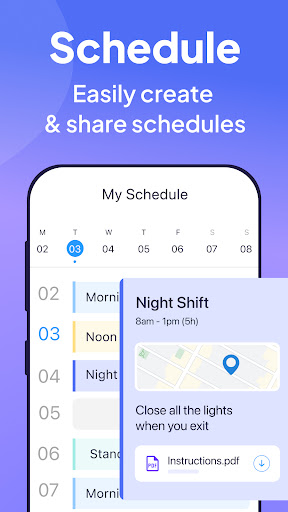
Connecteam's feature set is designed to address the diverse needs of workforce management. The app excels in work scheduling, offering collaborative shift planning, auto-scheduling capabilities, and detailed job information including GPS tracking. Managers can easily organize single or team shifts while monitoring job progress through real-time updates.

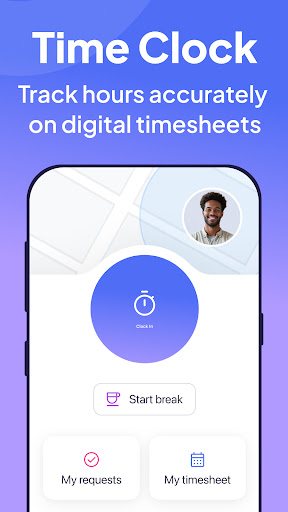
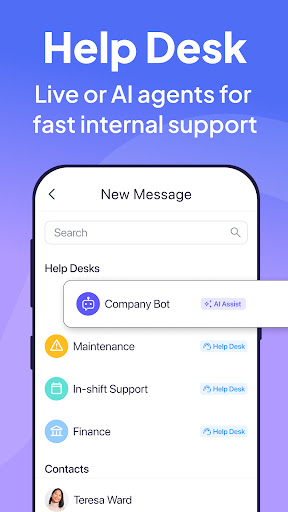
The employee time clock feature incorporates advanced tracking mechanisms such as Geofencing, automated break calculations, and integration with popular payroll systems. The internal communication platform facilitates seamless interaction through live chat, company-wide posts, and feedback surveys. Additionally, the task management system enables businesses to digitize their processes with customizable checklists and automated reminders.

Collaborative work features

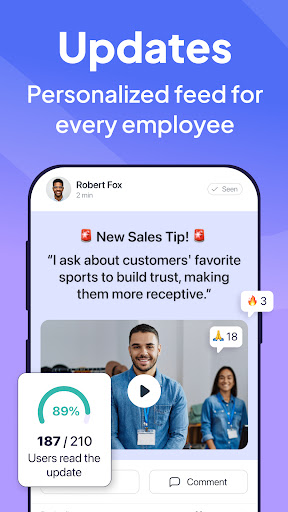
In the modern workplace environment especially for non-desk employees effective collaboration is crucial for business success Connecteam offers a comprehensive suite of collaborative work features that streamline communication task management and overall workflow The platform's live chat functionality supports both one-on-one and group conversations enabling real-time interaction among team members Additionally the chat API allows integration with external data sources creating a centralized communication hub This ensures that all team members regardless of their location can stay connected and informed The app also includes a company directory which serves as a repository for all work contacts making it easier to find and connect with colleagues Furthermore Connecteam provides tools for posting updates which can include comments and reactions This feature not only facilitates top-down communication from management to employees but also encourages bottom-up feedback through employee surveys By incorporating these collaborative elements Connecteam significantly enhances team cohesion and operational efficiency Users benefit from having all essential communication tools in one place which reduces the need for multiple disparate apps and platforms This consolidation leads to time savings improved information accuracy and ultimately better decision-making across the organization

Task management

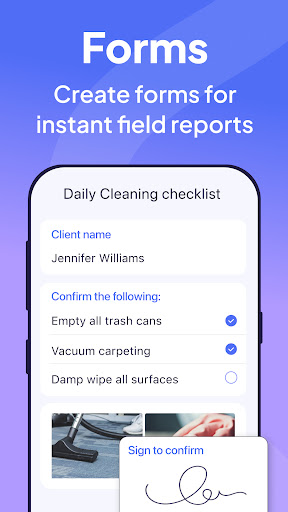
Effective task management is vital for maintaining productivity and ensuring compliance within any business Connecteam addresses this need by offering robust task management capabilities that transform traditional paper-based or verbal processes into streamlined digital workflows One of the key features is the ability to create daily checklists with automatic reminders This ensures that important tasks are never overlooked and helps maintain consistent performance across different teams The platform also supports online forms tasks and checklists with read and sign options which is particularly useful for confirming that employees have reviewed and understood specific procedures or policies Moreover users can upload images and report geolocation data directly within tasks This functionality not only provides visual confirmation of completed work but also verifies the location where tasks were performed Another significant advantage is the ability to go completely paperless while automating daily procedures These automated processes can be accessed and utilized from anywhere which is especially beneficial for remote or field-based workers The system is fully customizable allowing businesses to tailor workflows to their specific needs and industry requirements The inclusion of a live mobile preview feature enables managers to see exactly how forms and checklists will appear on mobile devices before deployment This attention to detail ensures that all task management tools are intuitive and user-friendly leading to higher adoption rates among employees Overall Connecteam's task management solution helps organizations improve efficiency reduce errors and maintain compliance with industry regulations

Props

User-friendly interface

Affordable pricing plans

Comprehensive feature set

Excellent customer support

Highly customizable options

Cons

Limited advanced reporting

Occasional syncing issues

Basic free version limitations

Learning curve for complex features

Mobile-only functionality

Features and Functions

What is this app and what can I use it for?

All-in-one employee management solution for scheduling, communication, and task tracking.

How do I download and install this app on my device?

Visit Google Play Store, search 'Connecteam', and tap install to download the app.

How do I get started after opening the app for the first time?

Follow the setup wizard, create your account, and add your team details to get started.

What are the main features and capabilities of this app?

Offers scheduling, time tracking, communication, task management, and employee training tools.

How can I customize my experience and adjust preferences?

Adjust notification settings, customize workflows, and set user permissions in the admin panel.

How do I save or bookmark my favorite content for later access?

Use the save feature to store important messages, files, or completed tasks for future reference.

How can I share content with friends or on social media?

Share content directly through the app's built-in sharing options to social media platforms.

How do I access detailed information and explore more content?

Access detailed analytics and explore additional features in the reporting dashboard section.

What permissions does this app need and how do I manage them?

Requires basic permissions like storage access and location services for core functionalities.

How do I check for updates and keep the app running smoothly?

Enable automatic updates in your device settings to keep the app running smoothly.
Show more

User Reveiws

{{ comment.reviewer_name }}
{{ comment.review_date_formatted}}
{{ comment.review_content }}
{{ tab.name }}
{{ comment.reviewer_name }}
{{ comment.review_date_formatted}}
{{ comment.review_content }}
No reviews with this rating