
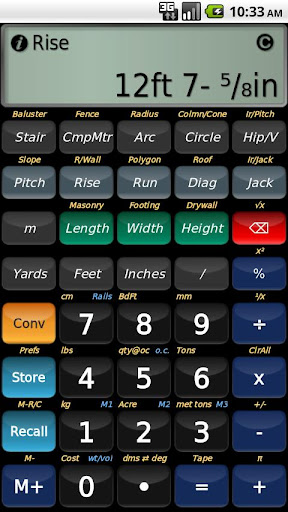
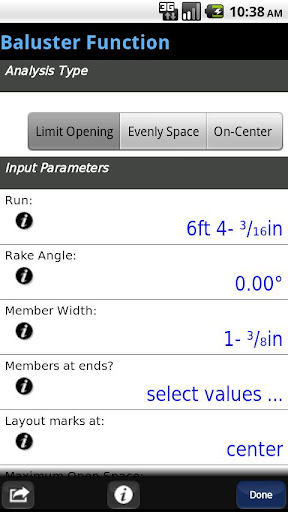
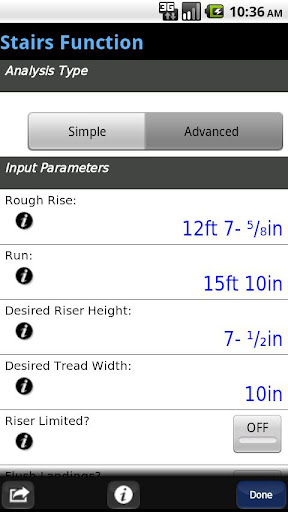

BuildCalc is a premier construction calculator app designed to provide advanced functionality with reduced complexity. This application serves as an essential tool for construction professionals, offering specialized calculators for balusters, stairs, fences, and more. Its standout feature is the ability to deliver precise calculations while maintaining ease of use, making it ideal for both experienced builders and those new to the trade. With BuildCalc, users can expect accurate computations for complex projects without the usual hassle associated with traditional calculators.
The app's interactive functions allow seamless adjustments to input values, automatically updating results for stairs, balusters, and roofing analyses. Additionally, its full daylight visibility mode ensures usability in various working conditions. Whether you're laying out a staircase or calculating materials for a fence, BuildCalc streamlines the process, providing detailed outputs including dimensioned drawings that can be shared via email as PDFs. This makes it not only a calculation tool but also a collaborative platform for professional results.
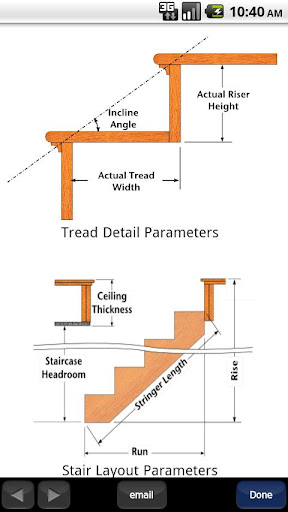
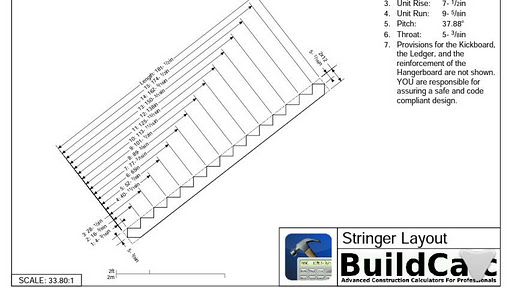
BuildCalc stands out with its array of advanced features tailored for construction professionals. The app includes an Advanced Baluster Function, which simplifies railing and staircase layouts with flexibility for custom jobs, reducing guesswork significantly. Another highlight is the Advanced Stair function, enabling users to produce professional stair layouts complete with dimensioned drawings of the Stringer, Stringer Installation, and Finished Staircase. These drawings are not just viewable but can also be emailed as PDFs directly from the app, facilitating easy sharing and printing.
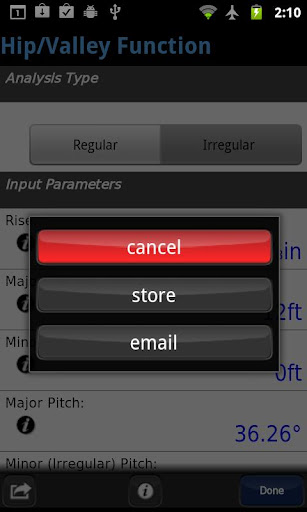
Moreover, BuildCalc offers a Fence Function that calculates the number of posts, rails, pickets, or panels needed based on a given fence row length. The app's interactive nature means functions like Stair, Baluster, Compound Miter, Diagonal, and Hip/Valley are fully dynamic; any change in input values updates results automatically. Users benefit from added functionalities such as the new Full Daylight Visibility Mode and comprehensive answers for sheathing angles, purlin angles, gable area, backing angles, and more. All these features are designed to provide more answers with less complexity compared to traditional construction calculators.
User-friendly interface
Advanced calculation tools
Interactive function updates
Comprehensive drawing outputs
Full daylight visibility mode
Requires learning curve
Premium pricing model
Limited free version
Occasional bugs reported
Heavy on system resources

All Your Gig Work. One App.
 4.30
4.30
FX Plus adds media, networking, and cloud capabilities to FX File Explorer.
4.10
Measure distances, surfaces and draw plans in seconds with CamToPlan!
4.40
Scan Business Cards & Conference Badges - Capture Leads at Events & Tradeshows
4.20
FaxCover - Create fax cover pages. Works with any app or fax machine.
4.90
Drive and earn extra money
4.50
We are a dynamic team of creatives people of design, marketing, web & apps
3.00
Start earning fast. Apply Today.
4.80
view, manage, and share every PDF file you have
3.60
TurboScan turns your phone into a full-featured PDF document scanner.
4.80
Employee Management Made Easy
4.80
All your team communication in one place
4.70
Access to Paylocity, empowering employees with information they need 24/7.
4.70
From Gone to Back Again — In Just a Few Taps
4.50
The app that lets you deliver with Amazon.
4.50
Earn crypto with secure cloud mining. Monitor, track & withdraw easily
4.40
Deliver and earn money
4.30
All document reader, pdf viewer app, read docs & excel files
3.80
Delivery Track App - Tracking with Fedex, USPS, UPS, DHL. Monitor your Orders.
3.20


User Reveiws