
BeerSmith 3 Mobile Homebrewing

3.60

Information

Category:

Lifestyle

Price:

$ 4.99

Rank:

32

Rating:

3.60

Overview

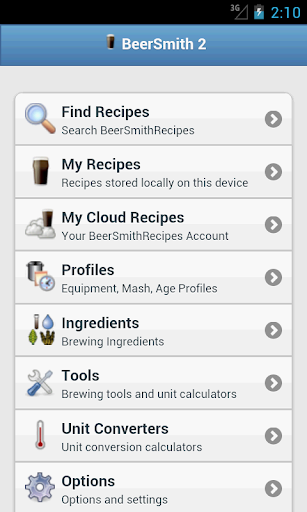
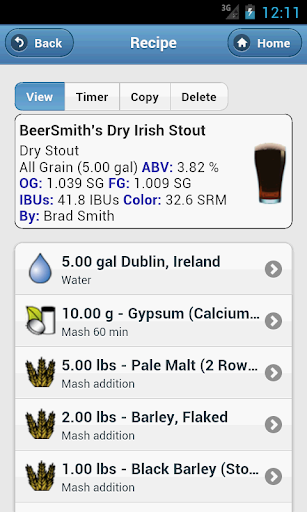
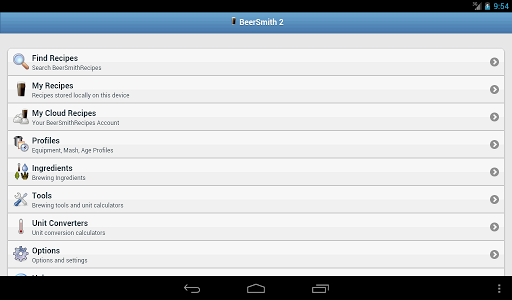
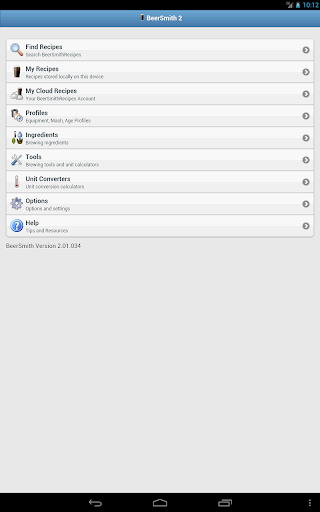
BeerSmith 3 Mobile Homebrewing is a comprehensive lifestyle app designed for homebrew enthusiasts who want to create and manage beer recipes on the go. The app supports not only beer but also mead, wine, and cider recipes, making it versatile for various brewing needs. With features like water adjustment, mash pH estimation, and updated ingredient databases, users can design and edit their best brews directly from their mobile devices.

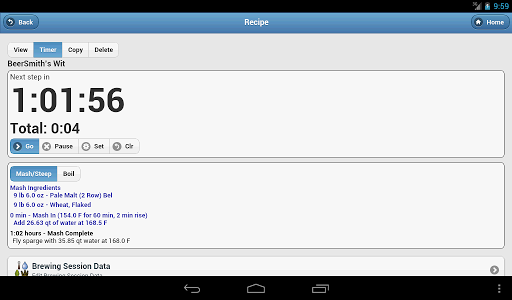
The app offers an integrated brew day timer with step-by-step instructions, brewing calculators, and tools for converting units, ensuring a seamless brewing experience. Its tight integration with the desktop version of BeerSmith via a cloud folder allows users to save recipes on their desktop and access them on their phone, providing flexibility and convenience. Whether you are a seasoned brewer or just starting, BeerSmith 3 Mobile Homebrewing provides all the necessary tools to enhance your brewing process and achieve professional results.

Features

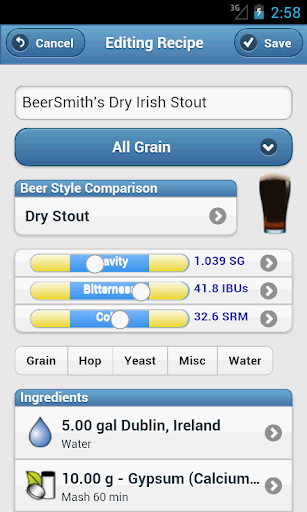
BeerSmith 3 Mobile Homebrewing boasts a wide array of features tailored to meet the needs of homebrewers. One of its standout features is the support for various types of recipes, including beer, mead, wine, and cider, allowing users to explore different brewing techniques. The app includes advanced tools such as water adjustment and mash pH estimation within the recipe builder, enabling precise control over the brewing process.

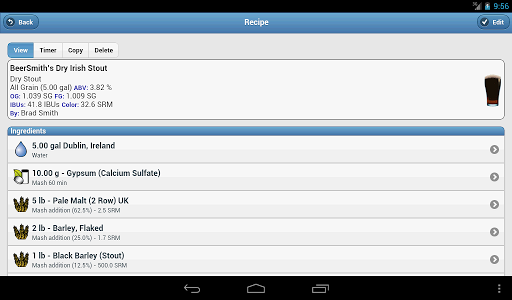
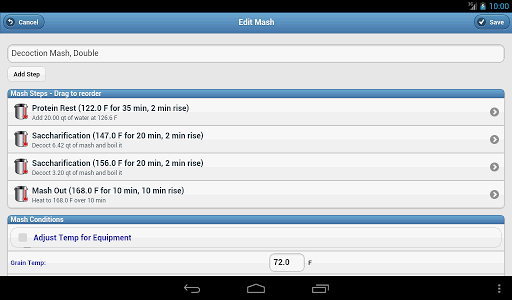
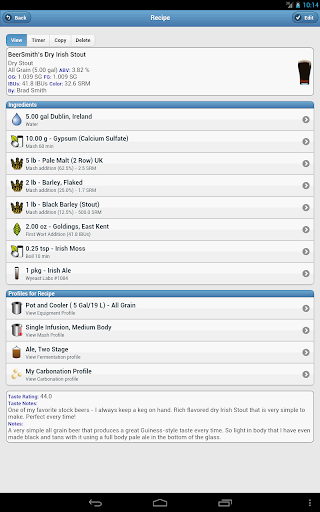
Users can fully edit recipe and brew session data, including ingredients like hops, grains, yeast, and profiles such as equipment and mash profiles. The app also offers functions to scale recipes by equipment, alter color, original gravity, or bitterness, and save profiles or ingredients to the phone database. With seven calculators and five unit converters, brewers have all the necessary tools at their fingertips. Additionally, the app's full integration with the desktop version via a cloud folder ensures that any recipe saved on the desktop can be accessed and used within the app, streamlining the brewing workflow.

Lifestyle category coverage

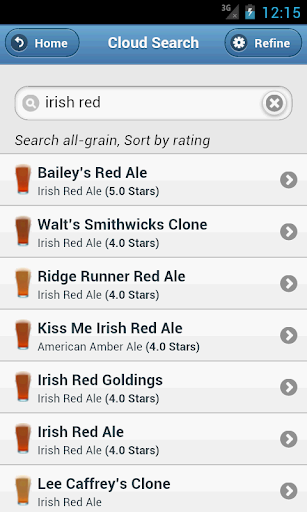
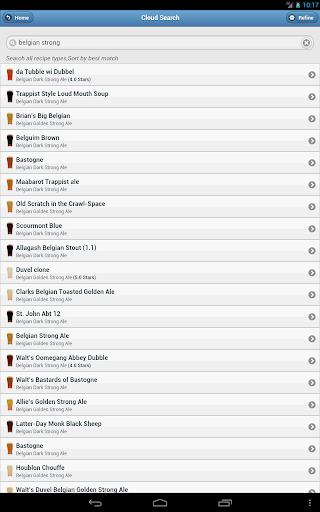
Lifestyle category coverage refers to the extent and diversity of lifestyle-related content and features that an application provides to its users. For BeerSmith 3 Mobile Homebrewing, this means offering a comprehensive suite of tools and resources that cater to the homebrewing enthusiast's lifestyle. This app goes beyond just beer recipes by including support for mead wine and cider recipes thus appealing to a broader audience within the beverage crafting community. The inclusion of water adjustment mash pH estimation and various brewing calculators demonstrates the app's commitment to covering all aspects of the homebrewing process. Furthermore the ability to access thousands of recipes through the integrated BeerSmithRecipes search function adds immense value by providing users with inspiration and variety in their brewing endeavors. By integrating seamlessly with the desktop version via a cloud folder BeerSmith ensures that users can transition smoothly between devices maintaining continuity in their brewing projects. This level of integration enhances the user experience making it more convenient and efficient to manage recipes and brew sessions. Additionally features such as the brew day timer with step-by-step instructions and notifications help streamline the brewing process ensuring that users stay on track and achieve optimal results. Overall BeerSmith 3 Mobile Homebrewing excels in lifestyle category coverage by delivering a versatile and robust platform that supports every facet of homebrewing from recipe creation to the final brewing stages.

Content authenticity & expert credibility

Content authenticity and expert credibility are crucial factors that determine the reliability and trustworthiness of an application's information and guidance. In the case of BeerSmith 3 Mobile Homebrewing the app establishes its credibility through several key features. First the ingredient databases and add-ons are regularly updated ensuring that users have access to the latest and most accurate information regarding hops grains yeast and other components essential for brewing. This commitment to maintaining current data reflects the app's dedication to providing authentic and reliable content. Moreover the full edit capabilities of recipes and brew session data allow users to customize their brewing processes with precision which is indicative of a tool designed by experts who understand the intricacies of homebrewing. The presence of a full beer style guide within the app further underscores its authoritative stance as it offers users a reference point for understanding different beer styles and their characteristics. Additionally the inclusion of seven specialized calculators such as hydrometer adjustment infusions alcohol attenuation and carbonation among others speaks to the depth of expertise embedded in the app's design. These calculators not only assist users in achieving precise measurements and adjustments but also serve as educational tools that enhance the overall brewing experience. By allowing users to save profiles or ingredients from existing recipes to their phone database the app promotes a personalized approach to brewing backed by expert knowledge. Finally the seamless integration with the desktop version of BeerSmith via a cloud folder ensures that any recipe moved to the desktop cloud folder can be utilized within the app maintaining consistency and accuracy across platforms. This interconnectedness reinforces the app's position as a credible source for homebrewing enthusiasts seeking both inspiration and technical guidance in their craft.

Props

User-friendly interface

Comprehensive recipe support

Advanced brewing tools

Cloud integration

Step-by-step brew timer

Cons

Requires cloud account

Complex for beginners

Occasional sync issues

Premium pricing

Limited free features
Features and Functions

What is this app and what can I use it for?

A tool for creating and managing beer recipes on mobile devices

How do I download and install this app on my device?

Visit Google Play Store, search for BeerSmith, and tap install

How do I get started after opening the app for the first time?

Sign in to cloud account and explore the main dashboard

What are the main features and capabilities of this app?

Supports beer, mead, wine recipes, brewing calculators, timers

How can I customize my experience and adjust preferences?

Adjust settings via the preferences menu for personalized use

How do I save or bookmark my favorite content for later access?

Save recipes locally on your device or to your cloud account

How can I share content with friends or on social media?

Use the share button to post recipes on social media platforms

How do I access detailed information and explore more content?

Access detailed guides and explore more recipes online

What permissions does this app need and how do I manage them?

Needs storage and cloud access permissions managed in settings

How do I check for updates and keep the app running smoothly?

Check updates in the app store and enable auto-updates
Show more

User Reveiws

{{ comment.reviewer_name }}
{{ comment.review_date_formatted}}
{{ comment.review_content }}
{{ tab.name }}
{{ comment.reviewer_name }}
{{ comment.review_date_formatted}}
{{ comment.review_content }}
No reviews with this rating