








Cool Launcher Pro

3.80

Information

Category:

Personalisation

Price:

Free

Rank:

40

Rating:

3.80

Overview

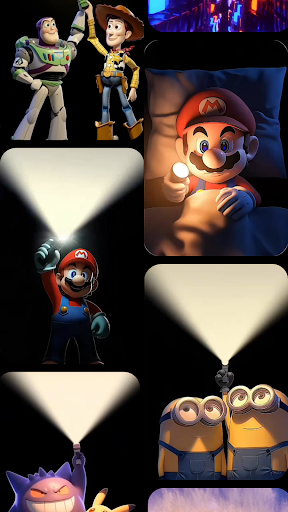
CoolLauncher Pro is a premium home screen replacement app designed to elevate your Android experience through stunning 3D themes, smooth performance, and extensive customization options. This launcher allows users to personalize every aspect of their device's interface, offering features like live video wallpapers, advanced icon packs, and sleek minimalistic layouts.

With its powerful animation engine and smart app management tools, CoolLauncher Pro ensures both aesthetic appeal and functional efficiency. The app automatically organizes apps into folders, provides real-time weather updates, and includes a built-in Bible for added utility. Whether you're looking for futuristic designs or nature-inspired themes, this launcher caters to diverse preferences while maintaining optimal speed and responsiveness.

Features

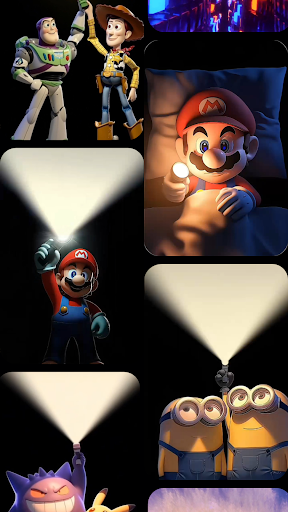
CoolLauncher Pro stands out with its comprehensive personalization options. Users can choose from an extensive library of free themes, icon packs, custom fonts, and wallpapers, or upload their own content for a unique setup. The app's advanced animation engine powers breathtaking 3D effects and live video wallpapers, creating dynamic screen transitions that bring devices to life.

The launcher also excels in functionality with smart app management features that automatically categorize apps into folders, keeping the home screen organized. Built-in tools include real-time weather updates, a live wallpaper gallery, and even a built-in Bible for quick access to spiritual content. With support for custom widgets and various theme categories, CoolLauncher Pro offers endless possibilities for customization while maintaining clean, distraction-free interfaces.

Customization options variety

Customization options variety refers to the range and depth of personalization features available within an application allowing users to tailor their experience to match their preferences and needs CoolLauncher Pro excels in this area by offering a comprehensive suite of customization tools that cater to both casual users and power users seeking complete control over their device's appearance and functionality The launcher provides an extensive collection of free themes icon packs custom fonts and wallpapers enabling users to transform their home screens into personalized digital spaces Whether you prefer sleek minimalism or vibrant eye-catching designs CoolLauncher Pro ensures there is something for everyone Beyond static customization options the launcher also supports live video wallpapers and 3D effects powered by an advanced animation engine These dynamic elements bring the home screen to life with smooth transitions and stunning visuals creating an immersive experience Users can further enhance their setup by adding personal images or selecting from professionally designed themes available in the built-in theme store which spans various categories including futuristic tech nature-inspired designs and more This level of customization extends beyond aesthetics as CoolLauncher Pro includes practical features such as smart app management which automatically organizes apps into folders maintaining a clean and efficient desktop environment Additionally the launcher integrates essential tools like real-time weather updates and other widgets designed for everyday convenience By providing such a diverse array of customization options CoolLauncher Pro empowers users to create a home screen that not only looks great but also functions seamlessly according to their unique workflow and lifestyle preferences This versatility ensures that whether you are looking for a full visual redesign or simply want to optimize your device's usability CoolLauncher Pro delivers a tailored experience that enhances both form and function

Theme compatibility

Theme compatibility pertains to how well an application supports various design themes ensuring consistent visual appeal and functional coherence across different user interfaces In the case of CoolLauncher Pro theme compatibility is a cornerstone feature that guarantees users can seamlessly apply and enjoy a wide variety of design themes without encountering formatting issues or losing functionality The launcher achieves this through its robust architecture which supports high-quality 3D animations live video wallpapers and custom icon packs all working together to maintain visual harmony and performance stability When users select a theme from the extensive library they can be confident that every element from icons to widgets will integrate smoothly with their chosen design aesthetic Furthermore CoolLauncher Pro goes beyond basic theming by incorporating advanced features like dynamic screen transitions and interactive elements that enhance the overall user experience For instance when switching between screens users are treated to fluid animations that complement the selected theme rather than detracting from it This attention to detail extends to third-party themes as well allowing creators to design and distribute their work knowing it will display correctly on the platform Another key aspect of theme compatibility in CoolLauncher Pro is its support for custom fonts and wallpapers Users can upload their own images or download professionally crafted designs from the built-in gallery ensuring that every visual component aligns perfectly with their desired look and feel The launcher's commitment to compatibility also encompasses regular updates and optimizations ensuring that new Android versions or device models do not disrupt the theming experience By prioritizing theme compatibility CoolLauncher Pro not only offers unparalleled creative freedom but also maintains a professional standard of quality across all customization options This dedication to seamless integration makes it an ideal choice for users who value both aesthetics and functionality in their mobile experience

Props

Highly customizable

Smooth performance

Stunning 3D effects

Smart app organization

Extensive theme library

Cons

Premium price point

Advanced features may overwhelm beginners

Occasional compatibility issues

Resource-intensive on older devices

Limited free theme options
Features and Functions

What is this app and what can I use it for?

A customizable Android launcher with 3D themes and smart tools

How do I download and install this app on my device?

Search CoolLauncher Pro on Google Play Store and tap Install

How do I get started after opening the app for the first time?

Follow the setup wizard to customize your home screen layout

What are the main features and capabilities of this app?

Offers 3D themes live wallpapers and smart app management tools

How can I customize my experience and adjust preferences?

Adjust settings in the Preferences menu for personalized experience

How do I save or bookmark my favorite content for later access?

Use the Bookmark feature to save favorite themes or wallpapers

How can I share content with friends or on social media?

Share themes via social media links within the app interface

How do I access detailed information and explore more content?

Browse the Theme Store for more content and detailed options

What permissions does this app need and how do I manage them?

Requires storage and accessibility permissions managed in settings

How do I check for updates and keep the app running smoothly?

Enable auto-updates in Google Play Store for latest version
Show more

User Reveiws

{{ comment.reviewer_name }}
{{ comment.review_date_formatted}}
{{ comment.review_content }}
{{ tab.name }}
{{ comment.reviewer_name }}
{{ comment.review_date_formatted}}
{{ comment.review_content }}
No reviews with this rating