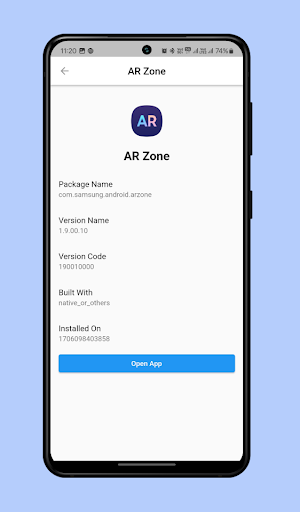
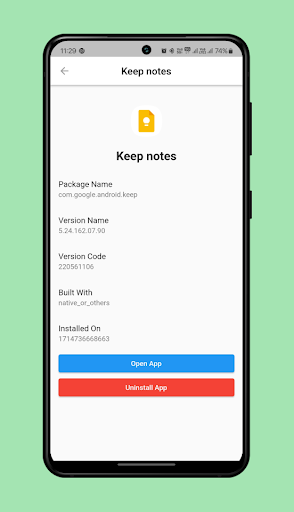
Find My App is a powerful personalization tool designed to help users efficiently manage and locate their installed applications. The app employs advanced technology to instantly identify all apps on your device, both existing and newly installed ones.
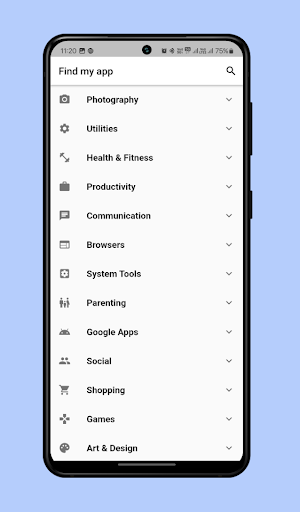
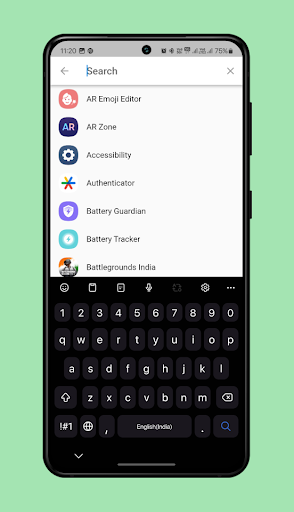
One of its key features is the smart organization system that categorizes apps into an intuitive menu. This allows users to quickly find specific apps without the hassle of scrolling through numerous pages of icons. Additionally, the app includes a robust search function where you can type the name or part of the app you're looking for, and Find My App will instantly locate and open it for you.
This functionality is particularly useful for individuals who struggle with locating apps among a cluttered home screen. By providing instant access to any app, Find My App significantly enhances user experience and saves valuable time.
Find My App offers several notable features that set it apart in the realm of personalization tools. First and foremost, the app's ability to instantly recognize both existing and newly installed apps provides unparalleled convenience. This feature ensures that users always have up-to-date information about their app library.
Another standout feature is the efficient categorization system. Apps are grouped by categories, making navigation straightforward and reducing the time spent searching for specific apps. This organized approach transforms the way users interact with their devices, offering a seamless experience.
The app also boasts a powerful search function. Users can simply type the name or part of the app they need, and Find My App will swiftly find and open it. This innovative search capability eliminates the frustration of manually scrolling through countless pages of app icons, thus streamlining the entire process.
User-friendly interface
Instant app recognition
Efficient categorization
Powerful search function
Time-saving solution
Limited customization options
Potential battery consumption
Requires regular updates
May need permissions
Category grouping may vary

⭐ OneUI inspired Fluffy Icon Pack – Soft. Stylish. Standout. ⭐
 4.3
4.3
Color phone with cool effects for call screen, flash alert & ringtones music
4.50
Custom edge gestures for volume control, brightness, apps, and shortcuts.
4.1
Launcher OS™ Pro without ads help make your phone simple and pretty
4.30
Play viral prediction filter challenges, drop the circle, and share fun videos!
4.50
Just clap your hands to find your phone.
4.40
1000+ themes, icons, widgets & wallpapers for a unique home screen
4.60
Cool Fonts, Keyboards, Wallpapers, Backgrounds, Icons, Widgets, Themes
4.60
Download City On Fire Home App now and turn every run into an adventure!
4.50
Enjoy a variety of amazing live wallpapers and colorful EDGE lighting borders!
4.80
350+ widgets with a premium glass-style finish, perfect for home & lock screens.
4.70
Thousands of text sticker for WhatsApp WAStickerApps
4.70
Stylish Pink Cute Hippo keyboard with 10000+ customized keyboard themes!
4.60
Yandex Browser — stylish and secure, with voice search and data compression
4.40
Unlock phone with fun zipper effects and unique zipper lock screen wallpaper
4.40
Launcher OS™ help make your phone simple and pretty.
4.40
3D Live Wallpaper and Moving wallpapers in 4K & HD - Customize Wallpaper 3D now!
4.40
Experience the magic touch of AI art, live wallpapers and backgrounds
4.40
Make email easy with swipe inbox access, home screen widget, and quick replies
4.10


User Reveiws