Kawaii Shimeji Screen Pet

3.80

Information

Category:

Personalisation

Price:

Free

Rank:

55

Rating:

3.80

Overview

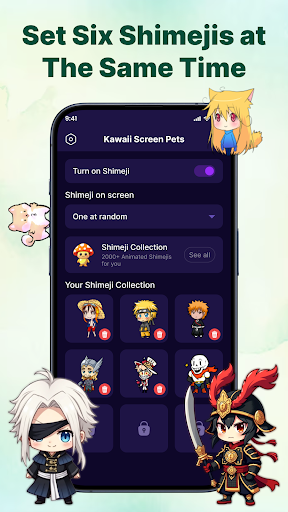
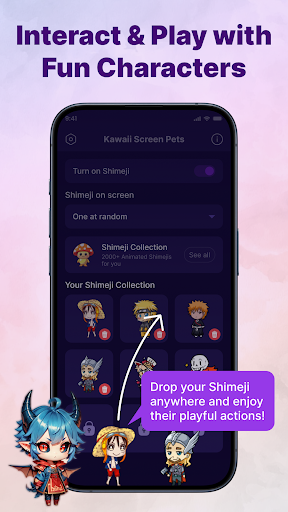
Kawaii Shimeji Screen Pet brings adorable animated characters to your device, offering both entertainment and personalization. These virtual pets move freely across your screen, interacting with apps and screen elements while you work or play.

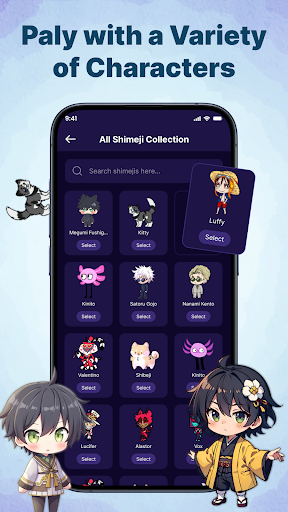
With extensive customization options, users can adjust animation speed, size, and even create or import unique designs. The app features hundreds of character choices, including anime icons and popular memes, ensuring there's something for everyone.

Perfect for enhancing productivity during study sessions or simply adding a playful touch to your device, Kawaii Shimeji provides endless fun and creativity.

Features

Kawaii Shimeji stands out with its powerful customization capabilities. Users can modify animation settings, create custom characters using the built-in editor, and import/export designs for advanced personalization.

The app includes an interactive feature set allowing users to toss, drag, or watch mascots climb and interact with screen elements. This interaction creates a lively and engaging experience.

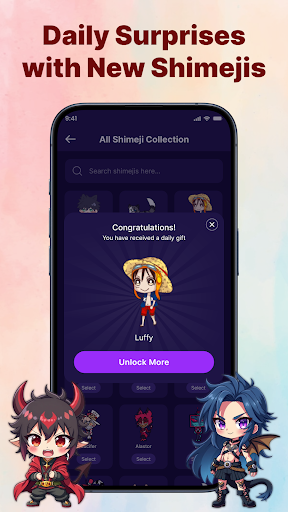
With support for hundreds of pre-designed characters and regular updates from the creative community, users can always find fresh content. The app ensures compatibility without requiring system changes, making it safe and easy to use.

Customization options variety

The Customization options variety in Kawaii Shimeji Screen Pet offers users an extensive range of possibilities to tailor their screen pets according to personal preferences and creativity. This feature is crucial as it allows users to express individuality and make their digital experience truly unique. The app provides a built-in editor that enables the creation of custom characters or modification of existing ones, offering unparalleled flexibility. Users can adjust animation speed and size, ensuring that the on-screen presence of these adorable mascots matches their desired interaction level and aesthetic. Additionally, the ability to import and export designs opens up a world of advanced customization where users can share creations within the community or download shared designs from others. This not only enhances user engagement but also fosters a creative environment where ideas flourish. By providing hundreds of character choices ranging from anime icons to popular memes, Kawaii Shimeji ensures there's something for everyone. The customization extends beyond mere appearance; users can dictate how these characters interact with their screen elements by tossing, dragging, or watching them climb. This interactive play adds another layer of personal touch, making each user's experience distinctively theirs. Overall, this high degree of customization empowers users to transform their devices into personalized spaces that reflect their style and mood while keeping them entertained throughout the day.

Theme compatibility

Theme compatibility in Kawaii Shimeji Screen Pet ensures that the animated mascots seamlessly integrate with various device themes, maintaining visual consistency across different setups. This aspect is vital as it guarantees that no matter what theme a user has selected for their device, the adorable Shimeji characters will always look harmonious and aesthetically pleasing. The app achieves this by designing its characters and animations to be adaptable to a wide array of color schemes and design aesthetics. Whether you prefer dark mode or have a specific icon set, these on-screen buddies adjust accordingly without disrupting your chosen interface's overall look and feel. Furthermore, since Kawaii Shimeji supports creating and importing custom characters, theme compatibility becomes even more significant. It means that regardless of who creates a character or how intricate its design might be, it will still blend perfectly with your deviceu2019s current appearance settings. This attention to detail enhances user satisfaction as they can enjoy their personalized companions without worrying about clashing visuals. Moreover, because these mascots stay visible while browsing apps, playing games, or working, having them match your theme ensures they remain unobtrusive yet charming additions to your screen real estate. In essence, robust theme compatibility elevates the entire user experience by allowing seamless integration of fun, animated elements into any digital environment, thus reflecting the app's commitment to delivering both functionality and aesthetic appeal.

Props

Cute and entertaining

Highly customizable

Vast character library

User-friendly interface

Active creative community

Cons

No offline mode

Limited free options

Occasional bugs

Ads in free version

Device compatibility

Features and Functions

What is this app and what can I use it for?

Kawaii Shimeji is a screen pet app with customizable animated characters.

How do I download and install this app on my device?

Download Kawaii Shimeji from Google Play Store and install it on your Android device.

How do I get started after opening the app for the first time?

Choose a character, adjust settings, and start enjoying your new screen buddy.

What are the main features and capabilities of this app?

Main features include customization, interactive play, and a vast character library.

How can I customize my experience and adjust preferences?

Adjust animation speed, size, and create custom characters as per your preferences.

How do I save or bookmark my favorite content for later access?

Save favorite characters by exporting their design files within the app menu.

How can I share content with friends or on social media?

Share your custom characters by exporting and sending the design file via social media.

How do I access detailed information and explore more content?

Access detailed info in settings and explore more characters in the app's library.

What permissions does this app need and how do I manage them?

The app needs basic permissions like storage access to save and load character designs.

How do I check for updates and keep the app running smoothly?

Check for updates in the Google Play Store to keep Kawaii Shimeji running smoothly.
Show more

User Reveiws

{{ comment.reviewer_name }}
{{ comment.review_date_formatted}}
{{ comment.review_content }}
{{ tab.name }}
{{ comment.reviewer_name }}
{{ comment.review_date_formatted}}
{{ comment.review_content }}
No reviews with this rating