Everything Widgets

4.70

Information

Category:

Personalisation

Price:

$ 0.99

Rank:

13

Rating:

4.70

Overview

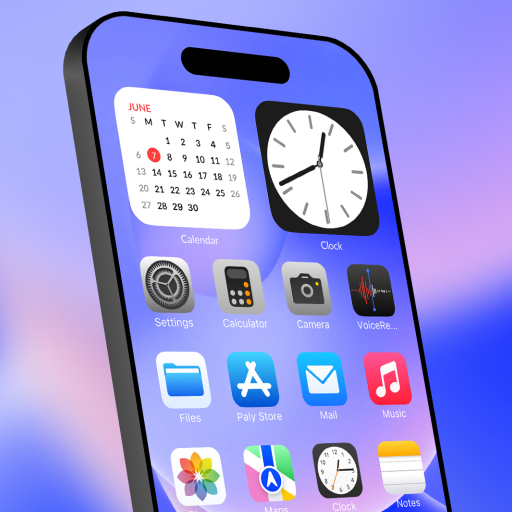
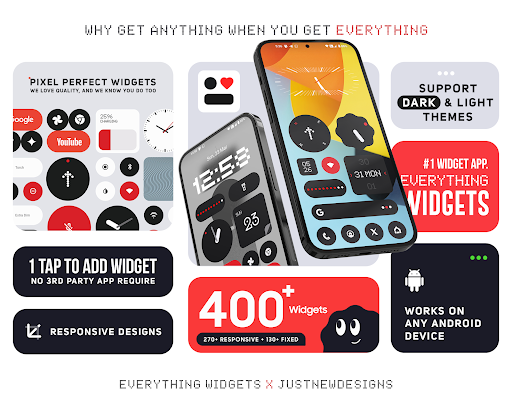
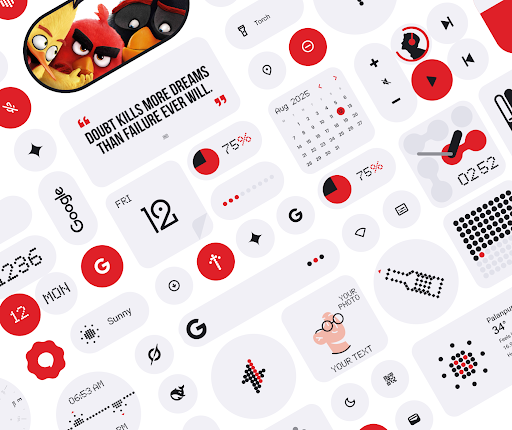
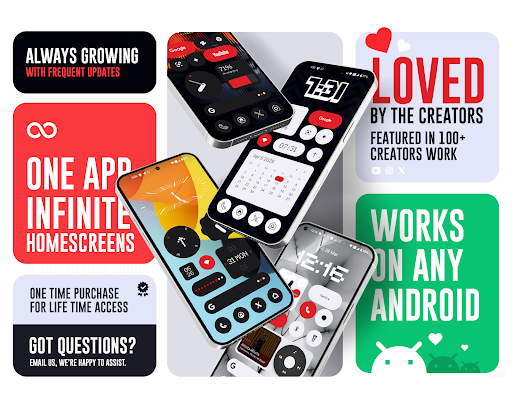
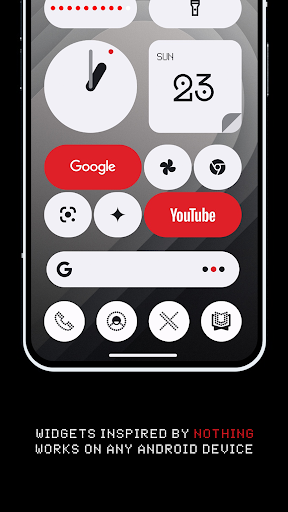
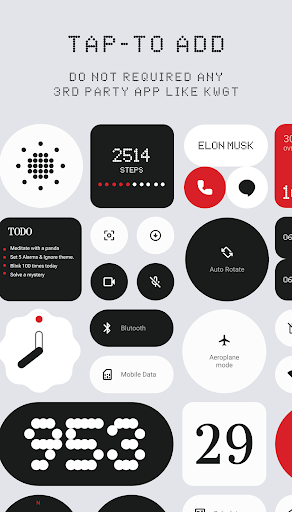
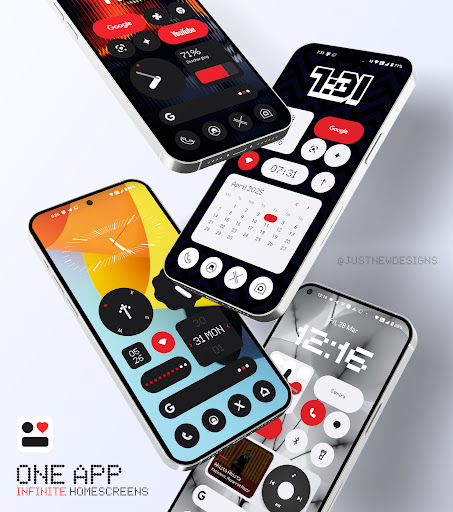
Everything Widgets is a comprehensive widget pack designed to enhance your Android home screen with over 400 beautifully crafted widgets. Inspired by the Nothing OS aesthetic, it offers a native experience without requiring additional apps like KWGT.

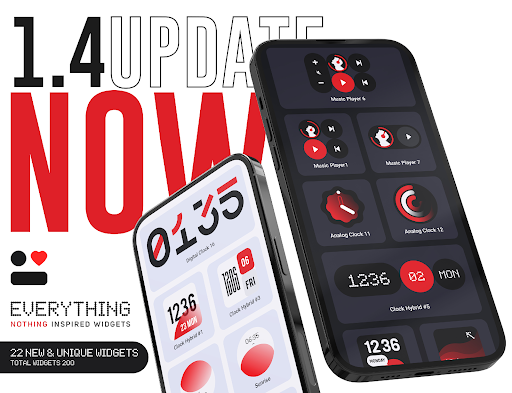
The app provides a diverse range of widgets including clocks, calendars, weather indicators, and battery monitors, all fully resizable for optimal customization. With regular updates focused on quality over quantity, Everything Widgets ensures both functionality and visual appeal.

This widget pack is perfect for users seeking to personalize their devices with useful tools and stylish designs that reflect their unique preferences.

Features

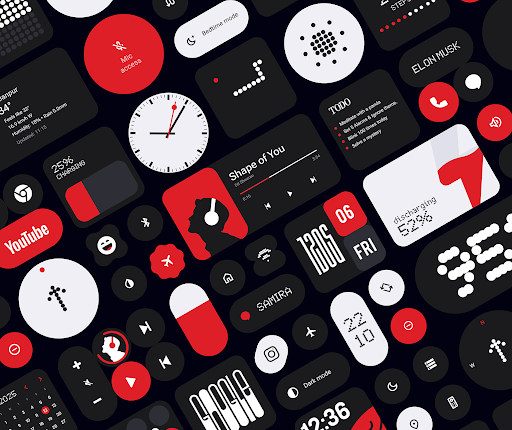
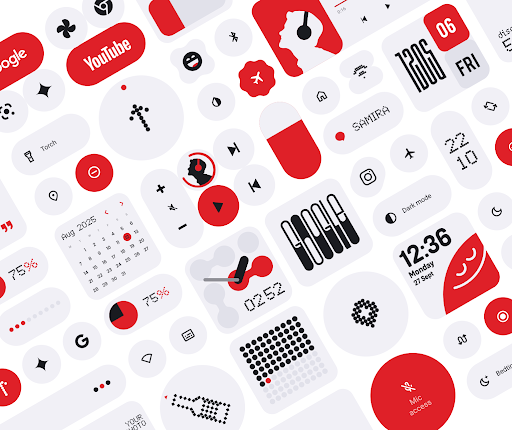
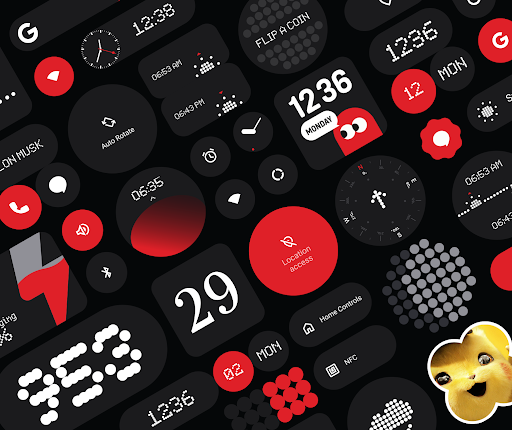
Everything Widgets stands out with its extensive collection of over 400 native widgets that work seamlessly on any Android device. The widgets are categorized into various types such as Clock & Calendar, Battery, Weather, Quick Settings, and more, each offering unique functionalities.

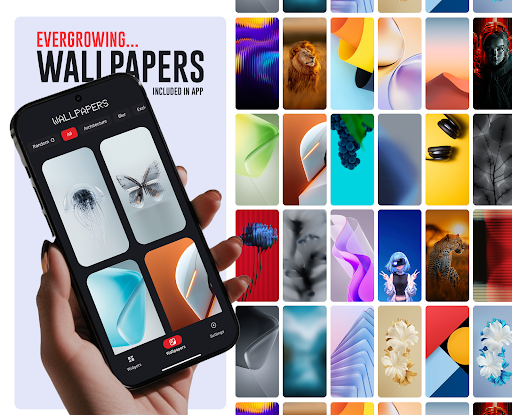
A key feature is the full resizeability of most widgets, allowing users to adjust sizes from small to large for a perfect fit on their home screens. Additionally, the inclusion of matching wallpapers complements the widgets, providing a cohesive look.

With features like contact access, photo displays, and utility tools, Everything Widgets not only enhances aesthetics but also boosts productivity and convenience.

Customization options variety

The Everything Widget Pack offers an extensive range of customization options that allow users to personalize their home screens with ease and precision. With over 400 beautifully designed widgets inspired by the Nothing OS aesthetic, this app provides a diverse selection of styles and functionalities that cater to various user preferences. The customization options include clock and calendar widgets, battery indicators, weather updates, quick settings toggles, contact shortcuts, photo displays, Google app integrations, utility tools, productivity enhancers, pedometer displays, quote generators, and even game widgets. Each widget is crafted not only to serve a functional purpose but also to enhance the visual appeal of the home screen. Users can choose from different sizes and designs to match their unique tastes and needs. This level of variety ensures that every user can create a home screen that reflects their personality while maintaining practicality. By offering fully resizable and responsive widgets, the app allows for precise adjustments, ensuring that each element fits perfectly on the screen. Moreover, the inclusion of matching wallpapers adds another layer of customization, enabling users to complete their home screen setup with cohesive aesthetics. The ability to customize without needing third-party apps simplifies the process, making it accessible even to those who may not be tech-savvy. Overall, the Everything Widget Pack empowers users to transform their devices into personalized hubs of functionality and style, enhancing both usability and enjoyment.

Theme compatibility

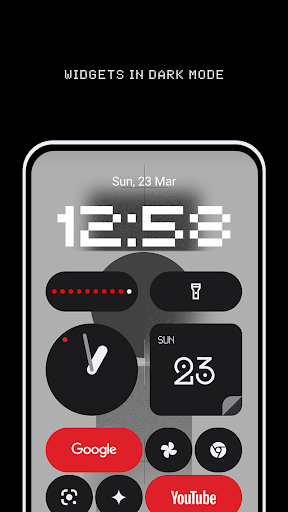
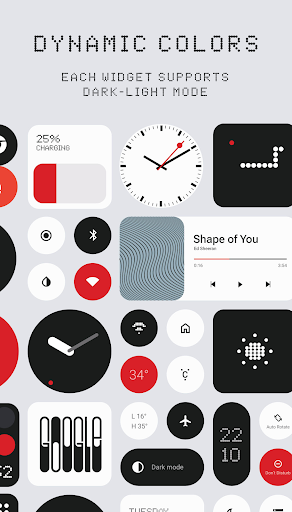
Theme compatibility is a crucial aspect of the Everything Widget Pack, ensuring that all widgets integrate seamlessly with various device themes and maintain visual consistency across different Android devices. The app's design philosophy centers around the Nothing OS aesthetic, which emphasizes clean lines, minimalist elements, and a modern look that complements contemporary smartphone interfaces. This attention to detail extends to the widgets themselves, which are crafted to align with popular theme settings and color schemes. Whether a user prefers light or dark modes, vibrant or muted colors, the widgets adapt accordingly, preserving the intended visual harmony. The app achieves this through meticulous design work that considers how each widget interacts with system-wide themes. For instance, clock and calendar widgets feature adjustable text colors and backgrounds that automatically adjust based on the device's current theme settings. Similarly, battery indicators and weather widgets use adaptive icons and graphics that blend naturally with surrounding UI elements. Quick settings toggles and contact shortcuts also follow suit, ensuring that interactive components remain intuitive and visually appealing regardless of the active theme. Furthermore, the inclusion of matching wallpapers enhances theme compatibility by providing users with pre-designed options that complement the widgets' aesthetics. These wallpapers are carefully curated to ensure they harmonize with both light and dark themes, creating a unified appearance throughout the home screen. By prioritizing theme compatibility, the Everything Widget Pack guarantees that users can enjoy a consistent and polished look across their devices. This approach not only elevates the overall user experience but also reinforces the app's commitment to delivering high-quality, aesthetically pleasing customization options that work harmoniously within any digital environment.

Props

User-friendly interface

Wide variety of widgets

Fully resizable options

Regular quality updates

Inspired design aesthetics

Cons

Limited to Android

No iOS compatibility

Some features basic

Occasional bugs

Design consistency

Features and Functions

What is this app and what can I use it for?

A customizable widget pack with 400+ options

How do I download and install this app on my device?

Search Everything Widgets on Google Play and tap install

How do I get started after opening the app for the first time?

Select widgets from the list and tap to add them

What are the main features and capabilities of this app?

Clocks, weather, battery, quick settings, and more

How can I customize my experience and adjust preferences?

Adjust widget size and settings via customization menu

How do I save or bookmark my favorite content for later access?

Save content by adding widgets directly to home screen

How can I share content with friends or on social media?

Share widgets unavailable; share app link instead

How do I access detailed information and explore more content?

Explore detailed info in widget settings or app FAQs

What permissions does this app need and how do I manage them?

Requires standard permissions; manage in settings

How do I check for updates and keep the app running smoothly?

Check updates in Google Play Store app settings
Show more

User Reveiws

{{ comment.reviewer_name }}
{{ comment.review_date_formatted}}
{{ comment.review_content }}
{{ tab.name }}
{{ comment.reviewer_name }}
{{ comment.review_date_formatted}}
{{ comment.review_content }}
No reviews with this rating