
Document Viewer - PDF Reader

3.10

Information

Category:

Tools

Price:

Free

Rank:

1

Rating:

3.10

Overview

Document Viewer - PDF Reader is a versatile document management tool designed to streamline how you handle PDF and Office files on your Android device. This app allows users to read, manage, and organize essential documents such as PDFs, Word files, Excel sheets, and PowerPoint presentations all in one place.

With its unified viewer, the app supports multiple formats including PDF, DOC, XLS, and PPT files, ensuring that every document retains perfect formatting and clarity. Its fast and reliable performance ensures smooth navigation through pages while offering smart file management features like automatic detection, sorting, and easy access to recent or favorite files.

Ideal for students, professionals, and everyday users, Document Viewer - PDF Reader provides an efficient solution for accessing manuals, studying notes, reviewing reports, and more. The app works offline, keeps files private, and transforms your Android device into a robust document management system.

Features

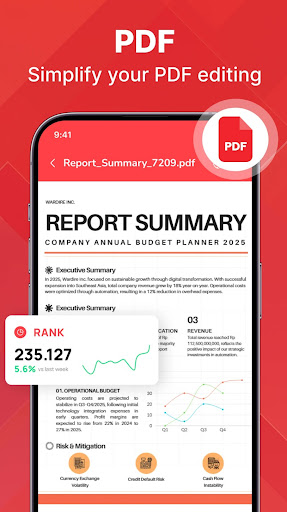
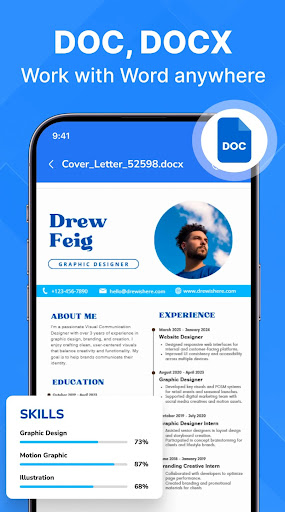
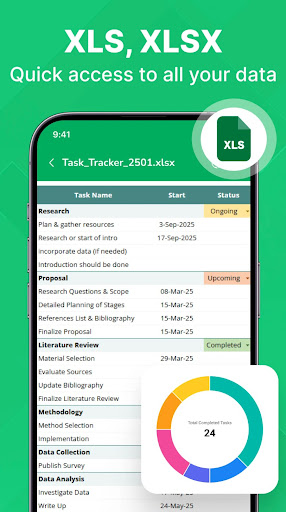
One of the standout features of Document Viewer - PDF Reader is its ability to support multiple document formats seamlessly. Whether it's PDF files, Word documents, Excel sheets, or PowerPoint slides, the app handles them all with ease, preserving original formatting and detail.

The app offers smart file management capabilities, automatically detecting files stored on your device and allowing you to sort by name, size, or date. With quick access to recent and favorite documents, users can browse their files efficiently. Additionally, the lightweight design ensures fast and smooth performance across various Android devices.

Designed for diverse user needs, this app caters to students needing lecture slides, professionals managing reports, remote workers handling project files, and everyday users requiring quick access to manuals or invoices. Its offline functionality and privacy-focused approach ensure that your documents remain secure and accessible without an internet connection.

Core function accuracy & effectiveness

The core function of PDF Reader - Document Viewer centers on its ability to accurately and effectively manage a wide array of document formats making it an indispensable tool for users who regularly interact with digital files. This application supports multiple file types including PDF Word Excel and PowerPoint each opened and displayed with precision that ensures the integrity of the original formatting is maintained. The importance of this function cannot be overstated as it allows users to view documents as intended by the creators without any distortion or loss of quality. For instance students can review lecture slides without missing any visual details while professionals can scrutinize reports and charts with confidence in their accuracy. The app achieves this through a combination of advanced rendering technologies and optimization techniques tailored for mobile devices ensuring fast loading times and smooth navigation even with large files. Users benefit from having a reliable tool that consolidates all essential files in one place eliminating the frustration of switching between different apps for various formats. This unified approach not only saves time but also enhances productivity by providing instant access to documents anytime anywhere. Moreover the lightweight nature of the app ensures that it runs smoothly on various Android devices without consuming excessive resources thus maintaining system stability. In essence the accuracy and effectiveness of PDF Reader - Document Viewer's core functions transform the way users interact with digital documents offering a seamless experience that is both efficient and dependable.

Interface simplicity & intuitiveness

Interface simplicity and intuitiveness are crucial elements that define the user experience of any application and PDF Reader - Document Viewer excels in these aspects by providing a clean and easy-to-use interface that caters to users of all technical backgrounds. The significance of an intuitive interface lies in its ability to reduce the learning curve allowing users to quickly adapt to the application's features without extensive tutorials or guidance. This app accomplishes this by organizing its functionalities in a logical manner where common tasks such as opening sorting and searching for documents are easily accessible through clearly labeled menus and buttons. The design philosophy behind this interface emphasizes minimalism and clarity ensuring that users can focus on their documents without being distracted by unnecessary clutter or complex navigation paths. Additionally the automatic detection of document files stored on the device further simplifies the user experience by presenting a streamlined view of available files sorted by name size or date. This smart file management system enables users to find what matters most in seconds enhancing overall efficiency. Furthermore the app offers quick access to recent or favorite documents which adds another layer of convenience for frequent users. By prioritizing simplicity and intuitiveness PDF Reader - Document Viewer creates an environment where users can effortlessly manage read and organize their important files regardless of their technical expertise. This user-centric approach not only boosts productivity but also fosters a positive perception of the application as a reliable and accessible tool for everyday document handling needs.

Props

User-friendly interface

Multi-format support

Offline functionality

Smart file organization

Lightweight performance

Cons

Limited advanced editing

No cloud integration

Basic annotation tools

Occasional format issues

Ads in free version

Features and Functions

What is this app and what can I use it for?

A versatile PDF & document viewer for Android devices.

How do I download and install this app on my device?

Visit Google Play Store, search for the app, and tap Install.

How do I get started after opening the app for the first time?

Grant necessary permissions and follow the setup wizard.

What are the main features and capabilities of this app?

Supports PDF, Word, Excel, PowerPoint with smart management.

How can I customize my experience and adjust preferences?

Adjust settings via the Preferences menu for customization.

How do I save or bookmark my favorite content for later access?

Tap the Star icon to bookmark important documents easily.

How can I share content with friends or on social media?

Use the Share button to send files via email or social media.

How do I access detailed information and explore more content?

Browse categories or use the Search function for content.

What permissions does this app need and how do I manage them?

Needs storage access; manage in device Settings if needed.

How do I check for updates and keep the app running smoothly?

Enable auto-updates in Google Play Store for latest version.
Show more

User Reveiws

{{ comment.reviewer_name }}
{{ comment.review_date_formatted}}
{{ comment.review_content }}
{{ tab.name }}
{{ comment.reviewer_name }}
{{ comment.review_date_formatted}}
{{ comment.review_content }}
No reviews with this rating















