
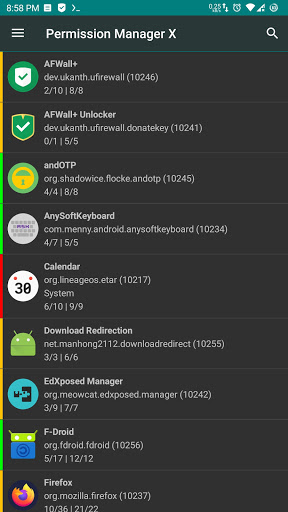
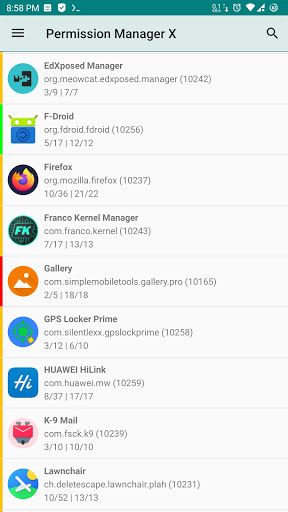
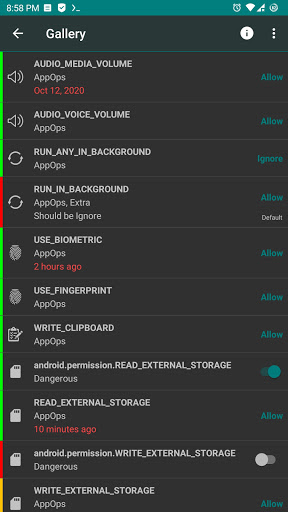
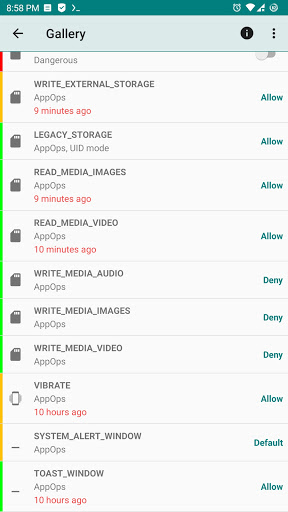
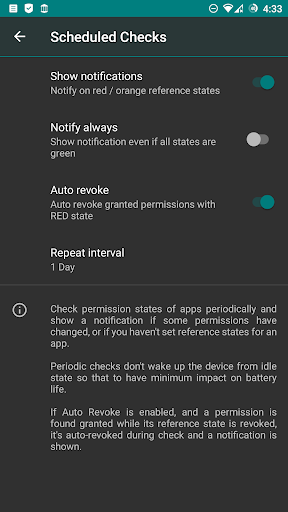
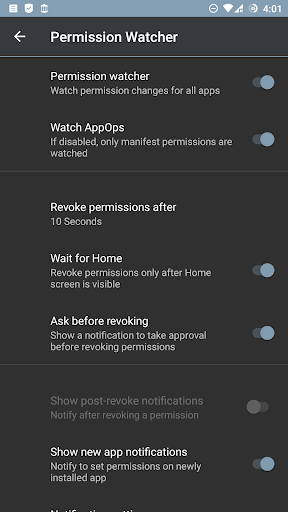
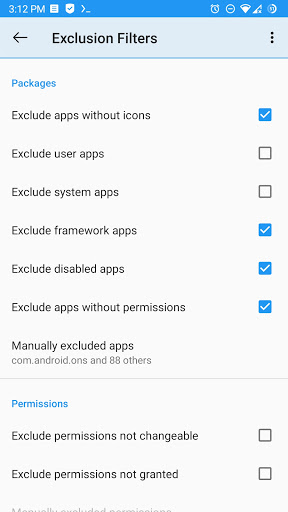
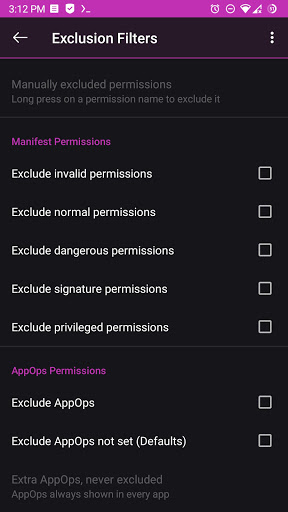
Permission Manager X is a powerful tool designed for Android users who prioritize privacy and control over app permissions. This application allows you to manage both manifest permissions and AppOps on a single screen, providing an unprecedented level of access control. Whether you're looking to revoke unnecessary permissions or set reference values for each changeable permission, PMX makes the process straightforward and efficient.
The app shines in its ability to let users control background execution, location tracking, SMS capabilities, and more. With features like Permission Watcher, scheduled checks, and auto-revoke functionalities, it ensures that your device remains secure and optimized. Suitable for power users and privacy-conscious individuals, Permission Manager X offers a comprehensive solution for managing app permissions across different Android versions.
One of the standout features of Permission Manager X is its capability to handle both manifest permissions and AppOps seamlessly. Manifest permissions include commonly known permissions such as Storage and Camera, while AppOps provide a deeper, fine-grained control over these permissions, including additional controls like background execution and clipboard access. This dual management approach empowers users to see how permissions interrelate and affect each other.
PMX also offers advanced functionalities such as sorting apps by various parameters, scheduled checks to notify about undesirable permission states, and batch operations for handling multiple permissions at once. The Permission Watcher feature automatically removes unwanted permissions as soon as you stop using an app, enhancing both privacy and performance. Additionally, the app supports multi-user profiles and work profiles, making it versatile for different user needs.
For those needing even more control, the paid features unlock abilities like auto-revoking granted permissions with red states, making changes to critical apps and permissions, and theming options for a personalized experience. These features collectively ensure that Permission Manager X stands out as a robust tool for anyone serious about maintaining control over their device's security and privacy settings.
User-friendly interface
Comprehensive permission control
Advanced AppOps management
Regular updates and active development
No ads or trackers
Requires root or ADB setup
Limited functionality on non-rooted devices
Complex for beginners
Paid features can be costly
Compatibility issues with some ROMs

 4.50
4.50
Quickly switch to an encrypted DNS server on Android TV
4.50
Use your phone as a webcam on your computer over WiFi or USB.
4.40
VESC Tool can monitor and configure VESC-compatible devices over BLE and Wifi
4.20
Signal Strength, Mobile, Wifi, Speed Test, Bad Signals, Cellular, 5G, LTE, 4G
4.20
With videos, electrical calculators, and built-in ebook, Ugly’s has your answer.
4.50
The Ultimate Bluetooth Keyboard & Mouse. Securely control your PC, Mac, and more
4.50
Mirror your screen to Fire TV - Super fast and simple
4.40
Fast VPN USA for any country. Super secure VPN for calls, streaming, games, TV.
4.40
Monitor car performance in real time and troubleshoot malfunctions.
4.80
HD Camera captures every special moment.
4.60
App to pay for FUTO Keyboard
4.60
Universal TV remote control all TVs, Roku, LG, Samsung, Fire, Vizio, Sony, TCL.
4.40
Forza Tuning Calculator App for Forza Horizon 5, Motorsport and Earlier Titles
4.40
Remote for Roku, Fire TV, Samsung TV, LG TV, Android TV, Chromecast and VIZIO TV
4.20
Effortlessly run ADB commands directly on your device without a PC.
4.20
View detailed information about your Nissan Leaf the dealer never shows you.
4.10
1-Click close all background apps on Android TV
3.90
Transfer Files, APK from Phone to Watch & Install.
4.0


User Reveiws