

Recovery Photo-Recover Files

3.40

Information

Category:

Tools

Price:

Free

Rank:

3

Rating:

3.40

Overview

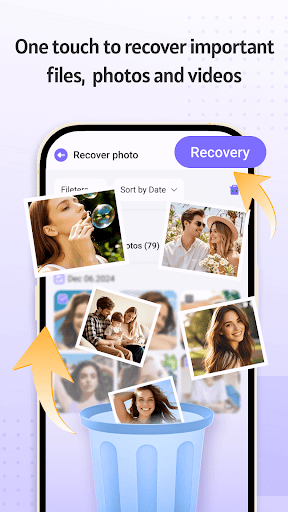
Recovery Photo is a professional file recovery tool designed to help users retrieve lost or deleted files across various categories. The app specializes in recovering photos, videos, and other important documents that may have been accidentally removed from your device. With its advanced scanning technology, it searches through your device's storage to locate recoverable files, ensuring you can bring back precious memories and critical data.

In addition to its powerful recovery capabilities, Recovery Photo offers a comprehensive management system for organizing and viewing restored files. This feature allows users to efficiently categorize and access their recovered content without the risk of losing it again. Whether you're dealing with personal images, work-related documents, or cherished videos, this app provides an all-in-one solution for file recovery and management.

Features

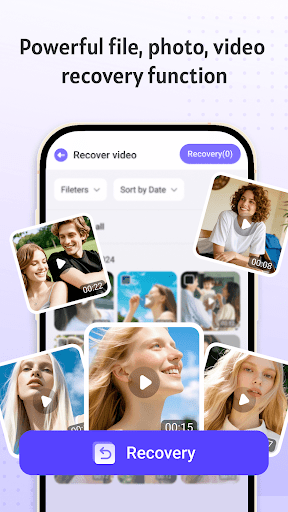
Recovery Photo stands out with its diverse set of features tailored to meet different recovery needs. The app includes dedicated functions for photo recovery, video recovery, and general file recovery, each designed to target specific file types and ensure optimal retrieval results. By leveraging sophisticated algorithms, the software scans your device's storage comprehensively, identifying recoverable items even after accidental deletion or loss.

Beyond recovery, the app provides robust tools for managing restored files. Users can organize their recovered content into easily navigable categories, making it simple to locate specific files when needed. Additionally, Recovery Photo offers insights into your device's storage situation, allowing you to monitor available space and manage your files more effectively. These features collectively enhance the user experience by combining powerful recovery options with practical organizational tools.

Core function accuracy & effectiveness

In the realm of data recovery software like Recovery Photo-Recover Files, core function accuracy and effectiveness are paramount to its utility. This application specializes in retrieving lost or deleted files, encompassing photos, videos, and other document types from users' devices. The importance of this functionality cannot be overstated; for many, these files represent irreplaceable memories or critical information whose loss could have significant personal or professional repercussions. Recovery Photo employs advanced scanning algorithms that meticulously comb through the device's storage to locate recoverable data fragments. These algorithms are designed to identify various file formats and can differentiate between files that are partially overwritten and those that retain integrity suitable for recovery. Once identified, the software facilitates the restoration process, bringing back precious moments and vital documents with precision. For users, the benefits of such a robust recovery mechanism are manifold. Not only does it offer peace of mind knowing that mistakenly deleted files aren't lost forever, but it also provides a safety net against hardware failures or accidental formatting. Furthermore, the inclusion of a restored file management feature enhances user experience by allowing systematic organization and easy access to recovered items. This comprehensive approach underscores the software's commitment to not just recovering files but ensuring they are readily accessible and manageable post-recovery. In essence, Recovery Photo-Recover Files exemplifies how technical proficiency in data retrieval translates into tangible value for users seeking to reclaim their digital assets.

Interface simplicity & intuitiveness

For a tool like Recovery Photo-Recover Files, interface simplicity and intuitiveness play crucial roles in enhancing user engagement and satisfaction. As a utility application centered around the potentially complex task of file recovery, ensuring that users can navigate its features effortlessly is essential. The design philosophy behind Recovery Photo prioritizes clarity and ease of use, presenting users with an uncluttered dashboard that highlights primary functions such as photo recovery, video recovery, and general file recovery. Each option is labeled clearly, accompanied by concise instructions that guide users through initiating scans and managing recovered files. This straightforward presentation significantly lowers the learning curve, making the software accessible even to those who may not possess advanced technical skills. Moreover, the application incorporates visual cues and progress indicators during the scanning and recovery processes, keeping users informed about ongoing operations without overwhelming them with technical jargon. Beyond basic navigation, Recovery Photo offers additional tools like device storage monitoring, which is seamlessly integrated into the main interface, providing users with insights into their storage health at a glance. Such thoughtful design choices ensure that while the underlying technology might be sophisticated, interacting with it remains intuitive and stress-free. By focusing on creating an environment where functionality meets accessibility, Recovery Photo-Recover Files transforms what could be an intimidating process into an empowering one. Users benefit from knowing exactly where they stand throughout each step of the recovery journey, bolstered by an interface that respects their time and cognitive load. Ultimately, this dedication to user-centric design amplifies the overall effectiveness of the software, proving that powerful capabilities need not come at the expense of usability.

Props

User-friendly interface

Efficient recovery process

Comprehensive file support

Secure privacy protection

Flexible file management

Cons

Varied success rates

Limited by factory resets

Premium features locked

Device compatibility issues

Requires technical knowledge

Features and Functions

What is this app and what can I use it for?

A tool to recover lost photos videos and files from your device

How do I download and install this app on my device?

Search Recovery Photo on Google Play download and install from there

How do I get started after opening the app for the first time?

Launch the app grant necessary permissions and start scanning for lost files

What are the main features and capabilities of this app?

Recovers photos videos files and offers management tools for restored content

How can I customize my experience and adjust preferences?

Adjust scan settings and organize files using built-in management features

How do I save or bookmark my favorite content for later access?

Save recovered files to specific folders within the app for future access

How can I share content with friends or on social media?

Share files directly via supported apps or social media platforms

How do I access detailed information and explore more content?

Use detailed scan reports to explore recovered content and file info

What permissions does this app need and how do I manage them?

Needs storage access permissions managed through device settings

How do I check for updates and keep the app running smoothly?

Check for updates in the app settings or via Google Play Store
Show more

User Reveiws

{{ comment.reviewer_name }}
{{ comment.review_date_formatted}}
{{ comment.review_content }}
{{ tab.name }}
{{ comment.reviewer_name }}
{{ comment.review_date_formatted}}
{{ comment.review_content }}
No reviews with this rating

















