Edgest Edge Gestures & Control

4.5

Information

Category:

Personalisation

Price:

$ 0.49

Rank:

28

Rating:

4.5

Overview

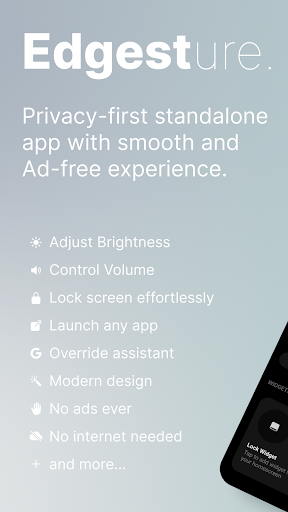
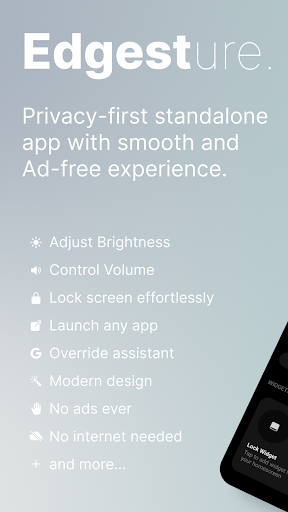
Edgest is a powerful personalisation tool that revolutionises how you interact with your smartphone through intuitive edge gestures and custom controls. The app allows users to take complete control of their device by assigning personalised gestures for navigation, app launching, and system actions.

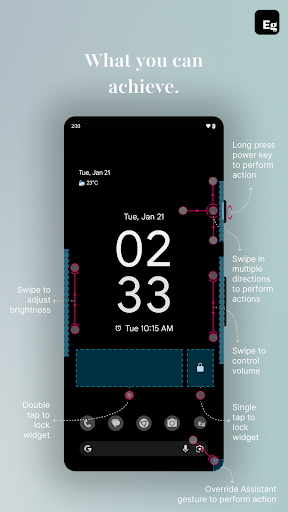
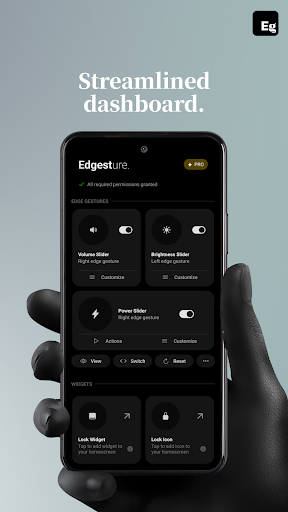
With features like volume and brightness control directly from the screen's edge, custom gesture creation, and instant access to favourite apps, Edgest enhances both convenience and efficiency. Whether you're looking to boost productivity or simply streamline daily tasks, this app offers a seamless experience tailored to your needs.

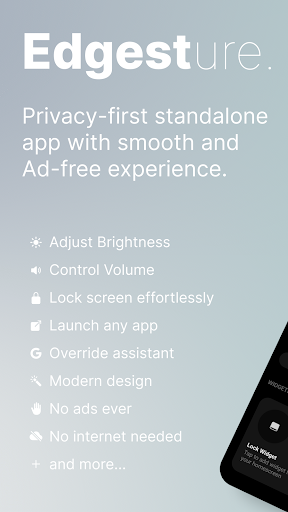
The application is designed with simplicity in mind, ensuring an ad-free and tracking-free environment. Its lightweight nature makes it an ideal choice for those seeking to optimise their smartphone experience without compromising performance or privacy.

Features

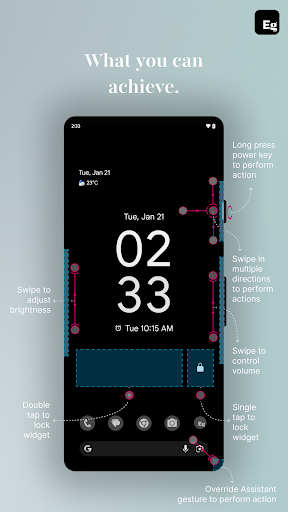
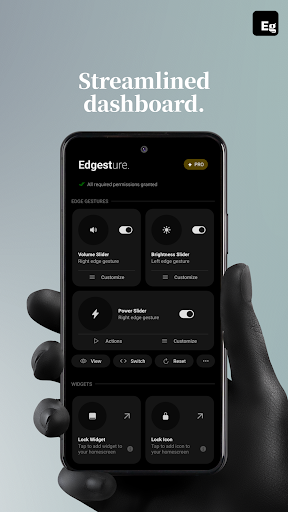
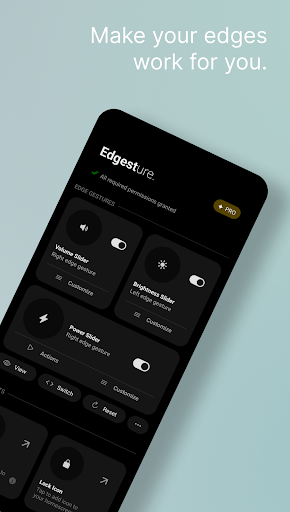
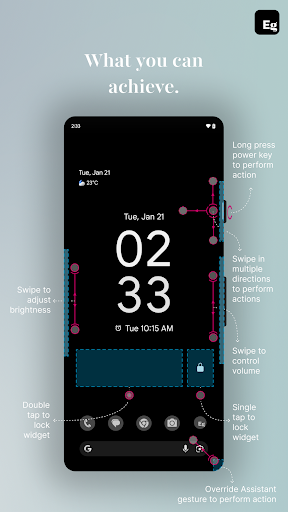
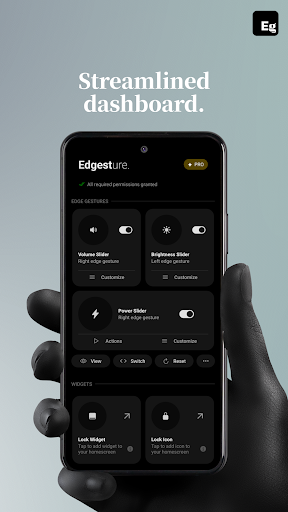
Edgest stands out with its comprehensive suite of features designed to enhance user interaction through smart gestures. The app provides edge gestures for effortless navigation, allowing users to perform essential functions such as returning to the home screen or adjusting settings without opening menus.

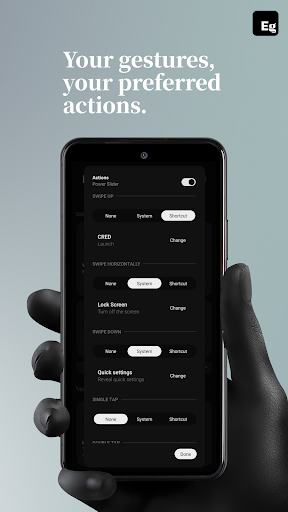
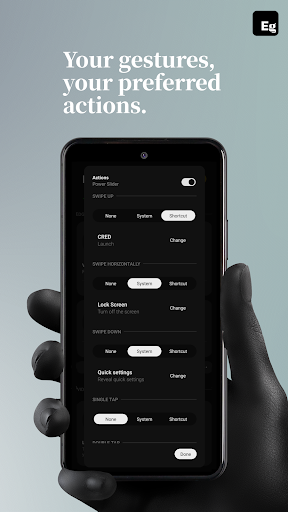
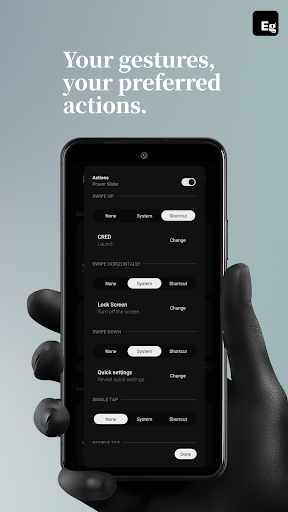
One of the key highlights is the ability to create fully customisable gesture shortcuts. Users can assign unique actions to different types of swipes, taps, and long presses, enabling quick access to frequently used apps and system functions. Additionally, the inclusion of a quick settings tile adds another layer of convenience for managing media playback and other actions.

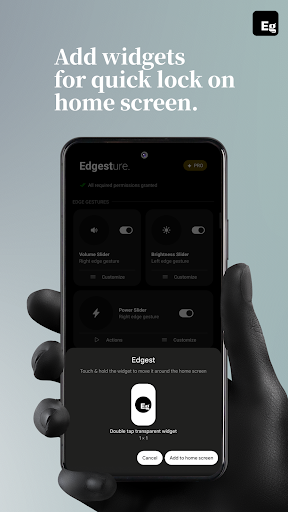
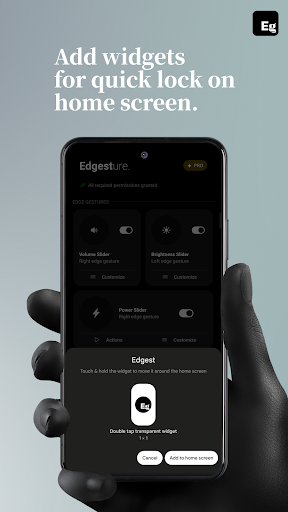
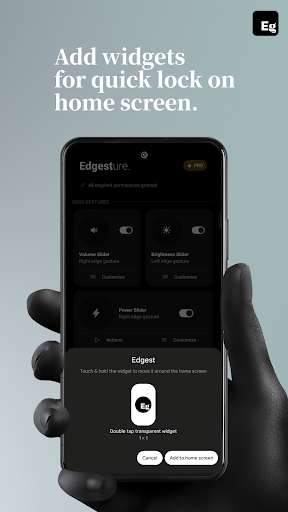
Other notable features include lock screen widgets with single or double-tap options, media control via gestures, and the ability to override assistant triggers. These functionalities collectively ensure that Edgest adapts to various user preferences while maintaining an intuitive and responsive interface.

Customization options variety

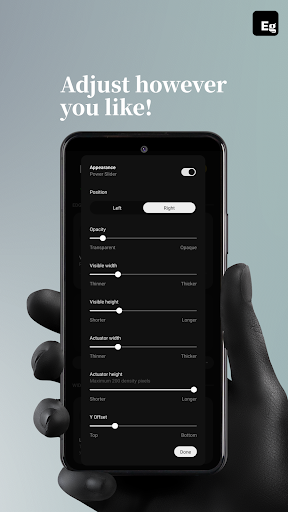
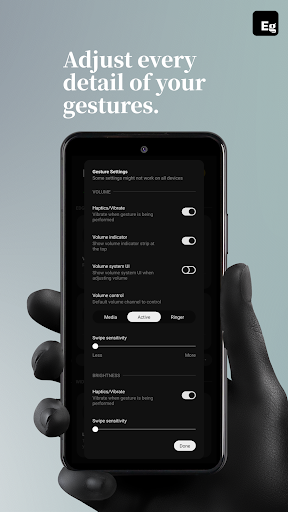
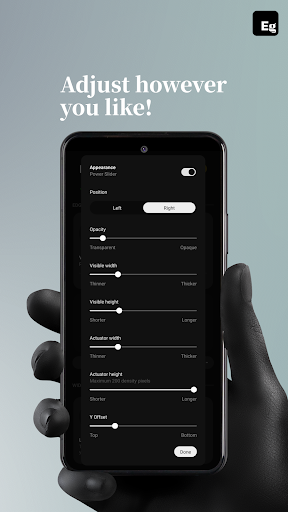
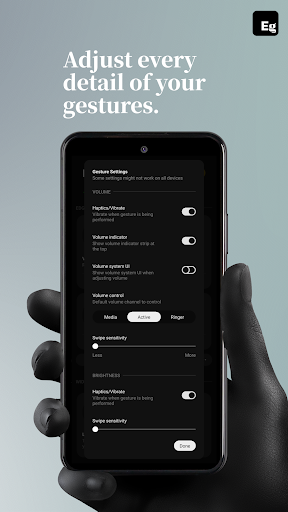
Customization options variety refers to the range and flexibility of settings that allow users to tailor an application to their specific needs and preferences This is particularly important in personalisation apps like Edgest where user experience hinges on the ability to modify and control various aspects of device interaction Edgest offers a comprehensive suite of customization features that cater to different user preferences and requirements The app provides edge gestures which enable quick navigation and instant access to favorite apps and actions Users can also control volume and brightness directly from the screen's edge eliminating the need to open menus for adjustments Furthermore custom gestures can be created to launch apps open system menus or trigger shortcuts These personalized gesture shortcuts enhance the overall smartphone experience by streamlining frequent tasks Another notable feature is the quick settings tile which gives users instant access to custom actions Media control is simplified through gestures or quick settings allowing users to manage playback without leaving their current app The lock screen widget adds another layer of convenience with single-tap or double-tap lock options The high degree of customizability extends to gesture sensitivity animation speed feedback and the ability to assign different actions for each gesture type This ensures that users can adapt the app to their unique usage patterns making daily interactions faster and more intuitive Overall Edgest demonstrates an exceptional variety of customization options empowering users to create a personalized and efficient device experience

Theme compatibility

Theme compatibility in personalisation applications refers to the app's ability to integrate seamlessly with various visual themes and maintain consistency across different interface elements For Edgest theme compatibility ensures that its gesture-based controls and custom shortcuts work harmoniously with the device's current visual style while preserving usability and aesthetic coherence Although Edgest focuses primarily on functional personalisation rather than visual theming its design reflects a deep consideration for maintaining visual and operational consistency The app's interface is built with simplicity and user experience in mind avoiding intrusive design elements that could disrupt the device's existing theme Its gesture navigation system operates unobtrusively ensuring that users can enjoy a cohesive visual experience without compromising functionality Features such as edge gestures volume control brightness adjustment and custom shortcuts are implemented in a way that respects the device's theme integrity Users can adjust gesture sensitivity animation speed and feedback to align with their preferred visual and tactile experience Moreover Edgest avoids introducing unnecessary visual clutter such as excessive icons or contrasting color schemes that might conflict with the device's theme This minimalist approach enhances the overall user experience by focusing on seamless integration with the device's existing aesthetics While Edgest may not offer traditional theme-switching capabilities its emphasis on maintaining operational fluidity within any visual setup highlights its commitment to delivering a polished and unified user experience By prioritizing theme compatibility Edgest ensures that its powerful personalisation features enhance rather than detract from the device's visual harmony

Props

Intuitive gesture navigation

Customizable shortcuts

Lightweight design

No ads or tracking

Battery-friendly operation

Cons

Limited to Android devices

Requires accessibility permission

Learning curve for new users

Premium version needed

Occasional bugs reported

Features and Functions

What is this app and what can I use it for?

A tool for custom gestures and navigation shortcuts on Android devices

How do I download and install this app on my device?

Visit Google Play Store, search for Edgest, and tap Install to download and install the app

How do I get started after opening the app for the first time?

Follow the setup wizard to configure initial gesture preferences and explore tutorial sections

What are the main features and capabilities of this app?

Edge gestures, custom shortcuts, media control, and lock screen widgets for enhanced navigation

How can I customize my experience and adjust preferences?

Adjust gesture sensitivity, animation speed, and assign specific actions to each gesture type

How do I save or bookmark my favorite content for later access?

Use custom gestures or quick settings tiles to save and access favourite actions easily

How can I share content with friends or on social media?

Share app links or recommend Edgest to friends via social media or messaging apps

How do I access detailed information and explore more content?

Explore detailed settings in-app or visit the official website for more information

What permissions does this app need and how do I manage them?

Needs Accessibility Service API permissions for system commands; manage in settings

How do I check for updates and keep the app running smoothly?

Enable automatic updates in Google Play Store or manually check for updates regularly
Show more

User Reveiws

{{ comment.reviewer_name }}
{{ comment.review_date_formatted}}
{{ comment.review_content }}
{{ tab.name }}
{{ comment.reviewer_name }}
{{ comment.review_date_formatted}}
{{ comment.review_content }}
No reviews with this rating