
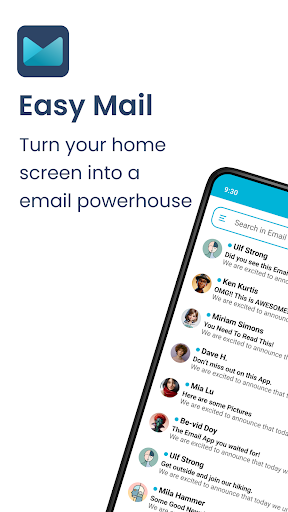
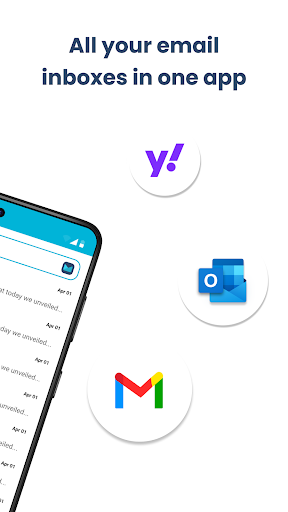
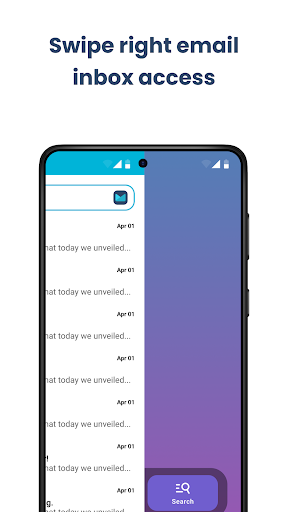


Easy Mail is a personalized email launcher designed to simplify and streamline your daily email management. This innovative app transforms your homescreen into an efficient email hub, allowing you to view emails instantly without clutter. With support for unlimited email accounts from providers like Gmail, Outlook, and Yahoo, it consolidates all your inboxes into one unified interface or lets you manage them separately.
The app goes beyond basic email functionality by incorporating AI-powered writing assistance that helps rephrase, shorten, or polish your emails while maintaining your natural tone. It also features an integrated web search powered by Yahoo Search, enabling you to find information quickly while managing your emails. Easy Mail prioritizes user privacy with its 'Privacy First' policy, ensuring that your email data remains local and secure.
This productivity-focused launcher is perfect for individuals who want to reduce screen time and enjoy a clutter-free digital experience. By combining essential launcher features such as organized homescreens, app drawers, and widget support with powerful email management tools, Easy Mail creates a seamless workflow that makes handling emails more efficient and enjoyable.
Easy Mail offers an impressive array of features that redefine how users interact with their emails. The app's standout feature is its Easy Homescreen, which provides a clean, focused interface built specifically around email management and productivity. Unlike traditional launchers filled with distractions, this homescreen keeps only essential elements, making email management straightforward and efficient.
One of the most valuable features is the support for unlimited email accounts across various providers. Users can add multiple accounts including Gmail, Outlook, Yahoo, and others, choosing between a unified inbox view or separate account management. The AI Email Assistance tool revolutionizes email composition by offering instant suggestions to rephrase, shorten, or refine messages while preserving the writer's natural tone.
Additional notable features include Easy Web Search powered by Yahoo Search, which allows users to conduct web searches directly from their email interface. The app also maintains strong privacy standards by keeping all email data local and never accessing user content. These comprehensive features, combined with launcher essentials like app drawers and widget support, create a complete solution for users seeking both simplicity and functionality in their email management.
User-friendly interface
AI-powered email assistance
Unified inbox option
Strong privacy protection
Integrated web search
Limited customization options
No advanced email filtering
Occasional sync issues
Basic widget support
Learning curve for new users

Launcher OS™ Pro without ads help make your phone simple and pretty
 4.30
4.30
300+ Stunning and well-designed widgets inspired by NOTHING.
4.70
400+ Beautifully crafted widgets inspired by NOTHING.
4.70
Your home screen, just the way you like it.
4.30
Customize phone with anime themes, 3D icons, aesthetic widgets & wallpapers
4.80
Cool Fonts, Keyboards, Wallpapers, Backgrounds, Icons, Widgets, Themes
4.60
ai emoji, Genmoji,cat mystery games:win gif,font,themes,keyboard,ai emoji
4.20
Smile Live Wallpaper: Customize phone screen unique with funny faces wallpaper
4.60
Elegant Theme, Wallpaper and Widget with Creation for Your Phone Decoration
4.70
10000+ Aesthetic Themes & Widgets by Themely. Customize Your Phone Easily!
4.80
Nothing Icon pack with more than 3750+ highly crafted icons.
4.70
Amazing letter fonts in your messages and social statuses
4.70
Customize your home screen & control center with beautiful themes
4.70
Icons made of colorful linear lines
4.60
Play viral prediction filter challenges, drop the circle, and share fun videos!
4.50
Download City On Fire Home App now and turn every run into an adventure!
4.50
Unlock phone with fun zipper effects and unique zipper lock screen wallpaper
4.40
Transform your phone with stylish zipper lock themes and 4D live wallpaper
4.10
Custom edge gestures for volume control, brightness, apps, and shortcuts.
4.0


User Reveiws