
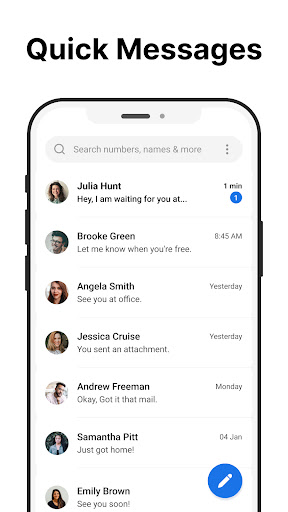
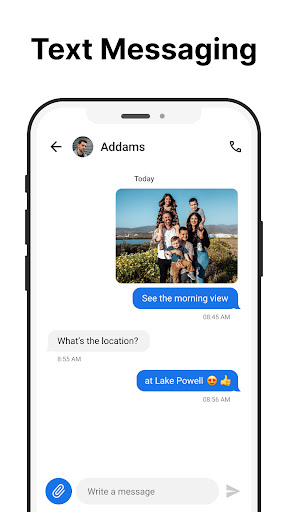
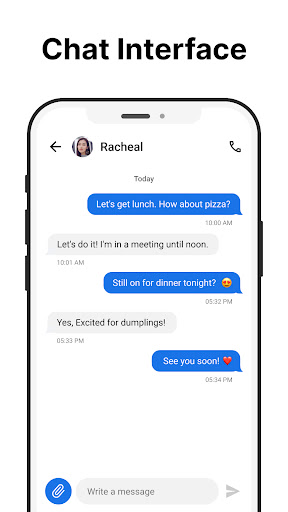
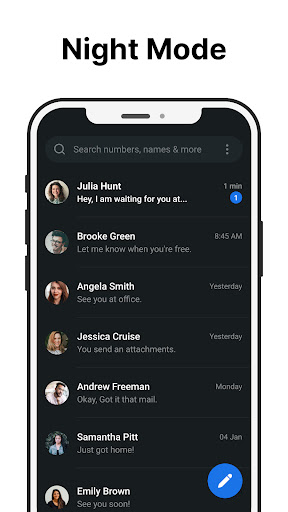
Messages is a robust SMS messaging app designed specifically for Android users who value simplicity and reliability in their communication tools. The app allows you to send and receive text messages without requiring an internet connection, making it ideal for areas with poor connectivity. Its intuitive interface ensures that managing your messages is straightforward and efficient.
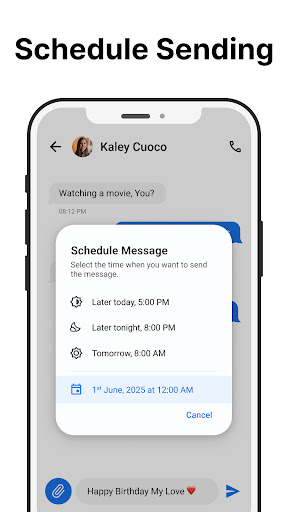
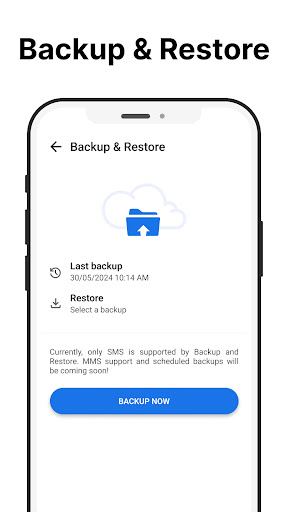
One of the standout features of Messages is its After Call screen, which provides immediate access to your SMS inbox after each phone call. This feature streamlines communication by allowing users to respond to calls with text messages instantly. Additionally, the app offers functionalities such as scheduling messages, group messaging, and message backup, enhancing both personal and professional interactions.
The true value of Messages lies in its ability to combine essential SMS features with user-centric enhancements like spam blocking, custom notifications, and dark mode. These features collectively ensure that users can tailor their messaging experience to fit their preferences while maintaining privacy and security. Whether you need to stay connected with family or manage work-related communications, Messages delivers a seamless and reliable solution.
Messages stands out in the Communication category due to its comprehensive set of features tailored to enhance the SMS experience on Android devices. One of its primary strengths is the ability to send and receive text messages quickly and reliably without needing an internet connection. This ensures uninterrupted communication even in areas with limited network coverage.
Beyond basic messaging, Messages offers advanced capabilities such as scheduling messages for later delivery, creating and managing group chats, and backing up important conversations. These features are complemented by practical tools like spam blocking, which helps keep your inbox organized by filtering out unwanted messages. The search functionality allows users to easily locate specific messages, ensuring that important information is always at hand.
Customization is another key aspect of Messages, with options like personalized notifications, custom ringtones, and a battery-saving dark mode. The app also includes an innovative After-Call screen, enabling users to send quick messages directly after a phone call. With these features, Messages not only simplifies communication but also empowers users to personalize their experience according to their unique needs and preferences.
User-friendly interface
Reliable offline messaging
Comprehensive feature set
Effective spam blocking
Customizable notifications
Limited multimedia support
No cloud sync option
Basic UI design
In-app advertisements
Local backup only

Pure modern IRC experience for Android
 3.70
3.70
Official NDI app: turn your phone into a professional live-streaming IP camera.
3.20
Chat on the Jabber network (XMPP protocol); support for SMS and other gateways
2.10
Manage and Fund Calling Accounts and Schedule and Join Video Sessions
3.60
Caller ID App! Add names & photos to unknown calls & Call Recording
4.40
Watchgram for Telegram: Experience seamless Telegram messaging on your watch
1.80
Use this SMS app standalone or as a TREK: Total Interface companion.
4.30
Manage your mobile phone plan, check unlimited 5g data usage and track rewards
4.50
Telegram is a messaging app with a focus on speed and security.
4.00
Use this Dialer app alone or as a TREK: Total Interface companion.
4.70
Manage BoostMobile Account
4.60
Say “hello” to privacy.
4.60
The ultimate productivity solution for all your email communication needs.
4.40
Our Black Friday sale is here. Unlock special discounts on Proton Mail now.
4.30
Block spam calls & scam - no more annoying calls with the call blocker function
4.30
Simplify texting with Messages SMS, offline messaging, themes & smart tools!
4.30
Group Chat That’s Fun & Games
4.30
WazzapMigrator: transfer your WhatsApp history from iPhone to Android
4.00
Threema is the messenger with the most consistent focus on security and privacy.
4.00


User Reveiws