Cheogram

2.10

Information

Category:

Communication

Price:

$ 4.99

Rank:

N/A

Rating:

2.10

Overview

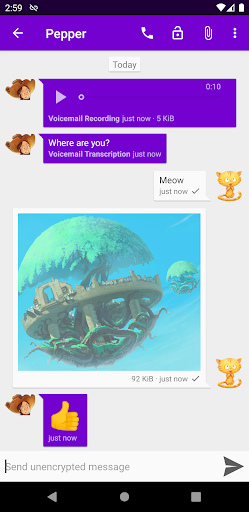
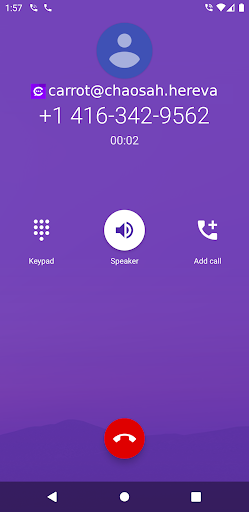
Cheogram is a communication app that connects users to a global network, emphasizing cross-platform interaction. It supports messaging with media and text, including animated content, and integrates seamlessly with the native Android Phone app when using telephony gateways.

With features like address book integration, tagging of contacts, and lightweight threaded conversations, Cheogram enhances user engagement. The inclusion of a free one-month trial for the JMP.chat service adds value, making it an attractive option for users seeking versatile communication tools.

Features

Cheogram stands out with its robust feature set tailored for seamless communication. The app supports rich messaging with media, text, and animations, ensuring dynamic interactions. Its unobtrusive display of subject lines and contact names enhances readability and user experience.

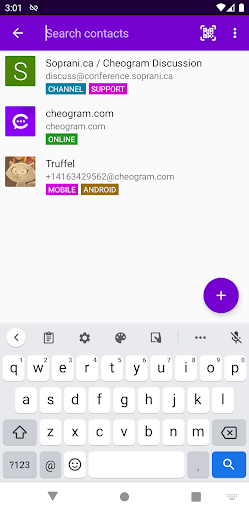
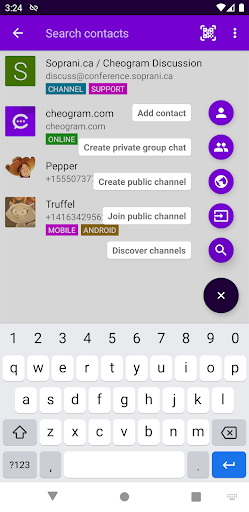
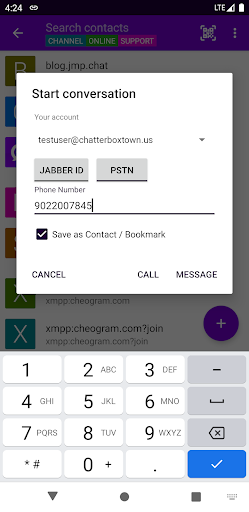
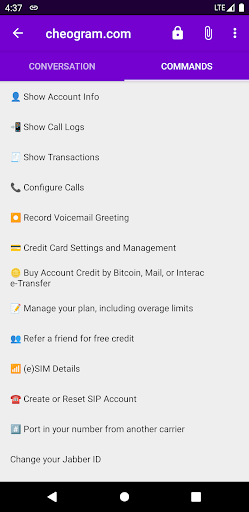
Integration capabilities are a core strength, allowing users to add contacts through gateways and sync with the native Android Phone app for SMS functionality. Additional features include address book integration, tagging options for organizing contacts, and a command UI for streamlined navigation, all contributing to a comprehensive communication tool.

Real-time messaging speed & reliability

Real-time messaging speed and reliability are crucial aspects of any communication application as they determine the efficiency and dependability of message delivery. Cheogram Android app excels in these areas by providing a seamless communication experience that is especially beneficial for users who need to connect with others across different networks including SMS-enabled phone numbers. The app ensures messages composed of both media and text including animated media are transmitted swiftly and reliably. This means users can expect their communications to be delivered without noticeable delays even when sharing rich content. The unobtrusive display of subject lines and links to known contacts shown with their names enhance the user experience by maintaining a clean interface that prioritizes content. Furthermore the integration with gateways add contact flows and the native Android Phone app when using a gateway to the phone network streamlines the process of connecting with others. Address book integration along with the ability to tag contacts and channels and browse by tag adds layers of organization and accessibility not found in many competing applications. The inclusion of a command UI and lightweight threaded conversations further demonstrates Cheogram's commitment to delivering a reliable and efficient messaging platform. Users benefit from the assurance that their communications are handled with care and precision making Cheogram a dependable choice for staying connected in today's fast-paced digital world.

Media sharing support

Media sharing support is an essential feature in modern communication apps enabling users to exchange various types of content beyond plain text. Cheogram Android app offers robust media sharing capabilities allowing users to send both media and text messages including animated media which enriches the communication experience. This functionality is particularly valuable for users who wish to share dynamic content such as GIFs or short video clips alongside their textual messages. The app's design ensures that media sharing does not disrupt the flow of conversation by presenting subject lines where present in an unobtrusive manner. Additionally links to known contacts are displayed with their names which helps maintain context during media exchanges. Cheogram's integration with gateways' add contact flows and its compatibility with the native Android Phone app when using a gateway to the phone network facilitate smooth interactions when sharing media with users on different platforms. The address book integration simplifies the process of finding and sharing media with specific contacts while the tagging system allows for organized browsing and retrieval of shared content. With features like sticker packs Cheogram enhances the expressiveness of media sharing letting users convey emotions and reactions through visually engaging means. Overall Cheogram's comprehensive approach to media sharing makes it a versatile tool for users seeking to communicate effectively and creatively across a worldwide network.

Props

User-friendly interface

Robust feature set

Seamless cross-platform integration

Free trial offer

Enhanced privacy controls

Cons

Limited to Jabber services

No iOS version available

Requires third-party service

Complex setup for new users

Occasional bugs reported

Features and Functions

What is this app and what can I use it for?

Cheogram is a communication app for global messaging with media and text support.

How do I download and install this app on my device?

Download Cheogram from Google Play Store and install it on your Android device.

How do I get started after opening the app for the first time?

Sign up or log in with your Jabber account to start using Cheogram.

What are the main features and capabilities of this app?

Key features include media messaging, address book integration, and threaded conversations.

How can I customize my experience and adjust preferences?

Customize your experience in settings by adjusting notification preferences.

How do I save or bookmark my favorite content for later access?

Bookmark favorite content by tagging contacts or channels for easy access.

How can I share content with friends or on social media?

Share content directly via integrated social media or messaging options.

How do I access detailed information and explore more content?

Access detailed information through the command UI or browse by tags.

What permissions does this app need and how do I manage them?

Manage app permissions in your device settings for privacy control.

How do I check for updates and keep the app running smoothly?

Check for updates in the app's settings to ensure smooth operation.
Show more

User Reveiws

{{ comment.reviewer_name }}
{{ comment.review_date_formatted}}
{{ comment.review_content }}
{{ tab.name }}
{{ comment.reviewer_name }}
{{ comment.review_date_formatted}}
{{ comment.review_content }}
No reviews with this rating