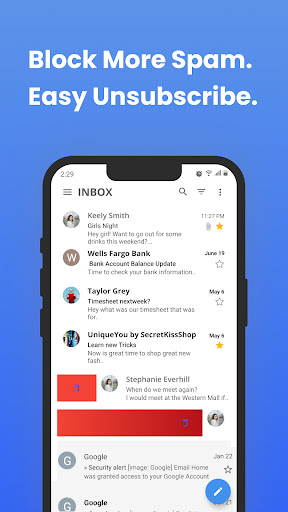
Inbox Homescreen

4.40

Information

Category:

Communication

Price:

Free

Rank:

38

Rating:

4.40

Overview

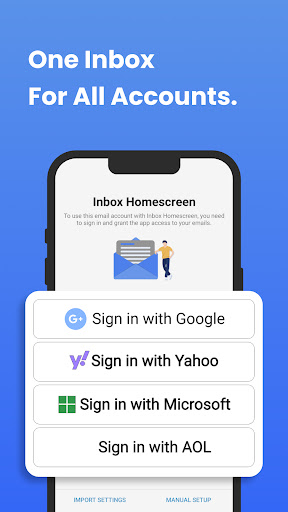
Inbox Homescreen is a communication app designed to streamline email management across multiple platforms. This innovative tool allows users to consolidate all their email accounts, including Gmail, Outlook, and Yahoo, into one convenient interface.

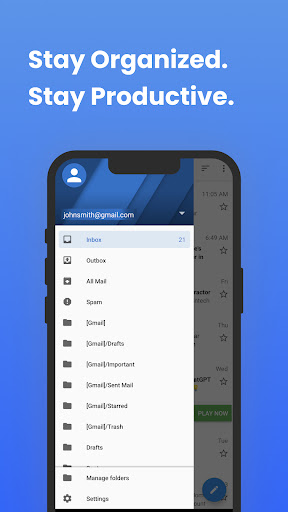
The app's standout feature is its advanced organizational tools. Users can set up filters for automatic email sorting, prioritize important messages, and even schedule emails for later sending. Additionally, Inbox Homescreen offers customizable themes and layouts, providing both functionality and personalization.

With its user-friendly design, this app is particularly beneficial for busy professionals who need to manage their inboxes efficiently while on the go. The integration of Yahoo search functionality further enhances the overall communication experience.

Features

Inbox Homescreen stands out with its comprehensive feature set tailored for efficient email management. The app's multi-account integration allows seamless access to various email services through a unified interface.

Organization is made easy with advanced filtering options that automatically categorize incoming emails. Users can prioritize critical messages and schedule emails for optimal sending times. The app also offers customizable themes and layouts, enabling users to personalize their inbox appearance.

Additional utility features include quick-access tools from the homescreen and enhanced search capabilities powered by Yahoo. These features collectively contribute to increased productivity and streamlined communication workflows.

Real-time messaging speed & reliability

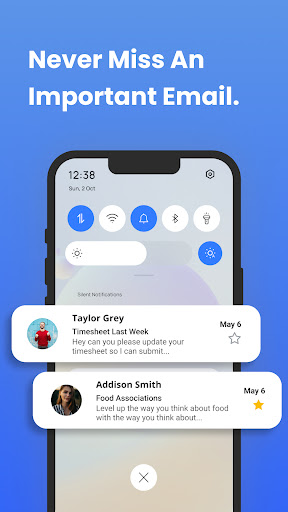
Real-time messaging speed and reliability are crucial factors in ensuring seamless communication experiences for users. Inbox Homescreen excels in this area by providing a robust platform that allows users to send and receive emails with minimal delay. The application is designed to integrate seamlessly with various email services such as Gmail, Outlook, and Yahoo, ensuring that messages are delivered promptly and reliably across different platforms. This integration not only enhances the speed of message delivery but also ensures that users can access their emails from multiple accounts in one centralized location. The app's architecture is optimized for quick synchronization, which means that any action taken within the app, such as sending an email or marking it as read, is instantly reflected across all devices. This real-time update capability significantly improves the user experience by keeping them informed and up-to-date at all times. Furthermore, Inbox Homescreen employs advanced algorithms to prioritize important messages, ensuring that critical communications are never overlooked. By offering reliable real-time messaging capabilities, Inbox Homescreen empowers users to manage their inboxes more efficiently, ultimately leading to increased productivity and better communication management.

Media sharing support

Media sharing support is an essential feature for modern communication applications, enabling users to exchange various types of media files effortlessly. Inbox Homescreen recognizes this need and provides comprehensive media sharing capabilities that enhance the overall user experience. The application supports a wide range of file formats, including images, videos, and documents, allowing users to attach and share these files directly through their email interface. This versatility ensures that users can communicate effectively without being limited by file type restrictions. Moreover, Inbox Homescreen offers a user-friendly interface that simplifies the process of attaching and sending media files. With just a few clicks, users can browse their device storage, select the desired file, and attach it to an email, streamlining the entire sharing process. The app also includes features like drag-and-drop functionality and bulk attachment options, further enhancing convenience and efficiency. In addition to supporting diverse file formats, Inbox Homescreen prioritizes security during media sharing. The application employs encryption protocols to protect sensitive data during transmission, ensuring that confidential information remains secure. This focus on security, combined with the app's extensive media sharing capabilities, makes Inbox Homescreen a reliable choice for users who frequently exchange multimedia content. By integrating robust media sharing support, Inbox Homescreen not only meets the basic requirements of digital communication but also sets a new standard for ease of use and security in media exchange.

Props

User-friendly interface

Multi-account support

Advanced filtering system

Customizable themes

Enhanced productivity tools

Cons

Limited third-party integrations

Occasional syncing issues

Basic free version

Privacy concerns with Yahoo search

Learning curve for new users

Features and Functions

What is this app and what can I use it for?

Inbox Homescreen manages multiple email accounts in one app

How do I download and install this app on my device?

Download Inbox Homescreen from Google Play Store on your Android device

How do I get started after opening the app for the first time?

Sign in to your email accounts and set preferences on first launch

What are the main features and capabilities of this app?

Key features include multi-account support and email scheduling

How can I customize my experience and adjust preferences?

Customize themes and layout through settings menu

How do I save or bookmark my favorite content for later access?

Save favorite emails by starring or creating custom folders

How can I share content with friends or on social media?

Share content via integrated social media buttons or copy links

How do I access detailed information and explore more content?

Access detailed information through enhanced search features

What permissions does this app need and how do I manage them?

App needs account access permissions managed in settings

How do I check for updates and keep the app running smoothly?

Check for updates in Google Play Store app settings
Show more

User Reveiws

{{ comment.reviewer_name }}
{{ comment.review_date_formatted}}
{{ comment.review_content }}
{{ tab.name }}
{{ comment.reviewer_name }}
{{ comment.review_date_formatted}}
{{ comment.review_content }}
No reviews with this rating