


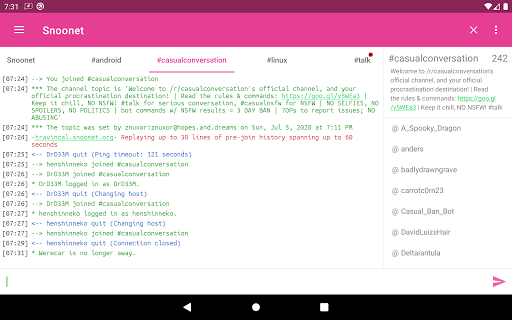
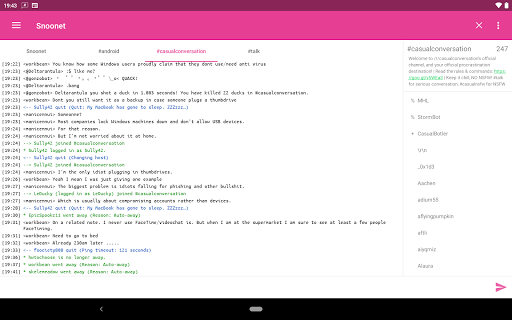
CoreIRC is a feature-rich IRC client designed for secure and seamless communication across multiple networks. The app supports SSL encryption, ensuring your connections remain private and protected. With advanced authentication methods like SASL PLAIN, EXTERNAL, and SCRAM-SHA-256, users can securely log in to their preferred IRC servers. Additionally, the robust notification system allows you to customize alerts based on channels, senders, or specific messages, ensuring you never miss important conversations.
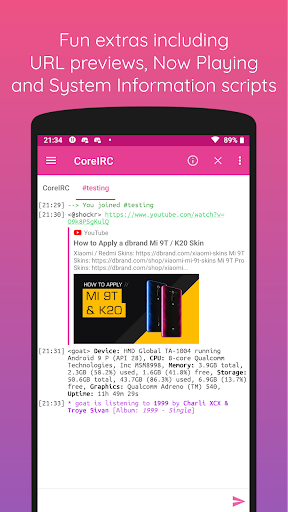
Beyond its core functionality, CoreIRC offers modern design elements following Material Design principles, providing an intuitive user experience. It includes fun extras such as inline URL previews and Now Playing scripts that integrate with popular music services. Whether you're managing multiple IRC networks or simply looking for a reliable chat client, CoreIRC combines security, flexibility, and usability into one comprehensive package.
CoreIRC stands out with its extensive set of features tailored for both casual and power users. One of its key strengths is the support for modern IRC protocols, including IRCv3 capabilities like account-notify, away-notify, and server-time. These ensure real-time updates and synchronization across devices. The app also supports Client-to-Client Protocol (CTCP) commands such as ACTION, PING, and VERSION, enabling enhanced interaction between users.
For convenience, CoreIRC provides practical tools like background connectivity using Android services, command autocomplete, and chat logging with on-demand file creation. Advanced users will appreciate the network editor with multi-server support, raw command execution via /quote, and detailed system information scripts. With UI themes, timestamp options, and mIRC color support, the app ensures a personalized and visually appealing chat experience while maintaining top-notch performance.
Secure connections
Custom notifications
Modern design
Advanced IRC support
User-friendly interface
Complex for beginners
Limited third-party integrations
No voice call feature
Occasional bugs
Heavy on resources

Tether to Windows, OS X, Linux PCs or Android tablets. No root. No tether fees.
 3.90
3.90
Adblock & VPN Browser: Blocks banners, pop-ups and video ads, fast downloader!
4.60
Messenger for SMS - texting message app, faster, simpler & safer, for you.
4.70
At select facilities, you now have an easy way to video visit your loved ones!
3.30
A Browser with powerful ad blocker to help focus on what really matters.
3.00
Threema is the messenger with the most consistent focus on security and privacy.
4.00
SMS Messenger is a lightning-fast messaging app.
4.20
Talk & text free with a second phone number plus unlimited 5G data, no fees.
4.50
Group Chat That’s Fun & Games
4.30
We’re taking the yada yada out of wireless—now we’ve taken it out of your app.
4.70
Use this Dialer app alone or as a TREK: Total Interface companion.
4.70
Stay in touch with the people who matter most.
4.60
An agentic AI browser for Android, built by Perplexity
4.50
HD Video Meeting app is a fast & unlimited video conferencing app across world.
4.30
Enjoy secure messaging & calling. Safe Messenger: group chats, calls, messages.
4.20
Measure BHP, Torque & 0-60 Clear car OBD faults View engine data in Google Earth
4.00
Fun, free app that lets kids video call and message family and close friends.
3.80
Manage and Fund Calling Accounts and Schedule and Join Video Sessions
3.60
Official NDI app: turn your phone into a professional live-streaming IP camera.
3.20


User Reveiws