

Securus Mobile

3.60

Information

Category:

Communication

Price:

Free

Rank:

49

Rating:

3.60

Overview

Securus Mobile is a comprehensive communication app designed specifically for maintaining connections with incarcerated individuals. The app requires Android 11.0 or higher and offers multiple ways to stay in touch, including video calls, messaging, and prepaid calling services.

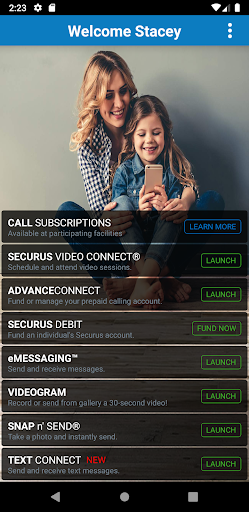
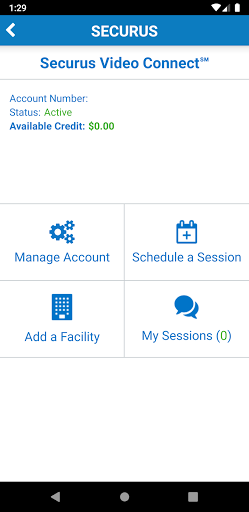
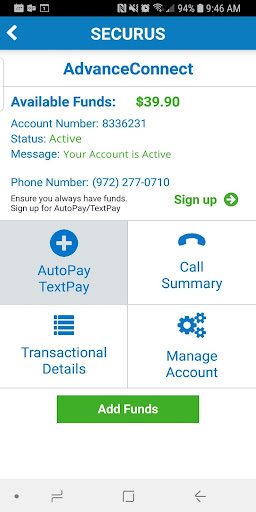
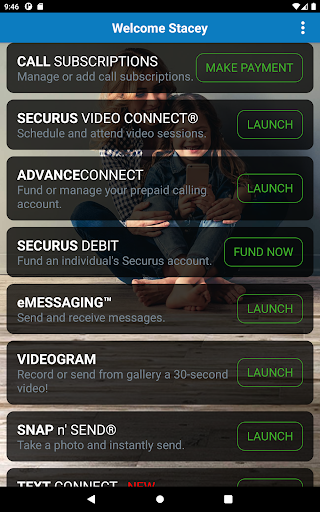
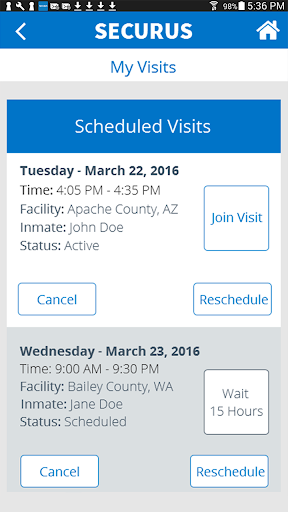
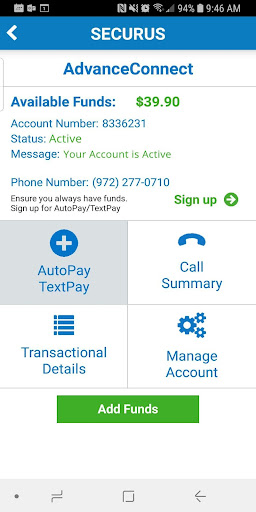
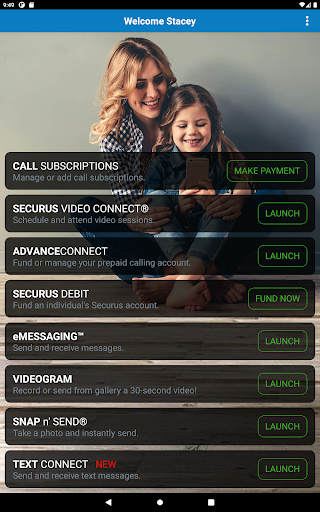
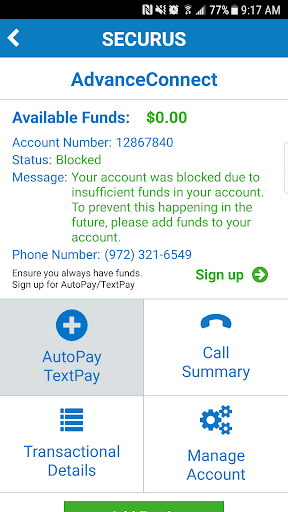
Key features include Video Connect for scheduling and managing video sessions, AdvanceConnect for handling prepaid calling accounts, and Securus Debit for depositing funds that can be used for various services within the facility. Additionally, the app provides robust messaging services through eMessaging and Securus Text Connect.

This app is particularly useful for family members and friends who want to maintain regular contact with incarcerated individuals while having control over their communication expenses and preferences.

Features

Securus Mobile stands out with its diverse feature set tailored for secure and convenient communication. The app allows users to create and manage Securus Online accounts, change passwords, and set up security questions for easy password resets.

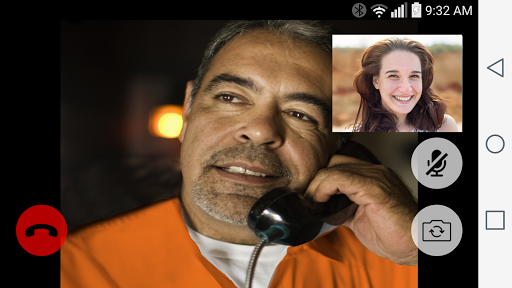
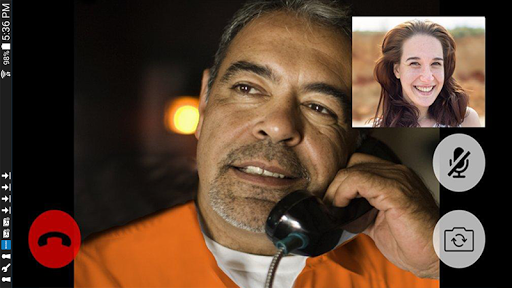
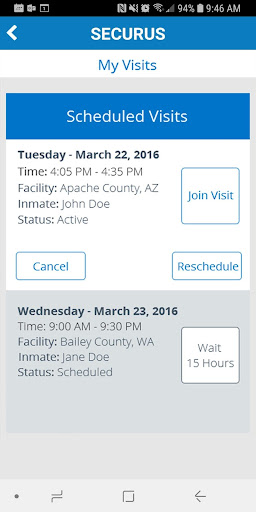
The Video Connect feature enables users to enroll in remote video sessions, sync session details with their calendar, and receive notifications. Users can also manage photos, view transaction history, and test their internet connection quality for optimal video performance.

Additional notable features include AdvanceConnect account management, Securus Debit for funding inmate accounts, and comprehensive messaging services through eMessaging and Securus Text Connect, which support multimedia messages and digital greeting cards.

Real-time messaging speed & reliability

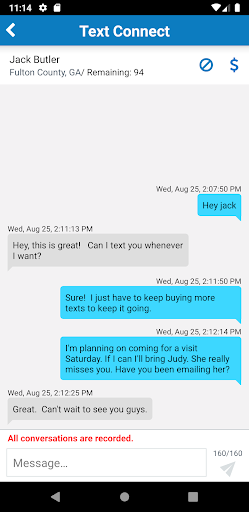
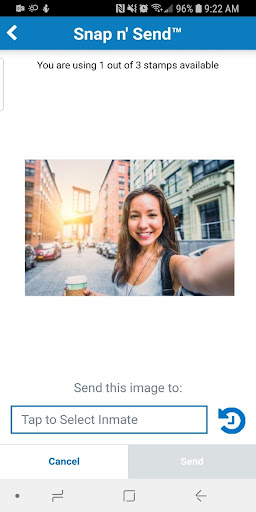
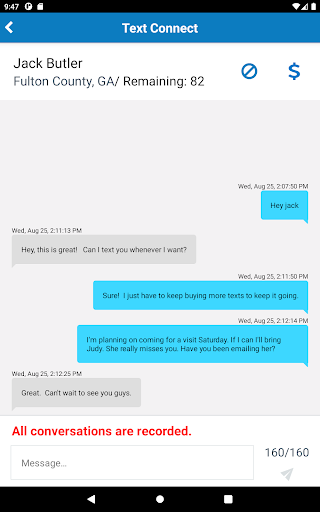
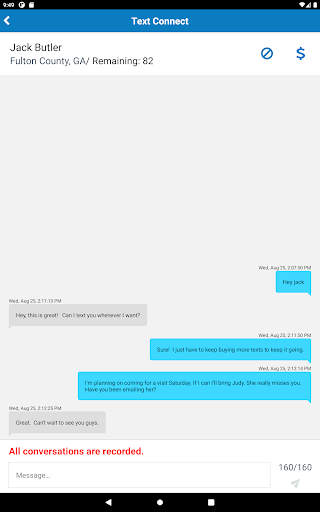
Real-time messaging speed and reliability are crucial factors in communication applications as they determine how quickly and consistently messages are delivered between users Messaging applications that offer fast and reliable real-time messaging enable seamless conversations without delays or interruptions which is especially important for time-sensitive communications The Securus Mobile app excels in this area by providing multiple messaging services designed to facilitate efficient and dependable communication between users and incarcerated individuals One of the standout features of the Securus Mobile app is its Securus Text Connect service This feature allows for real-time two-way short message communication between users and incarcerated individuals Through the purchase of 'Connects' users can send text messages via the Securus app and receive replies from the incarcerated individual These replies utilize the purchased Connects ensuring a balanced and continuous conversation Additionally the app offers low balance alerts via email enabling users to maintain adequate funds for uninterrupted messaging Another notable messaging feature is eMessaging which provides users with the ability to sign up and purchase 'stamps' for sending and receiving messages Users can attach photos to their messages choose from their gallery or snap a selfie to send to their contact The app also supports sending and receiving eCards digital greeting cards that uplift and encourage as well as sending a 30-second VideoGram All these features contribute to a comprehensive messaging experience that prioritizes speed and reliability By incorporating various ways to communicate such as through text images and video the Securus Mobile app ensures that users have multiple avenues to stay connected with their incarcerated contacts Moreover the app's AdvanceConnect service further enhances communication reliability Users can enroll and add funds to their AdvanceConnect account allowing them to always be ready for incoming calls They can view available funds add or change phone numbers that can receive calls and manage call details and transaction summaries This level of control and visibility into the communication process adds an extra layer of reliability ensuring that users never miss an important call Overall the Securus Mobile app's emphasis on real-time messaging speed and reliability makes it a valuable tool for maintaining consistent and meaningful connections Its robust set of features including Securus Text Connect eMessaging and AdvanceConnect collectively ensure that communication remains fast dependable and accessible whenever needed

Media sharing support

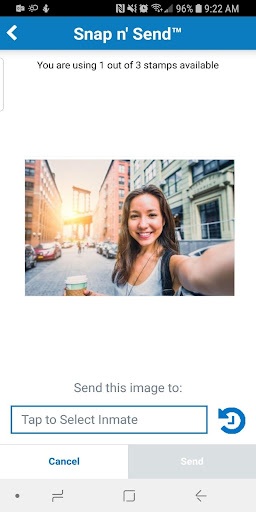
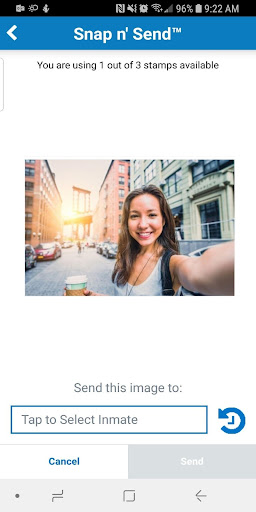
Media sharing support is an essential component of modern communication applications allowing users to exchange various forms of media such as images videos and digital greeting cards alongside traditional text messages This capability enriches the communication experience by enabling more expressive and engaging interactions The Securus Mobile app recognizes the importance of media sharing and offers several features that facilitate the exchange of multimedia content between users and incarcerated individuals One of the key features supporting media sharing in the Securus Mobile app is the eMessaging service This service allows users to send and receive messages with attached photos Users can snap a selfie or choose images from their gallery to send to their incarcerated contacts This visual form of communication helps bridge the physical gap between users and their contacts making interactions more personal and meaningful Additionally the app supports sending and receiving eCards which are digital greeting cards designed to encourage and uplift These eCards provide a creative way to express emotions and celebrate special occasions enhancing the overall messaging experience Another significant aspect of media sharing in the Securus Mobile app is the ability to send a 30-second VideoGram This feature enables users to record and send short video messages adding a dynamic element to their communication with incarcerated individuals Video messages can convey tone emotion and personality in ways that text alone cannot making them a powerful tool for staying connected Furthermore the app's Video Connect feature plays a vital role in media sharing by allowing users to schedule and participate in video sessions with incarcerated individuals remotely Whether using Wi-Fi or cellular data service users can access and view their upcoming scheduled video sessions sync session details with their calendar and receive notifications for upcoming sessions For optimal performance the app recommends using a headset or earbuds with a microphone to reduce echo during video calls ensuring high-quality audio and video transmission In addition to direct media sharing the Securus Mobile app provides tools for managing media-related settings and preferences Users can manage photos for identification purposes view transaction history and manage credit or debit card information all within the app This comprehensive approach to media management ensures that users have the necessary resources to support their multimedia communication needs Overall the Securus Mobile app's robust media sharing support significantly enhances the quality of interactions between users and incarcerated individuals By offering features like photo sharing eCards VideoGrams and Video Connect the app creates a versatile platform for rich and engaging communication experiences

Props

User-friendly interface

Comprehensive account management

High-quality video sessions

Flexible payment options

Robust messaging services

Cons

Requires Android 11.0+

Limited to specific facilities

Separate purchases per facility

Internet connection needed

Feature availability varies

Features and Functions

What is this app and what can I use it for?

A communication app for staying connected with incarcerated individuals offering video calls and messaging services

How do I download and install this app on my device?

Visit Google Play Store search for Securus Mobile and tap Install

How do I get started after opening the app for the first time?

Create a Securus Online account and explore available features

What are the main features and capabilities of this app?

Video calls messaging services prepaid calling account management

How can I customize my experience and adjust preferences?

Adjust notification settings and personalize your profile

How do I save or bookmark my favorite content for later access?

Save favorite contacts and bookmark important messages

How can I share content with friends or on social media?

Share photos and messages directly through the app interface

How do I access detailed information and explore more content?

Access detailed call logs and transaction histories easily

What permissions does this app need and how do I manage them?

Needs camera and mic permissions managed in settings

How do I check for updates and keep the app running smoothly?

Enable auto-updates in Google Play Store for latest version
Show more

User Reveiws

{{ comment.reviewer_name }}
{{ comment.review_date_formatted}}
{{ comment.review_content }}
{{ tab.name }}
{{ comment.reviewer_name }}
{{ comment.review_date_formatted}}
{{ comment.review_content }}
No reviews with this rating