
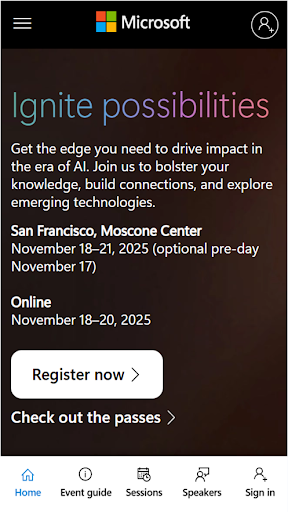
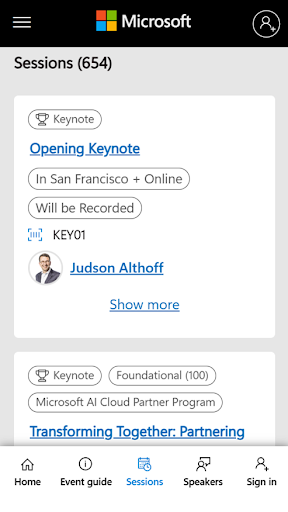

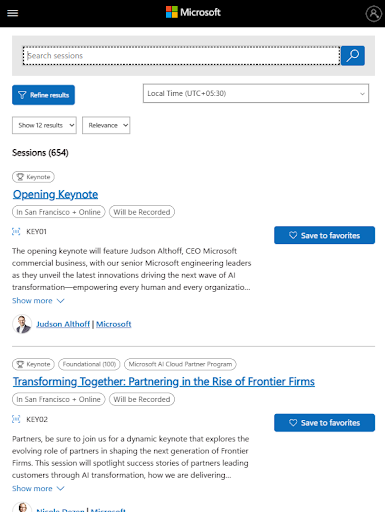
Microsoft Ignite is a premier annual event hosted by Microsoft, designed to showcase the latest advancements in technology. The app serves as a comprehensive guide for attendees, providing access to event schedules, speaker information, and session details. With a focus on AI, cloud computing, and productivity tools, it caters to tech enthusiasts, developers, and industry leaders.
The app enhances the event experience by offering features such as personalized schedules, networking opportunities, and real-time updates. Attendees can explore new solutions, enhance their skills, and connect with the broader tech community through interactive sessions and social engagement. This makes Microsoft Ignite an essential tool for maximizing the benefits of attending this key industry event.
Microsoft Ignite offers a robust set of features tailored to enrich the event experience. Users can access detailed schedules, allowing them to plan their attendance effectively. Speaker information and session descriptions are readily available, helping attendees choose sessions that align with their interests and professional goals.
In addition to scheduling, the app facilitates networking and community building. It includes options for connecting with other attendees, participating in discussions, and sharing insights on social media. These features ensure that users not only gain knowledge but also expand their professional networks, making the most out of the event's learning and social opportunities.
User-friendly interface
Comprehensive event coverage
Real-time updates
Networking opportunities
Personalized schedules
Limited offline functionality
Occasional update delays
Device compatibility issues
Advanced features require login
Heavy data usage

Here you can choose tickets for films, performances, concerts and other events
 4.60
4.60
Find tickets to upcoming concerts, sports events, festivals, shows, attractions
4.70
Invitation card maker for birthday party & Wedding. Digital greeting card editor
4.90
TV.Garden is a video player to play your own TV streams from around the world!
3.40
The world's largest selection of tickets is now at your fingertips
3.90
The Official App
3.70
ETH Mining provides secure way to mine Ethereum & earn ETH in Cloud mining app
3.50
RAISE-365 makes fundraising easy and fun!
3.20
Save money on concert, sport, and theater tickets, and discover upcoming events.
4.80
Plan your wedding for free on the go: vendors, budget, website and checklists!
4.80
Discover events & experiences in NYC, LA, Chicago, DC, Miami and more!
4.70
Create Wedding Invitation and Wedding Anniversary Cards using our app
4.60
For weddings, parties & events
4.60
Track birthdays, habits & goals. Unlimited countdowns and count-ups
4.20
Buy tickets for any event!
3.90
Instant photo sharing for every occasion
3.80
Audio guide companion APP for SEE's Michelangelo's Sistine Chapel
3.50
Some connections are better kept private
4.2
Thanksgiving Wishes, Thanksgiving Stickers & Animated GIF for Whatsapp Stickers
4.5


User Reveiws