
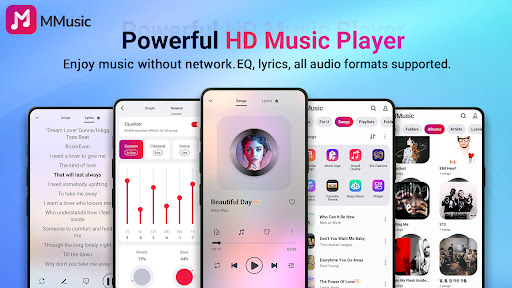
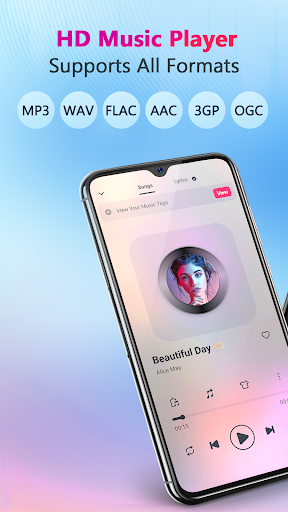
MMusic is a feature-rich offline music player designed for Android users who demand high-quality audio playback and versatile functionality. This professional-grade app supports all mainstream audio formats including MP3, FLAC, WAV, MIDI, AAC, and APE, ensuring full compatibility with your music library.
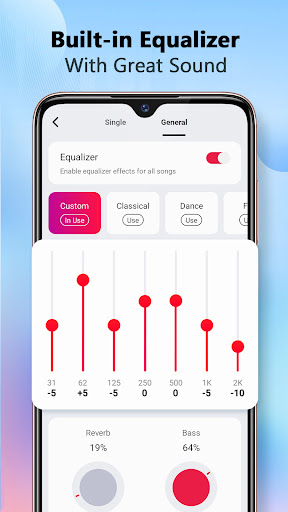
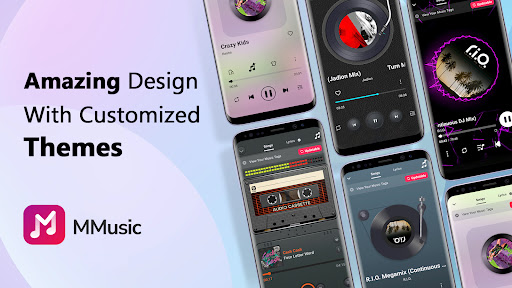
The app's standout feature is its advanced equalizer with customizable presets for different music genres like classical, rock, and dance. Users can further enhance their listening experience with bass boost, reverb effects, and a music virtualizer. The player's intuitive interface offers multiple aesthetic themes, from retro tape styles to modern minimalist designs, creating an immersive music experience.
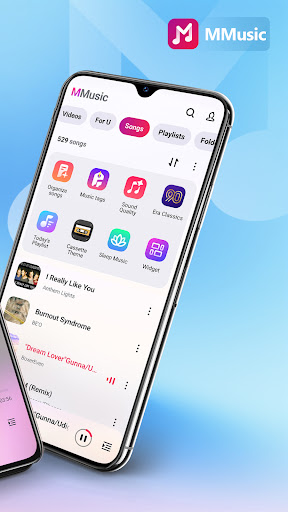
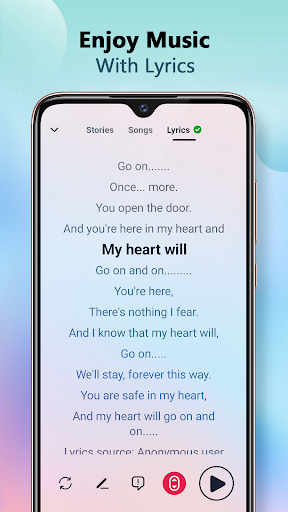
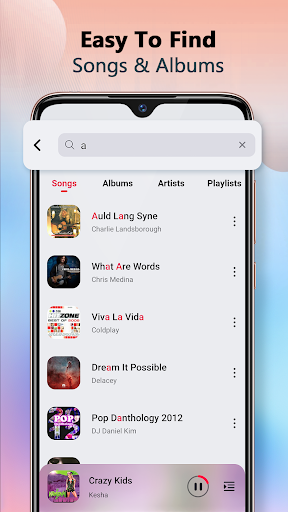
Perfect for commuters and travelers, MMusic works seamlessly without Wi-Fi, making it ideal for enjoying high-definition sound quality anytime, anywhere. Its intelligent music management system automatically organizes your library by artists, albums, and playlists, while supporting lyrics display and various playback modes.
MMusic distinguishes itself through its comprehensive feature set tailored for audiophiles. The app's powerful equalizer comes with professionally crafted presets and allows detailed customization of audio parameters. Users can apply bass boost and 3D reverb effects to create their perfect sound profile with minimal effort.
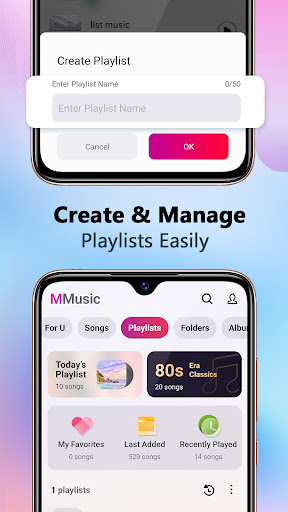
The player's intelligent scanning capability automatically detects and categorizes all audio files on your device, maintaining an organized music library. It supports advanced playlist management including smart auto-playlists that track your listening habits, such as Most Played and Recently Added tracks.
What sets MMusic apart is its thoughtful design combining functionality with aesthetics. The app offers multiple visual themes, including retro-inspired tape and vinyl record styles alongside modern interfaces. Additional features include seamless Bluetooth integration, background playback support, and comprehensive file format compatibility, making it a complete solution for managing and enjoying your music collection.
Full format compatibility
Advanced equalizer
Offline playback
Intuitive UI
Smart organization
No cloud sync
Android only
Heavy storage
Limited sharing
Complex settings

Simply convert wav to mp3. Clear. Reliable. Safe.
 4.1
4.1
Gorgeous UI, Powerful music Search and Equalizer, the great choice for you!
4.70
VB-AUDIO Software / VBAN-Receptor allows listening to any VBAN Streams
4.10
Most Advanced AI Song Generator and Music Creator. Rap, Pop, Rock, Gospel & more
4.70
Network/Cloud Streaming, Visualization, Graphic Equalizer and Sound Effects.
4.20
The ultimate media player for Android devices
3.90
Music Streaming suite for Ampache, Nextcloud Music and compatible backends.
4.3
Sheet music reader, piano & music note player. Play music score & learn to read.
3.90
Get alarms that fit your lifestyle and wake up to the sounds you love.
4.80
Ultimate Sonos Controller
4.70
Record, Mix & Master with all n-Track effects, 64-bit audio and Stem Separation.
4.70
Super Sound Editor, Song Maker & Mixer, Vocal Remover, Voice Recorder & Changer!
4.60
Manage your Sonos system directly from your home-screen!
4.40
The Music Journey in Your Hands
4.30
Smart piano keyboard, Classical to Pop, Real-time multiplayer connection!
4.20
PowerAudio is a powerful offline music player.
4.20
Powerful beat maker & DJ mixer to remix tracks, make music, & perform DJ mix
3.70
The Cubase remote control app
3.60
Simple mp3 and mp4 player with advanced features.
3.40


User Reveiws