
Photo Recover Finder

4.00

Information

Category:

Tools

Price:

Free

Rank:

37

Rating:

4.00

Overview

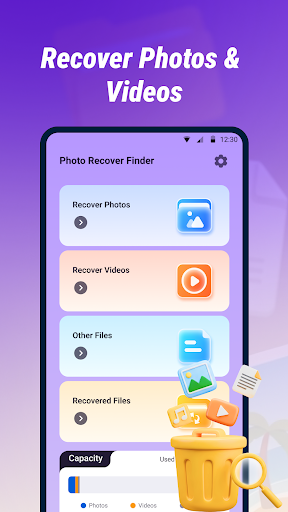
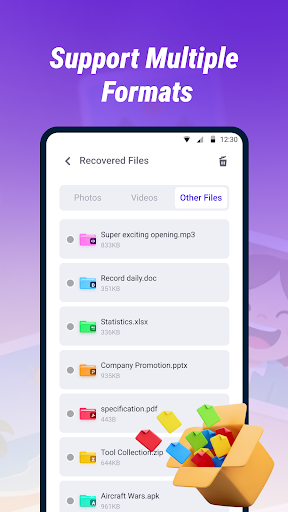
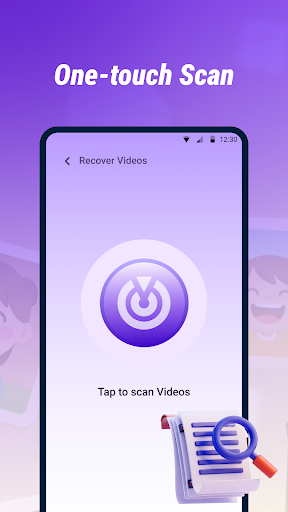
Photo Recover Finder is a powerful tool designed to help users retrieve accidentally deleted photos, videos, and files from their devices. With its Quick Scan feature, the app efficiently searches your device's storage for recoverable media in various formats such as JPEG, PNG, MP4, PDF, and DOC.

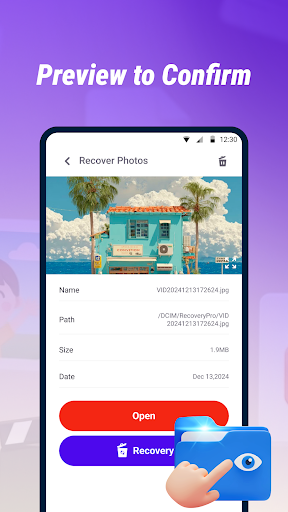
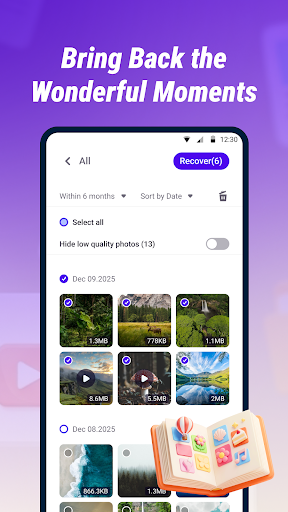
In addition to its scanning capabilities, Photo Recover Finder offers a preview function that allows users to view file contents before recovery, ensuring accurate restoration of needed items. The app is suitable for recovering mistakenly deleted media or important documents and is optimized for simplicity, making data recovery quick and easy.

The success rate of recovery depends on whether the original data has been overwritten, so immediate action is recommended. To prevent future data loss, regular backups are advised. All operations are performed locally, ensuring privacy and security during the recovery process.

Features

Photo Recover Finder stands out with its comprehensive set of features tailored for efficient data recovery. Its Quick Scan technology rapidly identifies recoverable files across multiple formats including images, videos, and documents, providing flexibility for different user needs.

A key highlight is the app's Preview and Restore functionality, which enables users to examine file contents prior to recovery. This ensures that only the desired files are retrieved, saving time and effort. The app also emphasizes ease of use, featuring an intuitive interface that simplifies the recovery process into just a few steps.

Privacy and security are prioritized, as all operations occur locally on the device. Users can confidently recover their data without concerns about unauthorized access to personal information, adhering to a strict no-data-collection policy.

Core function accuracy & effectiveness

The core function of Photo Recover Finder centers on its ability to accurately and effectively retrieve accidentally deleted photos videos and files from a user's device Ensuring the reliability of this functionality is crucial as it directly impacts the user's ability to recover valuable memories and important documents The app achieves this through its Quick Scan feature which thoroughly examines the device's storage to identify recoverable items This scanning process is designed to support multiple formats including JPEG PNG MP4 PDF and DOC making it versatile for various types of media and files Once identified users can preview the contents before proceeding with recovery ensuring that they are retrieving exactly what they need This preview capability not only enhances the accuracy of the recovery process but also provides peace of mind knowing that the correct files are being restored Additionally the app emphasizes simplicity in its operation offering a clear interface and straightforward steps to complete the recovery process quickly and efficiently The effectiveness of Photo Recover Finder is further supported by its local processing capabilities meaning all operations are performed directly on the device without the need for internet connectivity This ensures that users' data remains private and secure during the recovery process Overall the combination of accurate scanning multi format support and user friendly features makes Photo Recover Finder a reliable tool for anyone looking to recover lost digital content

Interface simplicity & intuitiveness

Photo Recover Finder excels in providing an interface that is both simple and intuitive catering to users of all technical backgrounds The importance of an easy to use interface cannot be overstated especially when dealing with potentially stressful situations such as recovering lost photos or critical documents The app achieves this simplicity through a well organized layout where each step of the recovery process is clearly presented and easy to follow Upon launching the app users are greeted with a straightforward home screen that prompts them to initiate a Quick Scan With just a few taps the scanning process begins identifying recoverable files across various formats like JPEG PNG MP4 PDF and DOC Once the scan is complete users are presented with a list of recoverable items Each item can be previewed directly within the app allowing users to verify the contents before proceeding with recovery This eliminates any guesswork and ensures that only the desired files are restored Furthermore the entire recovery process is streamlined into a minimal number of steps reducing the complexity often associated with data recovery tools The app also includes helpful tips and warnings such as advising users to attempt recovery as soon as possible due to the impact of file overwriting on success rates These notifications are displayed in a non intrusive manner ensuring that users remain informed without feeling overwhelmed In addition to its functional simplicity Photo Recover Finder maintains a clean and modern design aesthetic The interface avoids unnecessary clutter focusing solely on the essential elements required for successful recovery This minimalist approach combined with clear labeling and intuitive navigation ensures that even first time users can operate the app with confidence Overall the emphasis on simplicity and intuitiveness makes Photo Recover Finder an accessible solution for anyone seeking to recover their lost digital memories

Props

User-friendly interface

Multi-format support

Quick scanning capability

Preview before recovery

Local data processing

Cons

Recovery not guaranteed

Limited by overwrite status

No cloud backup option

Requires storage permission

Success depends on timing

Features and Functions

What is this app and what can I use it for?

A tool to recover deleted photos, videos, and files from your device.

How do I download and install this app on my device?

Search for Photo Recover Finder on Google Play Store and tap Install.

How do I get started after opening the app for the first time?

Grant necessary permissions and follow the on-screen setup instructions.

What are the main features and capabilities of this app?

Quick Scan, multi-format support, preview before recovery, and local processing.

How can I customize my experience and adjust preferences?

Adjust settings like scan depth or file type preferences in the app menu.

How do I save or bookmark my favorite content for later access?

Use the app's selection tool to mark files and save them to a chosen folder.

How can I share content with friends or on social media?

Share recovered files directly via social media or messaging apps through the app.

How do I access detailed information and explore more content?

Tap on any file within the app to view detailed information and options.

What permissions does this app need and how do I manage them?

Storage access is required for scanning; manage in device settings if needed.

How do I check for updates and keep the app running smoothly?

Enable automatic updates in Google Play Store or check manually for new versions.
Show more

User Reveiws

{{ comment.reviewer_name }}
{{ comment.review_date_formatted}}
{{ comment.review_content }}
{{ tab.name }}
{{ comment.reviewer_name }}
{{ comment.review_date_formatted}}
{{ comment.review_content }}
No reviews with this rating
















