
Root Checker Pro

4.70

Information

Category:

Tools

Price:

$ 3.99

Rank:

52

Rating:

4.70

Overview

Root Checker Pro is a powerful Android tool designed to verify root access on your device. The app performs comprehensive checks on the su binary, BusyBox installation, and related permissions, ensuring that your device's root access is properly configured. With its detailed reporting system, it provides both basic and advanced users with clear insights into their device's root status.

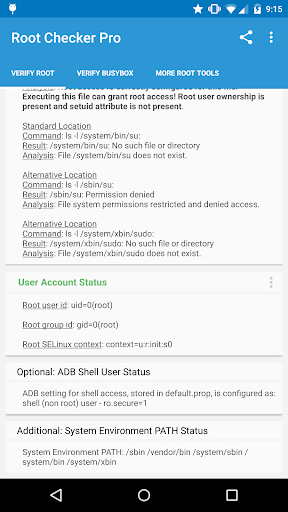
The application goes beyond simple verification by offering in-depth diagnostic details. It examines SELinux contexts, Superuser app versions, and ADB shell settings, making it an essential tool for troubleshooting. Whether you're a beginner or an experienced user, Root Checker Pro simplifies the process of confirming root access while providing expert-level data for resolving potential issues.

This app proves especially valuable when setting up rooted devices or debugging root-related problems. By exporting detailed reports via email or social media, users can easily share diagnostic information with technical support communities or online forums, facilitating faster issue resolution.

Features

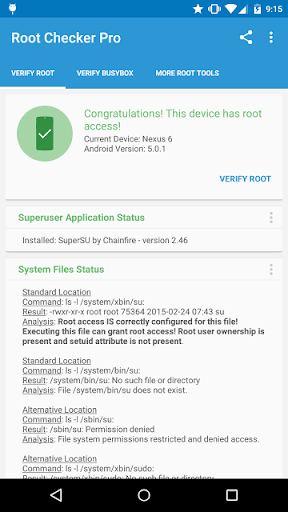
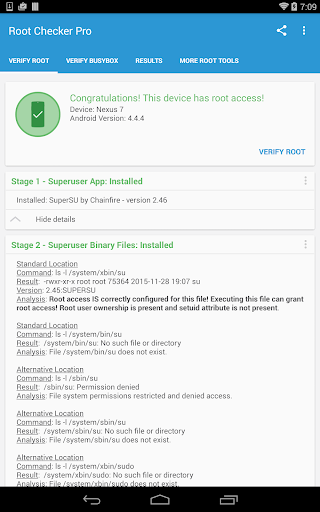
Root Checker Pro stands out with its extensive feature set tailored for root verification and diagnostics. The app's primary function is to check the existence and status of the su binary across common installation locations, providing crucial information about file permissions and directory paths. This allows users to quickly identify misconfigurations that may prevent proper root access.

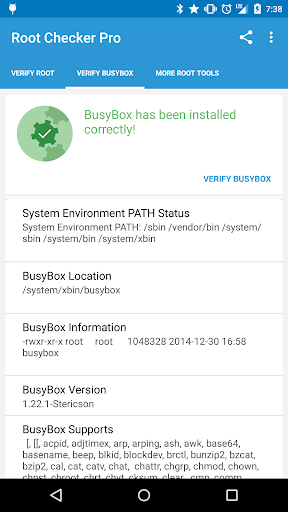
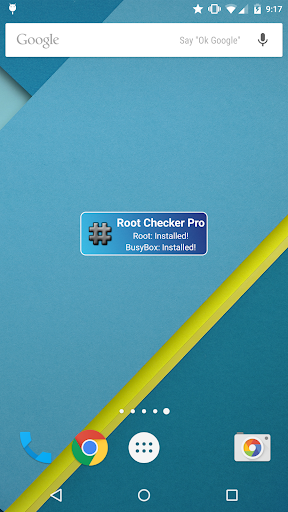
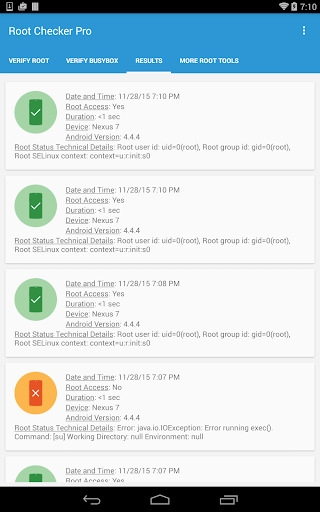
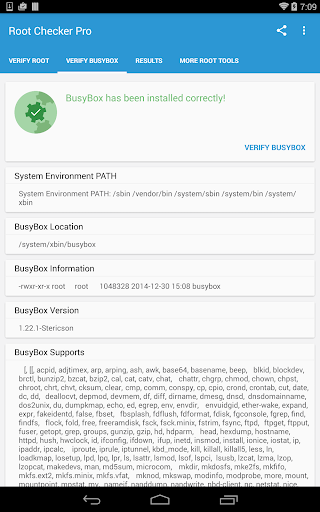
A key innovation is the app's ability to generate detailed reports on SELinux status, Superuser app installations, and BusyBox configurations. Advanced users will appreciate the comprehensive breakdown of system-defined PATH variables and UID/GID results. The inclusion of a monitoring widget enables continuous tracking of root status, alerting users to any changes in real-time.

What sets Root Checker Pro apart is its seamless integration with sharing capabilities. Users can export technical details directly to email or social platforms with a single tap, streamlining the troubleshooting process. This combination of detailed diagnostics and convenient sharing options makes it an indispensable tool for both casual and power users managing rooted Android devices.

Core function accuracy & effectiveness

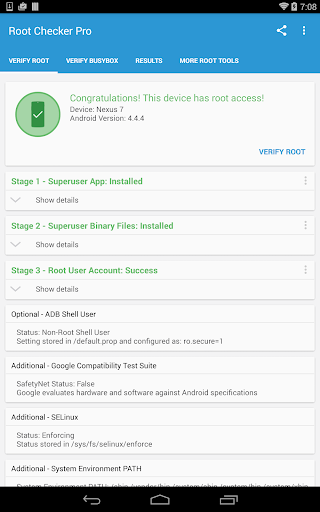
Root Checker Pro is designed to provide Android users with a reliable method to verify root access on their devices and ensure the proper installation of BusyBox. The core functionality revolves around checking the most critical aspects that determine whether root access has been correctly established. This includes examining standard su binary locations, file permissions, root uid/gid results, Superuser application installations, adb shell default user mode, SELinux status, and the system-defined PATH. By focusing on these key areas, the application ensures that even novice Android users can easily confirm if their device is properly rooted. The app goes beyond basic checks by offering detailed information for advanced users who need to troubleshoot Root or BusyBox issues. It provides insights into the su binary location and permissions, which are crucial in diagnosing root-related problems. Additionally, it allows users to export this detailed output via email or other social media apps installed on the device, making collaboration or troubleshooting more accessible. This feature significantly enhances the app's effectiveness as it not only identifies potential issues but also facilitates quick resolution by enabling information sharing with experts or support teams. The inclusion of a widget further amplifies the app's utility by allowing constant monitoring of root and BusyBox installation status. Users can set up a timer interval to check for updates, ensuring they are always informed about any changes in their root access status. Overall, Root Checker Pro delivers accurate and effective results by combining essential root-checking features with advanced diagnostic tools, catering to both beginners and experienced users seeking to validate and troubleshoot their device's root access.

Interface simplicity & intuitiveness

Root Checker Pro excels in providing an intuitive and straightforward interface that makes verifying root access and BusyBox installation simple for all types of Android users. The application's design focuses on delivering a seamless user experience by presenting the most important information in a clear and organized manner. Upon launching the app, users are greeted with a concise summary of their device's root status, including details such as su binary locations, file permissions, and SELinux context results. This immediate feedback ensures that even those unfamiliar with rooting can quickly understand whether their device has proper root access. For more advanced users, the app offers deeper insights without overwhelming the interface. Technical details around the Root and BusyBox installation are presented in a structured format, allowing users to troubleshoot any issues effectively. The app avoids unnecessary complexity by focusing on what truly mattersu2014providing accurate diagnostics while maintaining ease of use. One standout feature is the one-click export option, which allows users to share detailed root and BusyBox information effortlessly. Whether emailing the results or using another installed application, this process is streamlined to ensure maximum convenience. Additionally, the inclusion of a widget enhances the overall intuitiveness of the app by providing at-a-glance monitoring of root and BusyBox status. Users can customize the widget's refresh interval, ensuring they stay updated without needing to open the app repeatedly. By balancing comprehensive functionality with a clean and approachable design, Root Checker Pro achieves an optimal level of interface simplicity and intuitiveness, making it accessible to users regardless of their technical expertise.

Props

Comprehensive root checks

User-friendly interface

Detailed diagnostic reports

Quick sharing options

Reliable performance

Cons

Paid version only

No rooting capability

Advanced details may overwhelm beginners

Limited functionality for non-rooted devices

Requires basic technical knowledge

Features and Functions

What is this app and what can I use it for?

A tool to verify root access and BusyBox installation on Android devices

How do I download and install this app on my device?

Download from Google Play Store and install like any other app

How do I get started after opening the app for the first time?

Open app and grant permissions to begin root checking process

What are the main features and capabilities of this app?

Root verification, BusyBox checks, detailed system reports

How can I customize my experience and adjust preferences?

Adjust notification settings and update intervals in preferences

How do I save or bookmark my favorite content for later access?

Export reports as files through the app's sharing feature

How can I share content with friends or on social media?

Share diagnostic reports via email or social media platforms

How do I access detailed information and explore more content?

View detailed root and BusyBox information in main dashboard

What permissions does this app need and how do I manage them?

Needs storage and external app launch permissions for full functionality

How do I check for updates and keep the app running smoothly?

Check Play Store for updates and enable auto-update in settings
Show more

User Reveiws

{{ comment.reviewer_name }}
{{ comment.review_date_formatted}}
{{ comment.review_content }}
{{ tab.name }}
{{ comment.reviewer_name }}
{{ comment.review_date_formatted}}
{{ comment.review_content }}
No reviews with this rating















