
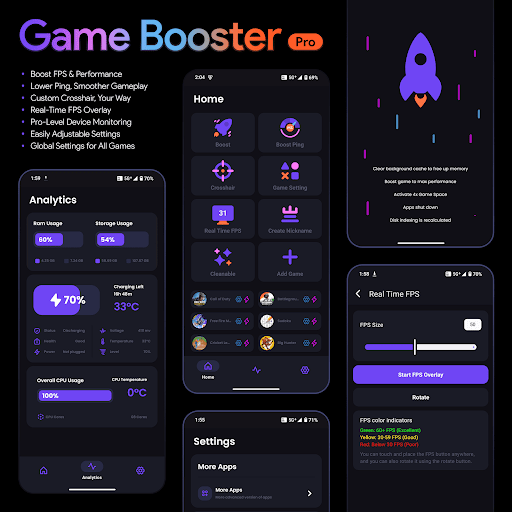
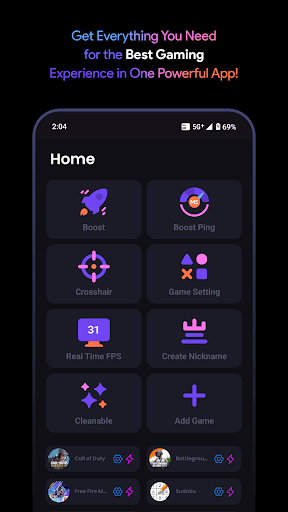
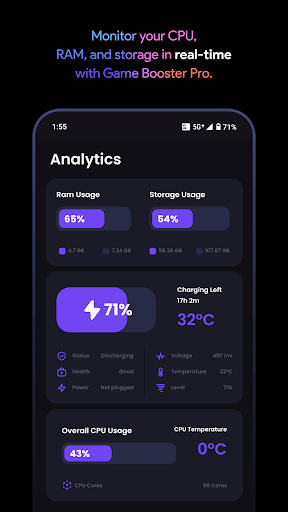
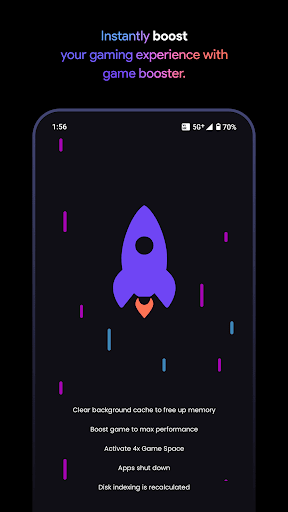
Game Booster Pro is a powerful tool designed to elevate your mobile gaming experience. This app focuses on optimizing device performance specifically for gamers, ensuring smoother gameplay and enhanced control. With features like FPS boosting, lag reduction, and real-time performance monitoring, it caters to both casual and competitive gamers.
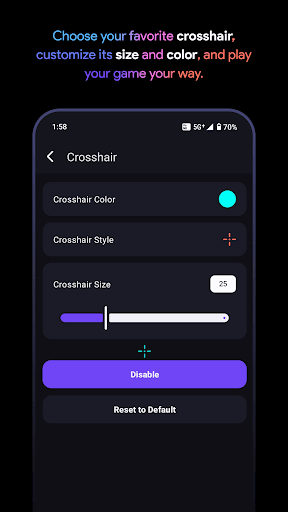
The app's standout functionality includes its ability to create customizable crosshairs, apply global settings across games, and use a local VPN service to prioritize network traffic for gaming. These tools collectively help users achieve better frame rates, reduced ping, and improved overall gaming performance. Whether you're playing first-person shooters or engaging in multiplayer battles, Game Booster Pro ensures your device operates at its peak potential.
Gamers will find particular value in the app's user-friendly interface and privacy-focused approach. Unlike other game optimization tools, this app keeps your data private while delivering professional-grade performance enhancements. It's an essential utility for mobile gamers looking to maximize their device's capabilities without compromising security.
Game Booster Pro offers an impressive range of features tailored specifically for mobile gamers. The app's core functionality lies in its ability to boost FPS and enhance overall device performance through optimized settings. Users can expect up to 30% better frame rates in supported games, resulting in noticeably smoother gameplay.
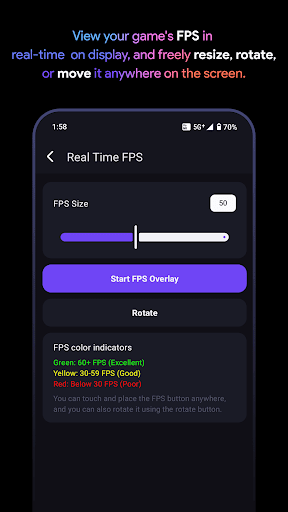
One of the app's most innovative features is its custom crosshair creator. Gamers can design and implement personalized crosshairs for any game, giving them a competitive edge in shooting and action titles. The real-time FPS overlay provides constant performance monitoring without interrupting gameplay, while the device monitoring tools track CPU, GPU, and memory usage.
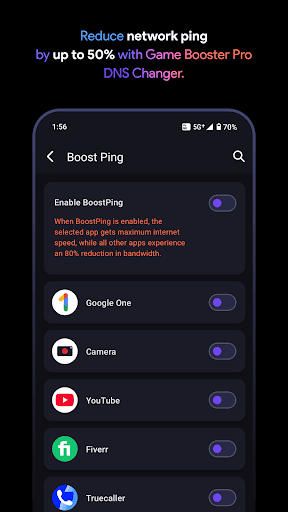
The integrated VpnService technology sets this app apart from other gaming tools. By creating a local-only VPN connection, it optimizes network traffic for selected games without routing data through external servers. This approach effectively reduces ping and lag while maintaining complete data privacy. The global settings feature allows users to apply their preferred configurations across multiple games, streamlining the optimization process.
Boosts FPS significantly
Reduces network lag
Customizable crosshairs
Real-time monitoring
User-friendly interface
Premium features locked
Device compatibility issues
Limited free version
Requires manual setup
Battery consumption

 4.50
4.50
HD Video player and downloader for all formats, fast & smooth 4K video playback.
4.60
Universal TV remote control all TVs, Roku, LG, Samsung, Fire, Vizio, Sony, TCL.
4.40
An open-source APK explorer for Android!
4.10
Best leveling tool for your Android device. Hang paintings like a pro.
4.90
Screen Mirroring for Roku Sticks, Roku TCL TV and Roku Hisense TV
4.50
Enjoy a smooth mobile reading experience!
3.60
Enhance your Beats
3.70
The ideal app to be the digital eye of your family
3.40
Protect your device with antivirus, storage cleanup, and system monitoring
4.70
App to pay for FUTO Keyboard
4.60
Connect instantly to a fast, encrypted VPN with one tap
4.60
eXtended Permission Manager - a small app to manage permissions and AppOps
4.50
Pro Emulator is an easy to use game console emulator for a range of consoles.
4.40
Fluid navigation gestures for all of us!
4.30
Carry a FTP server in your pocket and avoid USB cables for file transfer
4.20
1-Click close all background apps on Android TV
3.90
Create your own live wallpaper or check out thousands already made presets
3.90
Unlock your Essential Key. Create custom shortcuts to your favorite apps!
4.4


User Reveiws