

Restore Photo

3.70

Information

Category:

Tools

Price:

Free

Rank:

34

Rating:

3.70

Overview

Restore Photo - Video Recover is a comprehensive data recovery tool designed to help users retrieve lost or deleted files from their devices. This application specializes in recovering photos, videos, audio files, and documents with minimal effort. Utilizing advanced deep scan technology, it ensures efficient recovery of hidden or lost data without requiring root access. Whether you've accidentally deleted precious memories or important files, this tool provides a reliable solution to restore them in high-definition quality.

The app's intuitive interface allows users to preview recoverable items before restoration, ensuring precise selection of desired content. Supporting multiple file formats, Restore Photo - Video Recover acts as a personal recycle bin, giving users control over their digital content. Additionally, the secure deletion feature helps protect user privacy by permanently removing unwanted files. Suitable for both casual users and professionals, this application delivers fast, reliable, and safe data recovery solutions.

Features

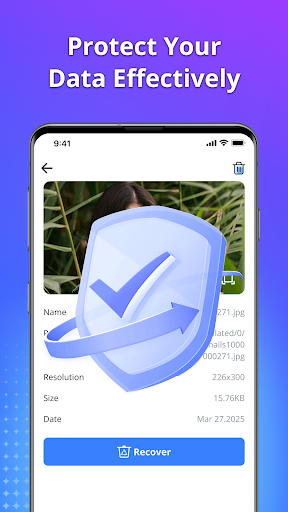
Restore Photo - Video Recover offers an array of powerful features tailored for efficient data recovery. Its standout capability lies in the advanced deep scan technology, which meticulously searches device storage to uncover lost or hidden files. Users can recover various file types including photos, videos, audio recordings, and documents with remarkable speed and accuracy. The preview function allows users to examine recoverable items before final restoration, ensuring they retrieve only the necessary files.

Another notable feature is the HD-quality recovery, which restores media files with impressive clarity and detail. The application supports multiple file formats, making it versatile for different recovery needs. Additionally, users can organize recovered files into custom folders on their devices, enhancing file management. With its secure deletion option, users can permanently erase sensitive data, safeguarding their privacy. These robust features make Restore Photo - Video Recover an essential tool for anyone seeking reliable data recovery solutions.

Core function accuracy & effectiveness

The core function of Restore Photo - Video Recover centers on its ability to accurately and effectively retrieve lost or deleted data from users' devices. This includes a wide range of file types such as photos, videos, audio files, and documents. The importance of this functionality cannot be overstated, especially in an era where digital content holds significant personal and sometimes professional value. The application employs deep scan technology which meticulously combs through the device's storage to locate hidden or lost data. This ensures that even files that are not immediately visible or have been deleted accidentally are found and made available for recovery. Users benefit immensely from this feature as it provides them with a safety net against accidental data loss. The ability to preview files before recovery adds another layer of utility, allowing users to ensure they are retrieving exactly what they need without wasting time or storage space on unwanted files. Furthermore, the application supports multiple file formats, enhancing its versatility and ensuring that no important file is left behind during the recovery process. The HD-quality recovery feature is particularly noteworthy, as it promises to restore files not just in terms of their existence but also in clarity and detail, preserving the quality of memories and important information. Overall, Restore Photo - Video Recover offers a fast, reliable, and secure solution for recovering lost data, making it an indispensable tool for anyone looking to safeguard their digital content.

Interface simplicity & intuitiveness

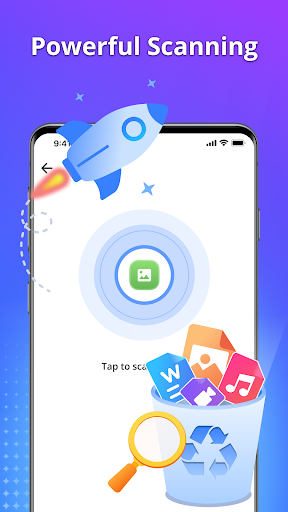
Restore Photo - Video Recover excels in providing an interface that is both simple and intuitive, making the process of data recovery accessible to users of all technical backgrounds. The significance of an easy-to-navigate interface is paramount, especially in applications dealing with critical functions such as data recovery, where user stress levels may already be high due to the fear of losing precious memories or important information. Upon launching the app, users are greeted with a straightforward layout that guides them through the recovery process step-by-step. This begins with selecting the type of files to recover, whether they be photos, videos, audio files, or documents, followed by initiating a deep scan of the device's storage. The application then presents a list of recoverable files, complete with previews, enabling users to make informed decisions about which items to restore. This intuitive flow significantly reduces the learning curve associated with using the app, allowing users to focus on the task at hand rather than figuring out how to operate the software. Additionally, features such as the ability to save recovered files to custom folders add a layer of personalization and control, further enhancing the user experience. The overall design philosophy of Restore Photo - Video Recover emphasizes minimalism and clarity, ensuring that users can quickly understand and utilize its powerful recovery capabilities without feeling overwhelmed. By prioritizing interface simplicity and intuitiveness, the application not only facilitates efficient data recovery but also instills confidence in its users, assuring them that their valuable data is within reach and can be restored with minimal hassle.

Props

User-friendly interface

Fast recovery process

High-definition restoration

Secure deletion feature

No root access required

Cons

Limited free recoveries

Premium version costly

Occasional scan errors

Large app size

Ads in free version

Features and Functions

What is this app and what can I use it for?

A tool to recover deleted photos, videos, and files

How do I download and install this app on my device?

Search 'Restore Photo' on Google Play, tap Install, and open after download

How do I get started after opening the app for the first time?

Grant necessary permissions and follow the setup wizard for initial configuration

What are the main features and capabilities of this app?

Recovers photos, videos, audios, documents with preview and deep scan features

How can I customize my experience and adjust preferences?

Adjust settings via the Preferences menu to customize your recovery options

How do I save or bookmark my favorite content for later access?

Save recovered files to custom folders directly within the app interface

How can I share content with friends or on social media?

Share restored content via social media or messaging apps through integrated sharing

How do I access detailed information and explore more content?

Use detailed scan results to explore more content available for recovery

What permissions does this app need and how do I manage them?

Requires storage access; manage in device settings under App Permissions

How do I check for updates and keep the app running smoothly?

Enable auto-updates in Google Play Store settings to keep the app current
Show more

User Reveiws

{{ comment.reviewer_name }}
{{ comment.review_date_formatted}}
{{ comment.review_content }}
{{ tab.name }}
{{ comment.reviewer_name }}
{{ comment.review_date_formatted}}
{{ comment.review_content }}
No reviews with this rating















