Tasker

4.10

Information

Category:

Tools

Price:

$ 4.49

Rank:

1

Rating:

4.10

Overview

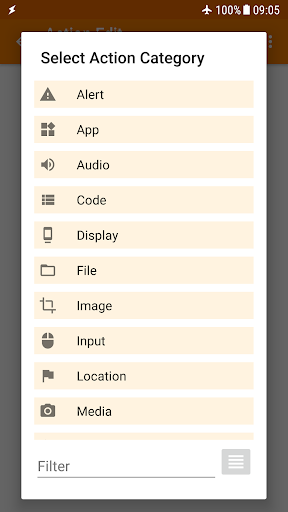
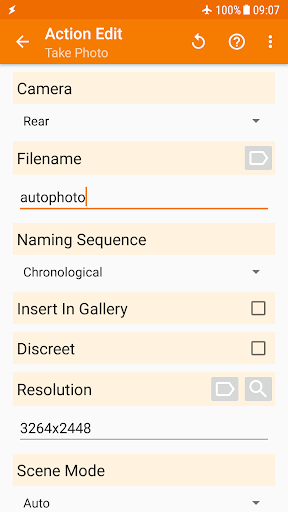
Tasker is a powerful automation tool designed to transform your Android device into a truly smart companion. This application enables users to automate a wide range of tasks based on various triggers such as location, time of day, or specific events like receiving an SMS. With over 350 actions available, Tasker allows for deep customization of your device, from changing system settings to sending messages and managing files.

Beyond basic automation, Tasker supports advanced functionalities including creating custom user interfaces, backing up files automatically, and even developing standalone apps. Its flexibility extends to integration with third-party applications and web services, making it an indispensable tool for both casual users and developers. Whether you want to simplify daily routines or create complex automated systems, Tasker provides the tools necessary to enhance productivity and streamline device management.

Features

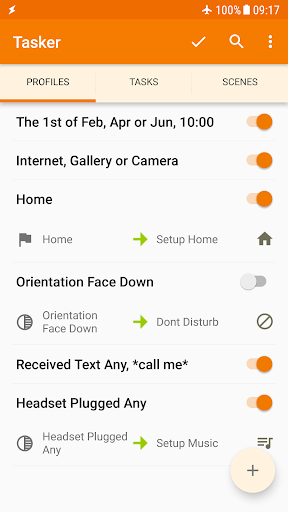
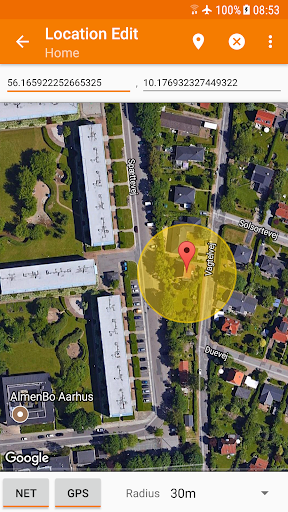
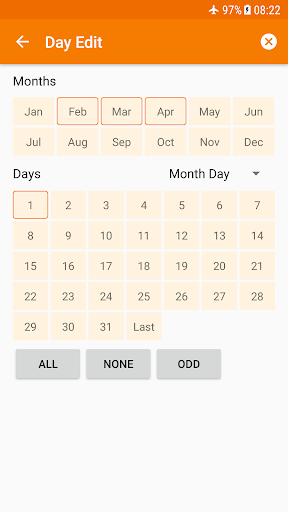
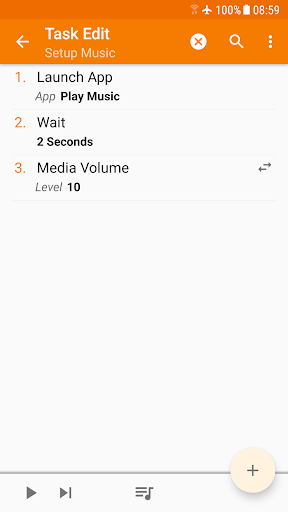
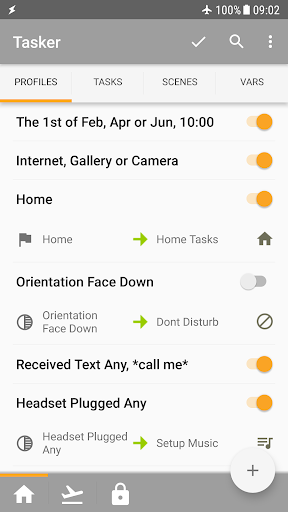
Tasker stands out with its extensive range of features tailored for automation enthusiasts. The app's core functionality revolves around contexts and tasks, allowing users to set conditions based on time, location, or device status, and execute corresponding actions. These actions can range from simple tasks like adjusting the volume to more complex operations such as manipulating files or controlling system settings.

One of Tasker's unique aspects is its ability to integrate with other applications and services. Through plugins and HTTP requests, users can extend Tasker's capabilities to interact with smart home devices, social media platforms, and more. Additionally, Tasker offers innovative features like scene design for custom UIs, remote task triggering via Join, and the Tasker App Factory for creating standalone apps. This versatility makes Tasker an essential tool for anyone looking to maximize their Android device's potential.

Core function accuracy & effectiveness

Tasker stands out in the realm of automation tools due to its unparalleled core function accuracy and effectiveness. At its heart, Tasker is designed to automate a wide array of tasks on Android devices, ranging from simple settings adjustments to complex workflows involving multiple apps and system states. The essence of its effectiveness lies in how precisely it executes commands based on user-defined conditions, ensuring that automations run smoothly without unexpected interruptions or failures. For instance, users can set up profiles that change the phone's settings automatically when certain contexts are met, such as switching to silent mode during meetings or enabling Wi-Fi when arriving home. This precision is achieved through an extensive library of over 350 actions that cover virtually every aspect of device functionality, from sending SMS messages to manipulating files and controlling music playback. Moreover, Tasker supports integrations with third-party applications via plugins, expanding its capabilities even further. Such depth and breadth in functionality ensure that whether you're looking to automate routine tasks or create sophisticated custom applications, Tasker delivers reliable performance tailored to individual needs. Users benefit not only from saved time but also from enhanced productivity and convenience, making their devices truly smart and responsive to personal preferences and environmental changes.

Interface simplicity & intuitiveness

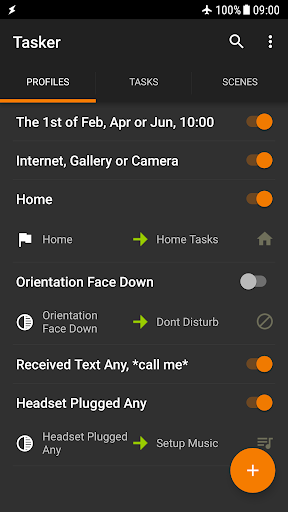
Despite its vast array of features, Tasker maintains an interface that balances power with simplicity, ensuring that both novice and experienced users can navigate and utilize its functionalities effectively. The design philosophy behind Tasker emphasizes clarity and ease of use, presenting users with intuitive controls and straightforward navigation paths. Upon launching the app, users are greeted with a clean layout that organizes tasks and profiles into easily manageable categories. Creating new automations involves selecting from predefined templates or building custom ones using drag-and-drop components, which significantly reduces the learning curve associated with setting up complex workflows. Additionally, Tasker offers comprehensive guides and starter projects accessible directly within the app, providing step-by-step instructions and examples to help users quickly grasp essential concepts and techniques. Advanced users appreciate the flexibility offered by Taskeru2019s scripting capabilities, allowing them to write custom scripts for more intricate automations while still benefiting from the appu2019s organized structure. Furthermore, regular updates and active community support contribute to refining the user experience continuously. By prioritizing interface simplicity alongside powerful automation tools, Tasker empowers users to harness the full potential of their Android devices without feeling overwhelmed by technical complexity. This approach fosters a sense of confidence and satisfaction among users, encouraging exploration and experimentation with different automation scenarios.

Props

Highly customizable

Extensive automation options

Rich plugin ecosystem

User-friendly interface

Active community support

Cons

Steep learning curve

Some features require root

Occasional stability issues

Limited iOS compatibility

Premium pricing

Features and Functions

What is this app and what can I use it for?

Tasker automates tasks on Android devices

How do I download and install this app on my device?

Download Tasker from Google Play Store

How do I get started after opening the app for the first time?

Follow Tasker's starter guides for setup

What are the main features and capabilities of this app?

Automations, actions, file backups, app creation

How can I customize my experience and adjust preferences?

Customize through Tasker's settings menu

How do I save or bookmark my favorite content for later access?

Save content using Tasker's backup feature

How can I share content with friends or on social media?

Share via Tasker's integration with apps

How do I access detailed information and explore more content?

Access details through Tasker's help links

What permissions does this app need and how do I manage them?

Manage permissions in Android settings

How do I check for updates and keep the app running smoothly?

Check updates in Google Play Store settings
Show more

User Reveiws

{{ comment.reviewer_name }}
{{ comment.review_date_formatted}}
{{ comment.review_content }}
{{ tab.name }}
{{ comment.reviewer_name }}
{{ comment.review_date_formatted}}
{{ comment.review_content }}
No reviews with this rating