Network Analyzer Pro

4.90

Information

Category:

Tools

Price:

$ 3.99

Rank:

14

Rating:

4.90

Overview

Network Analyzer Pro is a comprehensive network diagnostic tool designed for both professional network administrators and general users. The app provides an extensive suite of utilities to troubleshoot WiFi networks, test internet connectivity, and analyze remote server issues. With its advanced set of tools, Network Analyzer Pro allows users to perform tasks such as device discovery, ping tests, traceroutes, port scanning, and DNS lookups.

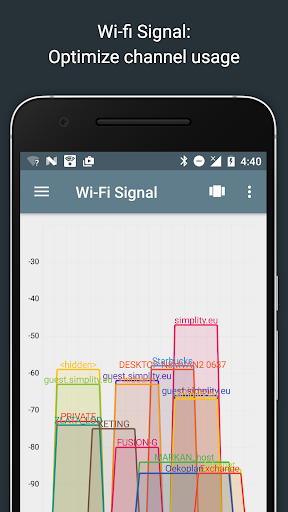
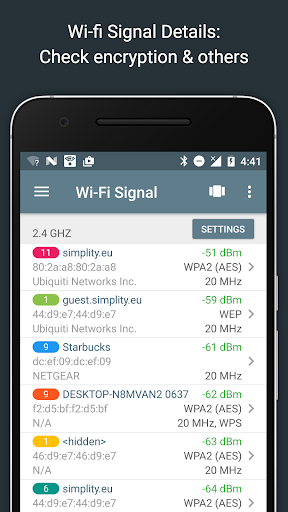
One of the standout features of this application is its ability to display detailed information about neighboring WiFi networks, including signal strength, encryption type, and router manufacturer. This helps users optimize their own network setup by identifying the least congested channels. Additionally, the LAN scanner offers fast detection of all devices on the local network, providing IP addresses, device names, and other relevant details. Whether you're diagnosing network problems or simply monitoring your connection quality, Network Analyzer Pro delivers the essential data needed to maintain a robust and efficient network environment.

Features

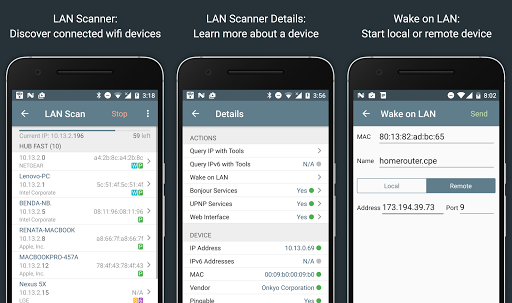
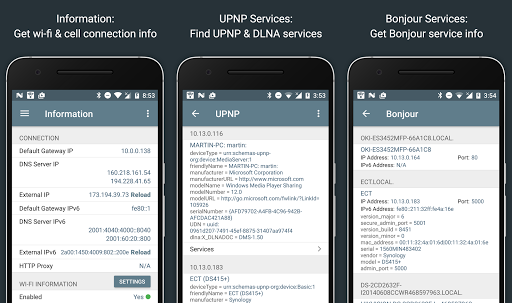
Network Analyzer Pro boasts an impressive array of features that cater to a wide range of network diagnostic needs. Among these are the WiFi signal meter, which provides both graphical and textual representations of network channels and signal strengths, allowing users to visualize channel usage and identify potential interference. The app also includes a LAN scanner capable of detecting all networked devices, complete with IP addresses, NetBIOS, mDNS (Bonjour), LLMNR, and DNS names where available.

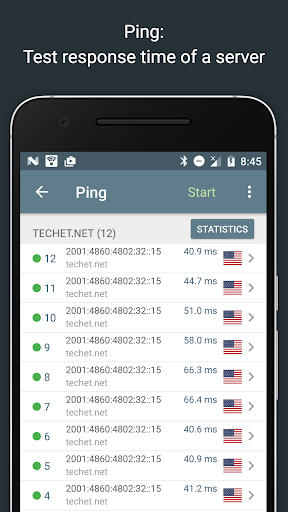
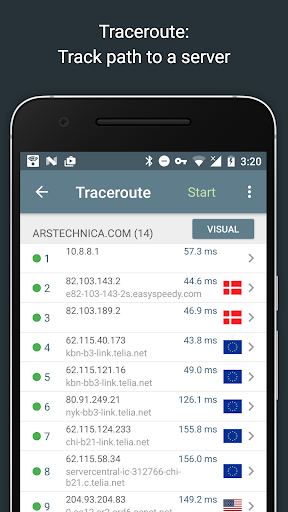
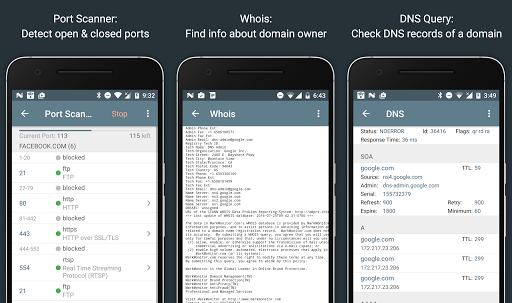
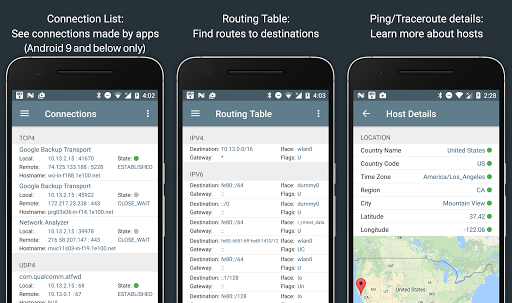
Further enhancing its utility, Network Analyzer Pro offers standard networking tools like ping and traceroute, which provide round-trip delay metrics and geolocation data for every network node. The port scanner uses a fast, adaptive algorithm to check the most common ports or user-specified ranges, identifying closed, firewalled, and open ports. Users can also perform Whois queries on domains, IP addresses, and AS numbers, as well as conduct DNS lookups similar to nslookup or dig commands. These features collectively ensure that Network Analyzer Pro is a versatile and indispensable tool for anyone needing to diagnose and optimize their network infrastructure.

Core function accuracy & effectiveness

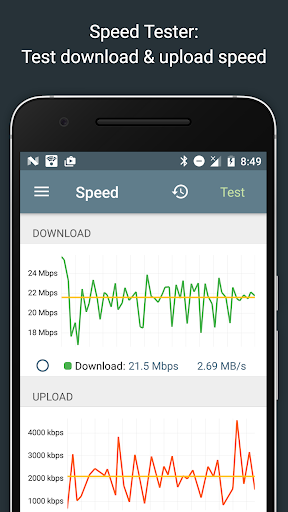
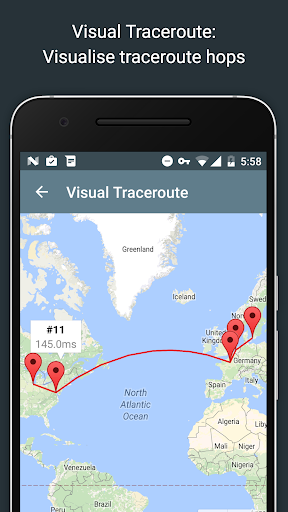
Network Analyzer Pro stands out in the Tools category by offering a comprehensive suite of diagnostic utilities that ensure core function accuracy and effectiveness. The application is designed to address various network issues, ranging from local Wi-Fi setup problems to remote server diagnostics. With its fast Wi-Fi device discovery tool, users can quickly identify all LAN devices along with their addresses and names. This feature also uncovers Bonjour/DLNA services provided by these devices, enhancing connectivity understanding. The inclusion of standard network diagnostic tools such as ping, traceroute, port scanner, DNS lookup, whois, and network speed test ensures that users have everything they need to troubleshoot effectively. These tools work seamlessly with both IPv4 and IPv6 protocols, ensuring broad compatibility. For instance, the ping and traceroute features not only show round trip delays but also provide geolocation data and complete trace route visualization on a map. The port scanner uses a fast adaptive algorithm to detect closed firewalled and open ports while describing known open port services. Such detailed analysis empowers users to pinpoint network vulnerabilities accurately. Moreover, the app's ability to display neighboring Wi-Fi networks with details like signal strength encryption type and router manufacturer aids in optimizing wireless router channels. Overall Network Analyzer Pro delivers precise actionable insights through its robust set of tools making it an indispensable asset for anyone looking to maintain optimal network health.

Interface simplicity & intuitiveness

In addition to its powerful diagnostic capabilities Network Analyzer Pro excels in providing an interface that emphasizes simplicity and intuitiveness which is crucial for users in the Tools category. The design philosophy behind this application ensures that even those with limited technical knowledge can navigate and utilize its features effectively. Upon launching the app users are greeted with a clean layout where each tool is easily accessible from the main menu. The Wi-Fi signal meter offers both graphical and textual representations showing network channels and signal strengths allowing users to understand their network environment at a glance. Similarly the LAN scanner provides quick detection of all network devices displaying IP addresses and additional information such as NetBIOS mDNS LLMNR and DNS names where available. This straightforward presentation helps users identify devices on their network without confusion. Furthermore advanced functionalities like Wake on LAN including remote WOL and custom IP range scanning are implemented with clear instructions ensuring users can take full advantage of these features without feeling overwhelmed. The routing table display shows essential information such as destination gateway interface used and flags in a concise format supporting both IPv4 and IPv6 protocols. Even complex operations like port scanning and traceroute are simplified through visual aids and real-time updates. Users can view graphical ping statistics or see complete trace route visualizations on maps enhancing comprehension. Additionally the app supports exporting results via email or other means facilitating easy sharing and documentation. With regular updates and detailed help resources Network Analyzer Pro maintains an intuitive user experience while continuously improving its functionality making it an ideal choice for anyone seeking efficient network management solutions.

Props

Comprehensive network diagnostics

Fast and reliable device discovery

Detailed WiFi network analysis

Advanced port scanning capabilities

Full IPv6 support across all functions

Cons

Complex interface for beginners

Some features require technical knowledge

Limited customer support options

Premium price point

Occasional bugs in certain tools

Features and Functions

What is this app and what can I use it for?

A tool for diagnosing network issues and optimizing WiFi setups

How do I download and install this app on my device?

Visit Google Play Store, search for Network Analyzer Pro, and tap install

How do I get started after opening the app for the first time?

Grant necessary permissions and follow the on-screen setup instructions

What are the main features and capabilities of this app?

Ping, traceroute, port scanning, DNS lookup, and WiFi signal analysis

How can I customize my experience and adjust preferences?

Adjust settings via the preferences menu to tailor the app to your needs

How do I save or bookmark my favorite content for later access?

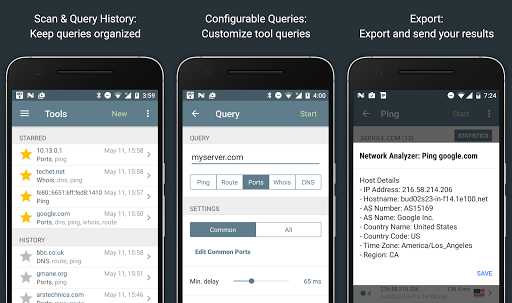
Use the star feature to mark favorite tasks for easy access later

How can I share content with friends or on social media?

Share results via email or export options directly from the app interface

How do I access detailed information and explore more content?

Access detailed help within the app for guidance on using specific features

What permissions does this app need and how do I manage them?

The app requires network access permissions to function properly manage in settings

How do I check for updates and keep the app running smoothly?

Enable automatic updates in Google Play Store to keep the app current
Show more

User Reveiws

{{ comment.reviewer_name }}
{{ comment.review_date_formatted}}
{{ comment.review_content }}
{{ tab.name }}
{{ comment.reviewer_name }}
{{ comment.review_date_formatted}}
{{ comment.review_content }}
No reviews with this rating
















