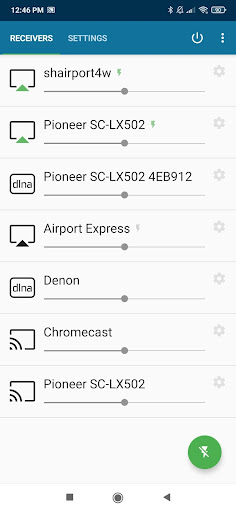
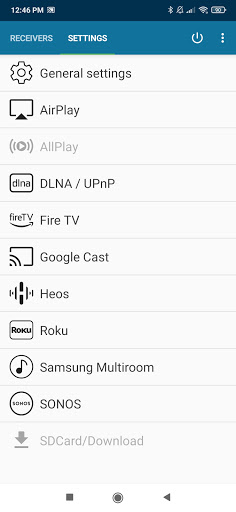
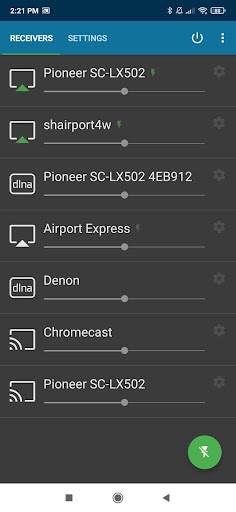
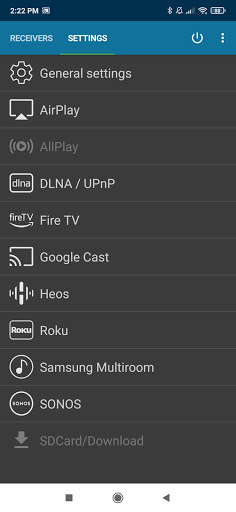
AirMusic is a versatile audio streaming application that allows users to stream all audio from almost any app on their Android device to a wide range of receivers with just one click. Compatible with popular streaming technologies like Apple AirPlay, SONOS, Google Cast, DLNA, Amazon Fire TV, Samsung Multiroom, Denon HEOS, and Roku, it ensures seamless connectivity.
Whether you want to enjoy YouTube Music, Deezer, Amazon Music, Apple Music, or Spotify, AirMusic supports streaming to devices such as SONOS, Apple TV, Chromecast, Fire TV, Smart TVs, AV-receivers, Homepod, Samsung Multiroom, Denon HEOS, Roku, Raspberry Pi, Airport Express, and more. This makes it an ideal solution for enjoying music throughout your home.
The app's ability to send information and artwork to supported receivers enhances the user experience, while its compatibility with automation tools like Tasker and MacroDroid adds convenience. With personal assistance available for troubleshooting, AirMusic offers both powerful functionality and reliable support.
AirMusic stands out with its comprehensive feature set tailored for seamless audio streaming. The app runs in the background, enabling users to stream audio with just one click, making it incredibly user-friendly. It supports a variety of streaming technologies including Apple AirPlay, SONOS, Google Cast, DLNA, and more, ensuring broad compatibility with numerous devices.
One of the key features is its ability to send information and artwork to AirPlay or Google Cast-enabled receivers, enhancing the listening experience by providing visual context along with the audio. Additionally, AirMusic integrates with automation apps like Tasker and MacroDroid, allowing users to create widgets or automate their music streaming process.
Despite some limitations with certain apps and Android versions, AirMusic remains a powerful tool for streaming audio across different platforms. Its ease of use, combined with extensive device support, makes it a top choice for users looking to enjoy their music everywhere in their home.
Wide device compatibility
Seamless streaming
User-friendly interface
Background operation
Automation support
Limited app support
Android version issues
Additional steps needed
Premium cost
Occasional bugs
Your HD audio recorder on the go for music, meetings, ambience, animal sounds…
 4.30
4.30
Visualize the guitar fretboard, master scales & play through changes like a pro!
4.50
The only true audiophile music player with Hi-Fi audio rendering and DSP engine
3.90
Advanced 10-Band Audio Graphic Equalizer Sound Booster Pro
4.30
Record, Mix & Master with all n-Track effects, 64-bit audio and Stem Separation.
4.70
Unleash your creativity! Turn simple prompts into full fledged songs.
4.70
Music, News & Sports Radio Tuner App. Tune in Live FM & AM Radio Stations.
4.80
Melody Beat: Great for travel, workouts, offline vibes, play your tunes anytime.
4.10
Make music and beats on the fly! Play tracks and mix sounds with Groovepad!
4.60
Simple & Intuitive Metronome
4.70
Bass Booster & Volume Equalizer Pro improves your music and video sound quality
4.60
Powerful 10-Band equalizer pro with sound booster improves Android audio quality
4.30
Time Trainer: accurate metronome w tools to help you develop your internal time!
4.20
Network/Cloud Streaming, Visualization, Graphic Equalizer and Sound Effects.
4.20
PowerAudio is a powerful offline music player.
4.20
Learn to play the piano using falling notes!
3.80
Powerful beat maker & DJ mixer to remix tracks, make music, & perform DJ mix
3.70
Simple mp3 and mp4 player with advanced features.
3.40
Music Streaming suite for Ampache, Nextcloud Music and compatible backends.
4.0


User Reveiws