



Comet is a cutting-edge communication app designed to revolutionize mobile browsing with its AI-driven capabilities. As the first agentic AI browser built for Android, Comet brings users an unparalleled browsing experience by integrating advanced AI assistance directly into the mobile environment. The app allows users to interact seamlessly with web content through features like voice recognition and multi-tab management.
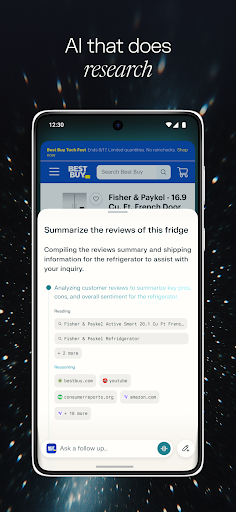
Core functionalities include an intelligent AI assistant that helps users perform tasks and answer queries in real-time, smart summarization of information across multiple tabs, and integrated ad-blocking for uninterrupted browsing. These features make Comet especially valuable for users seeking efficient information processing while avoiding common web distractions like ads and pop-ups.
The app's ability to synthesize data from various sources and provide actionable insights makes it ideal for professionals and students who need quick access to organized information on-the-go. By combining powerful AI tools with user-friendly design, Comet delivers both productivity and convenience in a single mobile solution.
Comet distinguishes itself through several innovative features that enhance mobile browsing. The most notable is its AI assistant functionality, which provides users with instant access to intelligent support. This assistant can execute complex tasks, display its reasoning process, and allow users to intervene at any stage, creating a transparent and controllable AI interaction experience.
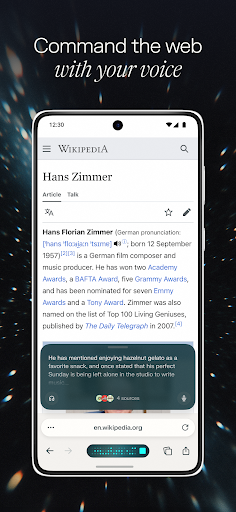
Another key feature is the voice recognition capability adapted from Perplexity's successful Voice Mode. This allows users to verbally communicate with their AI assistant across all open tabs, making information retrieval more natural and accessible. Additionally, Comet implements smart summarization technology that works across multiple tabs simultaneously, providing comprehensive overviews of research topics or projects.
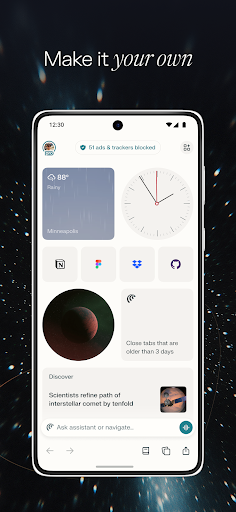
The app also includes a robust built-in ad blocker that automatically filters out unwanted advertisements while allowing users to maintain access to trusted sites through whitelisting. These combined features create a streamlined browsing experience that prioritizes user productivity and information quality over distracting web elements.
Advanced AI integration
Voice recognition technology
Multi-tab summarization
Built-in ad blocking
Cross-platform functionality
Limited iOS availability
Higher system requirements
Learning curve for new users
Occasional AI errors
Privacy concerns with data

Call Forwarding is easy and simple application to use.
 3.80
3.80
SMS & MMS Messaging App to easily send messages or schedule SMS on Chat
4.10
Fast and mini browser with Ad Blocker,Video Downloader and Video Player
4.40
Manage and Fund Calling Accounts and Schedule and Join Video Sessions
3.60
Fast, Simple And Secure Application That Provides SMBv3 Server On Your Device
3.30
Use this SMS app standalone or as a TREK: Total Interface companion.
4.30
A browser that does more than load page, like keeping your privacy safe.
4.70
Fast internet with AI, Adblock & VPN. Browse on a safe, incognito web browser.
4.70
Useful. Social. Expressive.
4.70
Use this Dialer app alone or as a TREK: Total Interface companion.
4.70
Read OBD2 data and DTCs Create custom dashboards Enhanced diagnostics available
4.70
Adblock & VPN Browser: Blocks banners, pop-ups and video ads, fast downloader!
4.60
Manage BoostMobile Account
4.60
Manage your data, talk & text - affordable phone plans & data usage made simple
4.30
A web browser that respects your privacy.
4.30
This app enables the phone to receive and send FT8 traffic!
3.80
Call & Text Anywhere With A Canadian Number.
3.60
A softphone app with seamless SIP calling and an intuitive VoIP dialer
3.50
Enables Plus features of Quick Search.
4.4


User Reveiws