Messenger

4.70

Information

Category:

Communication

Price:

Free

Rank:

3

Rating:

4.70

Overview

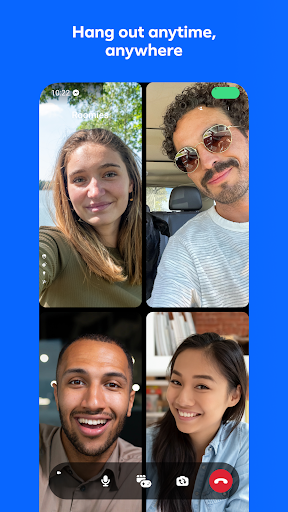
Messenger is a versatile communication app that allows users to connect with friends and family effortlessly. The app supports instant messaging, voice calls, and video calls, making it easy to stay in touch regardless of location. With features like Meta AI assistant, users can get instant answers to questions or assistance with tasks.

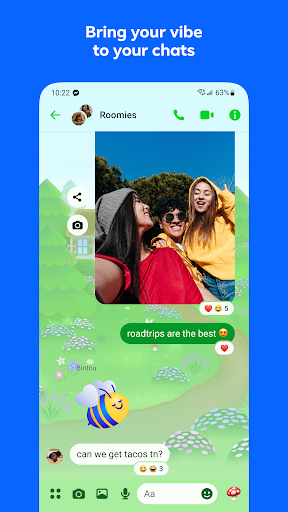
The app goes beyond basic communication by offering high-definition photo sharing, shared albums for group memories, and the ability to send large files up to 100MB. Messenger also provides unique features such as disappearing messages, message editing, and unsending capabilities, ensuring user control over conversations. Its community-building tools and creative expression options, including animated stickers and chat themes, make it a comprehensive platform for modern communication needs.

Features

Messenger stands out with its robust feature set tailored for seamless interaction. The app's Meta AI assistant offers intelligent support, from answering queries to helping with homework, enhancing productivity within chats. Users can enjoy high-quality media sharing, including HD photos and shared albums, which are perfect for preserving memories with groups.

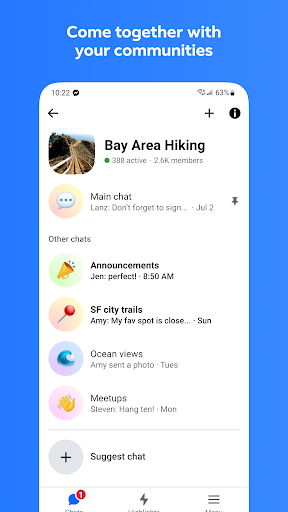
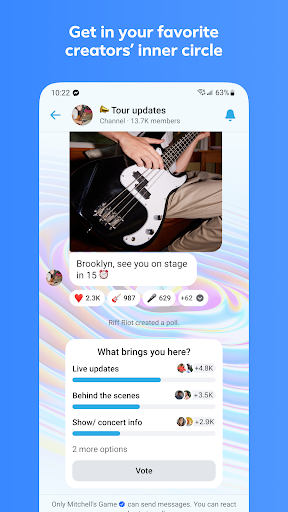
Security and privacy are prioritized through features like disappearing messages and end-to-end encryption. The ability to edit or unsend messages adds a layer of convenience and control. Additionally, Messenger fosters community engagement by allowing users to join interest-based groups and interact with creators via broadcast channels. Customization options, such as chat themes and creative tools, ensure personalized and engaging conversations.

Real-time messaging speed & reliability

Real-time messaging speed and reliability are crucial factors in ensuring seamless communication experiences within any messaging application. For Messenger, this functionality is at the core of its service offering, allowing users to exchange messages instantly with friends, family, and communities across the globe. The importance of real-time messaging cannot be overstated as it directly impacts user satisfaction and engagement. Messenger achieves optimal messaging speed by leveraging advanced server infrastructure and optimized data transmission protocols. These technical implementations ensure that messages are delivered almost instantaneously after being sent, regardless of the geographical location of the sender and recipient. Furthermore, the reliability aspect ensures that messages are consistently delivered without fail, maintaining the trust users place in the platform for their daily communications. Users benefit significantly from this high-speed and reliable messaging system. They can engage in fluid conversations without experiencing frustrating delays or worrying about message delivery failures. This reliability fosters a sense of connection and immediacy, making conversations feel more natural and engaging. Whether it's coordinating with colleagues, staying in touch with loved ones, or participating in community discussions, Messenger's real-time messaging capabilities ensure that users remain connected at all times. Additionally, features like read receipts and typing indicators further enhance the real-time experience by providing users with immediate feedback on the status of their conversations. Overall, Messenger's commitment to delivering fast and dependable messaging services enhances the overall user experience, making it an essential tool for modern communication needs.

Media sharing support

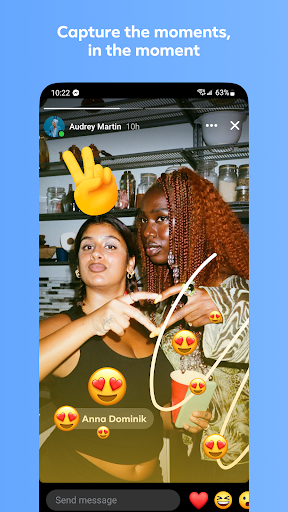
Media sharing support represents a vital component of contemporary messaging applications, enabling users to enrich their conversations with various forms of multimedia content. Messenger excels in this area by offering robust support for sharing different types of media files, including photos, videos, documents, and more. This functionality not only enhances the expressiveness of user interactions but also facilitates more meaningful and engaging exchanges. Messenger allows users to send high-definition photos and videos, ensuring that shared memories retain their clarity and vibrancy. The ability to create shared albums further extends this feature by enabling groups to collaboratively compile collections of media related to specific events or themes. Beyond images and videos, Messenger supports the direct sharing of large files up to 100MB within chats, accommodating documents such as Word, PDF, and Excel files. This versatility makes Messenger suitable for both personal and professional use cases, where exchanging substantial files is often necessary. The platform's media sharing capabilities are complemented by additional features that enhance user convenience and creativity. For instance, users can apply filters and effects to their photos before sending them, adding a personalized touch to their shared content. Moreover, the integration of animated stickers, GIFs, and reactions provides alternative ways to convey emotions and responses beyond traditional text-based messages. These creative tools empower users to express themselves more vividly and authentically. From a practical standpoint, Messenger's comprehensive media sharing support streamlines collaboration and information exchange among users. Whether it's students working on group projects, professionals sharing work-related documents, or families preserving precious moments, the application caters to diverse needs effectively. By prioritizing seamless media sharing experiences, Messenger reinforces its position as a versatile communication platform capable of handling varied user requirements while maintaining high standards of quality and performance.

Props

Instant connectivity

HD photo sharing

AI-powered assistance

End-to-end encryption

Versatile chat customization

Cons

Limited AI availability

High data usage

Occasional bugs

Privacy concerns

Feature overload

Features and Functions

What is this app and what can I use it for?

A messaging app for chats, calls, and community building

How do I download and install this app on my device?

Download Messenger from Google Play Store on Android devices

How do I get started after opening the app for the first time?

Sign in with Facebook or phone number to start using Messenger

What are the main features and capabilities of this app?

Key features include AI assistant, HD photos, file sharing

How can I customize my experience and adjust preferences?

Customize chat themes and notification preferences in settings

How do I save or bookmark my favorite content for later access?

Bookmark content by saving messages or creating shared albums

How can I share content with friends or on social media?

Share content via direct messages or group chats easily

How do I access detailed information and explore more content?

Access details by tapping profile icons or links in chats

What permissions does this app need and how do I manage them?

Manage permissions like camera, storage in app settings

How do I check for updates and keep the app running smoothly?

Enable auto-updates in Google Play settings for smooth performance
Show more

User Reveiws

{{ comment.reviewer_name }}
{{ comment.review_date_formatted}}
{{ comment.review_content }}
{{ tab.name }}
{{ comment.reviewer_name }}
{{ comment.review_date_formatted}}
{{ comment.review_content }}
No reviews with this rating