Contacts - Caller ID & Spam

4.00

Information

Category:

Communication

Price:

Free

Rank:

41

Rating:

4.00

Overview

Contacts - Caller ID & Spam is a comprehensive communication app designed to enhance your Android phone's contact management and call protection capabilities. The app combines a smart dialer, spam detection, and detailed contact management in one sleek interface.

With its quick search functionality, users can effortlessly find contacts by name or number. The built-in spam protection alerts you about suspicious calls in real-time, while the favorites feature allows one-tap access to important contacts. Compatible with all major Android devices, this app works offline for contact management but may require internet connectivity for spam detection updates.

This application is particularly useful for professionals and individuals who receive numerous calls daily and want to maintain an organized contact list while protecting themselves from unwanted spam calls.

Features

The Contacts - Caller ID & Spam app offers a robust set of features that streamline communication management on Android devices. Its Quick Dialer function enables instant calls through smart search, significantly reducing the time needed to find and dial a contact.

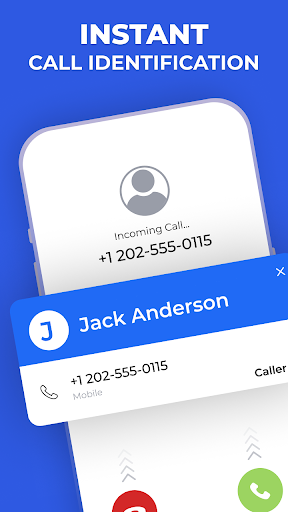
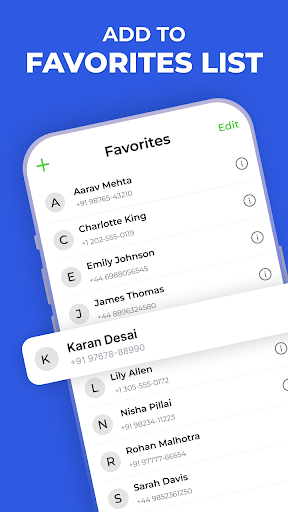
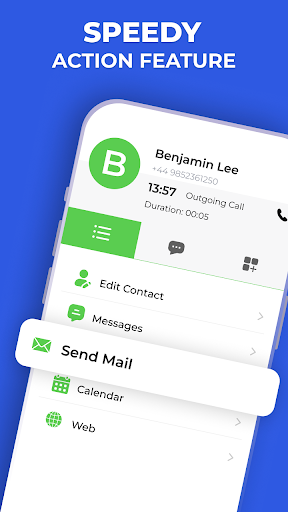
Users benefit from advanced spam detection which provides real-time alerts for suspected spam calls, ensuring users are safeguarded against unwanted communications. The Favorites feature allows pinning of key contacts for rapid access, while Speed Dial Actions facilitate swift calling or messaging.

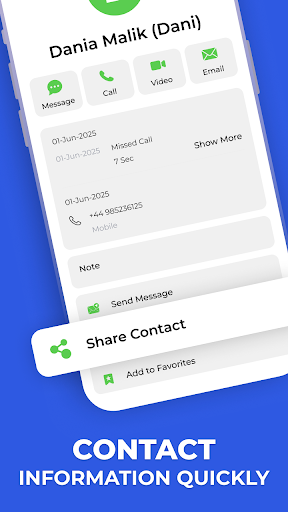
Additionally, the app presents Full Contact Details, consolidating all relevant information in one location for easy reference. These features collectively ensure efficient and secure communication management, making it an essential tool for modern smartphone users.

Real-time messaging speed & reliability

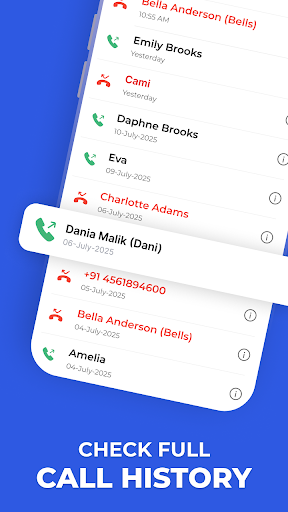
Real-time messaging speed and reliability are crucial aspects of any communication application as they determine how quickly and consistently messages are delivered to the recipients. In the case of Contacts - Caller ID & Spam, although it is primarily a contact management and caller ID app, the principles of fast and dependable communication are integrated into its functionality. The app ensures that call history and contact information are updated in real time, providing users with up-to-date data when managing their contacts or identifying incoming calls. This immediacy in updating and displaying information is akin to the expectations users have from messaging apps where prompt delivery and notifications are essential. The Quick Dialer and Speed Dial Actions features allow users to make calls or send messages swiftly, ensuring minimal delay between the intent to communicate and the action taken. The reliability aspect is evident in the consistent performance of these features without significant bugs or crashes that could disrupt the user experience. Users benefit from this speed and reliability by being able to manage their communications more efficiently, ensuring they never miss an important call or message due to outdated information or slow response times. The app's ability to work offline for contact search, dialing, and call history viewing further enhances its reliability, making it a dependable tool even without an internet connection. Overall, the real-time messaging speed and reliability embedded within Contacts - Caller ID & Spam contribute significantly to streamlining personal communication management.

Media sharing support

Media sharing support is an integral feature in modern communication applications allowing users to exchange various types of media seamlessly. While Contacts - Caller ID & Spam focuses predominantly on contact management and enhancing telephonic communication experiences through spam detection Caller ID services it indirectly supports media sharing by integrating functionalities that facilitate efficient connections between users. The app's comprehensive access to contact details enables users to quickly find the correct contact to share media via other messaging or social platforms. Moreover the Favorites feature allows users to pin important contacts for one-tap access which can be particularly useful when frequently sharing media with certain individuals. Although the app itself does not directly handle media files its role in streamlining the process of connecting with others aids in the broader context of media sharing. By ensuring that users can swiftly identify and reach their intended recipients through accurate Caller ID information and spam protection the app lays a foundation for hassle-free media exchanges. Additionally the app's compatibility with all major Android phones and its lightweight interface ensure that it does not hinder the device's overall performance which is crucial when dealing with media files that may require significant processing power and memory. Thus while Contacts - Caller ID & Spam may not offer direct media sharing capabilities its optimization of contact management and call-related functions indirectly supports and enhances the media sharing experience by ensuring users can quickly and reliably connect with their contacts.

Props

User-friendly interface

Real-time spam alerts

Offline functionality

Quick contact search

Comprehensive contact details

Cons

Limited iOS compatibility

Internet required for updates

Premium features locked

Occasional false positives

Permissions needed

Features and Functions

What is this app and what can I use it for?

A smart contact manager and caller ID app for Android

How do I download and install this app on my device?

Visit Google Play Store, search for the app, and tap Install

How do I get started after opening the app for the first time?

Grant necessary permissions and follow the setup wizard

What are the main features and capabilities of this app?

Smart dialer, spam detection, contact management, and more

How can I customize my experience and adjust preferences?

Adjust settings via the Preferences menu in the app

How do I save or bookmark my favorite content for later access?

Use the Favorites feature to pin important contacts

How can I share content with friends or on social media?

Tap Share button to send contact info via SMS or social media

How do I access detailed information and explore more content?

View detailed contact info or check full call history

What permissions does this app need and how do I manage them?

Needs contacts and call history access for core features

How do I check for updates and keep the app running smoothly?

Enable auto-updates in Google Play Store for the app
Show more

User Reveiws

{{ comment.reviewer_name }}
{{ comment.review_date_formatted}}
{{ comment.review_content }}
{{ tab.name }}
{{ comment.reviewer_name }}
{{ comment.review_date_formatted}}
{{ comment.review_content }}
No reviews with this rating