TeamSpeak 3

3.10

Information

Category:

Communication

Price:

$ 0.99

Rank:

12

Rating:

3.10

Overview

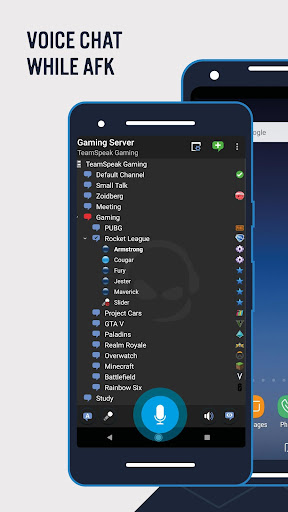
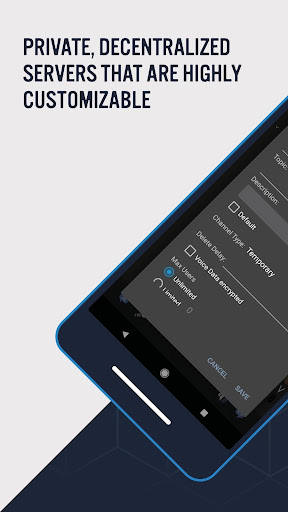
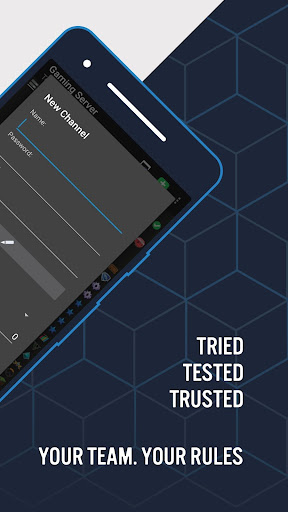
TeamSpeak 3 is a premier communication application designed for seamless voice chat and information sharing across multiple platforms including Android, PC, MacOS, iOS, and Linux. The app excels in providing real-time communication solutions tailored for online gamers, small businesses, families, and friends.

With its robust server-based architecture, TeamSpeak allows users to connect securely through private servers or join public channels. Its Android version is optimized for mobile use, ensuring you stay connected while on the move. Whether coordinating with teammates or hosting online events, TeamSpeak delivers a reliable and spam-free communication experience.

Features

TeamSpeak 3 offers an array of sophisticated features that enhance user interaction and streamline communication. Key functionalities include synchronized bookmarks, multi-server connectivity, and Push-To-Talk (PTT) options alongside voice activation, catering to diverse user preferences.

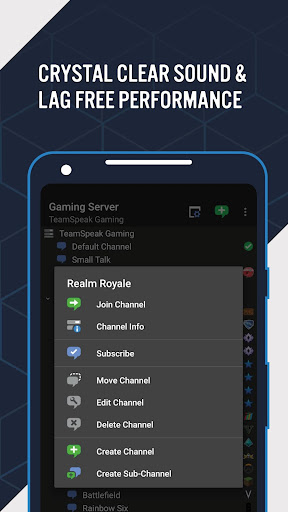
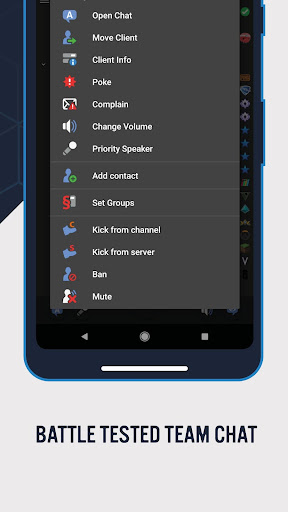
The app supports essential administrative functions, text messaging, identity management, and detailed channel/player information. Users benefit from player status notifications and regular, free updates, ensuring an evolving and improved experience. These features collectively provide a comprehensive toolset for effective and efficient communication.

Real-time messaging speed & reliability

Real-time messaging speed and reliability are crucial factors in any communication application as they determine how quickly and consistently messages are delivered to recipients. For TeamSpeak 3, this aspect is particularly important because it serves as an advanced voice chat and communication app designed for groups of people who need to share information efficiently via the internet or private networks. The real-time messaging capability in TeamSpeak 3 ensures that users can communicate with fellow team members, discuss strategies instantly, or facilitate online events without delays or interruptions. This immediacy enhances the overall user experience by allowing seamless interactions among participants regardless of their location or device type. TeamSpeak 3 achieves high-speed message delivery through its optimized server infrastructure which supports synchronized bookmarks and multi-server connectivity. These features enable users to switch between different servers effortlessly while maintaining consistent connection quality. Additionally, the app offers various modes of communication such as Push-To-Talk (PTT) and voice activation options which further enhance the responsiveness of message transmission. Users also benefit from detailed channel and player information along with player status notifications ensuring everyone stays informed about ongoing conversations and activities within the group. The reliability of these communications is bolstered by ongoing free app updates provided by a dedicated team of developers constantly working to improve functionality and address potential issues promptly. In summary, TeamSpeak's focus on real-time messaging speed and reliability makes it an ideal choice for online gamers, friends, family members, and small businesses worldwide who require efficient collaboration tools.

Media sharing support

Media sharing support is an essential feature in modern communication applications like TeamSpeak 3 since it allows users to exchange various types of content beyond just text-based messages. As an advanced voice chat platform catering to diverse user groups including gamers, families, and professionals, TeamSpeak 3 facilitates comprehensive interaction by enabling participants to send and receive multimedia files during their conversations. This capability significantly enriches the communication experience by providing additional context or visual aids that complement verbal discussions. To implement robust media sharing functionalities, TeamSpeak 3 incorporates several key components such as identity and contacts management systems which help organize user profiles effectively while ensuring secure exchanges between authorized individuals only. Furthermore, the app supports most common administrative functions allowing moderators to oversee shared content appropriately thereby maintaining community standards across all channels. Another notable aspect contributing towards effective media sharing within TeamSpeak 3 involves its compatibility with multiple operating systems including Android devices PCs MacOS iOS Linux etc., thus broadening accessibility for global audiences irrespective of preferred hardware configurations. Moreover, continuous efforts from a proactive development team ensure regular enhancements aimed at introducing new capabilities alongside resolving existing bugs swiftly based on valuable feedback received directly from end-users themselves. Overall, thanks largely due diligence exercised throughout design implementation phases coupled relentless pursuit excellence demonstrated post-launch stages alike, TeamSpeak stands out amongst peers offering unparalleled levels flexibility convenience when comes transmitting wide array digital assets ranging simple images documents complex video streams live broadcasts simultaneously enhancing collaborative potentials exponentially.

Props

High-quality audio

Secure connections

Cross-platform support

Regular updates

User-friendly interface

Cons

Complex setup

Requires server

Limited offline use

Resource intensive

Paid features

Features and Functions

What is this app and what can I use it for?

TeamSpeak 3 enables secure group voice chat and communication via internet or private networks.

How do I download and install this app on my device?

Download TeamSpeak 3 from Google Play Store and install it by following the on-screen instructions.

How do I get started after opening the app for the first time?

Upon first launch, connect to a TeamSpeak 3 server using provided credentials or join a public server.

What are the main features and capabilities of this app?

Main features include synchronized bookmarks, multi-server connectivity, and Push-To-Talk functionality.

How can I customize my experience and adjust preferences?

Customize your experience by managing identities, contacts, and notification settings within the app.

How do I save or bookmark my favorite content for later access?

Save favorite content by bookmarking channels or saving user contacts for quick access later.

How can I share content with friends or on social media?

Share content by sending text messages or inviting others to join specific channels via unique links.

How do I access detailed information and explore more content?

Access detailed information through player status notifications and explore more content via public servers.

What permissions does this app need and how do I manage them?

The app requires microphone and network permissions which can be managed in device settings.

How do I check for updates and keep the app running smoothly?

Check for updates in the app store or enable automatic updates to keep the app running smoothly.
Show more

User Reveiws

{{ comment.reviewer_name }}
{{ comment.review_date_formatted}}
{{ comment.review_content }}
{{ tab.name }}
{{ comment.reviewer_name }}
{{ comment.review_date_formatted}}
{{ comment.review_content }}
No reviews with this rating