
Rakuten Viber Messenger

4.20

Information

Category:

Communication

Price:

Free

Rank:

68

Rating:

4.20

Overview

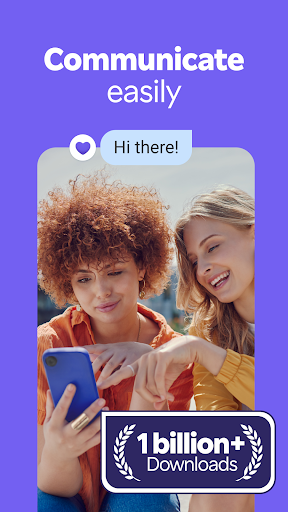
Rakuten Viber Messenger is a premier communication app that connects over a billion users globally through secure messaging and calling features. The app offers free text, voice, and video communications with end-to-end encryption, ensuring privacy in all interactions. It stands out by enabling group chats of up to 250 members, low-cost international calls via Viber Out, and creative personalization options like lenses and stickers.

Designed for both personal and professional use, Rakuten Viber Messenger supports unlimited Viber-to-Viber calls, disappearing messages, reminders, and Communities or Channels for shared interests. Whether you're coordinating with colleagues, staying in touch with family, or engaging with global communities, this app provides versatile tools to enhance connectivity while maintaining high-quality standards.

Features

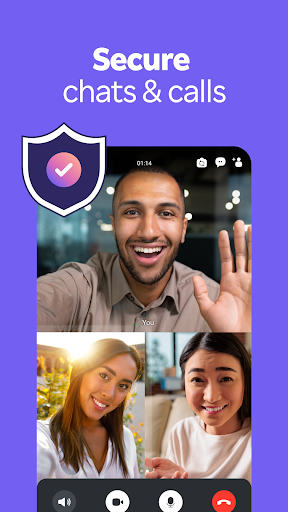
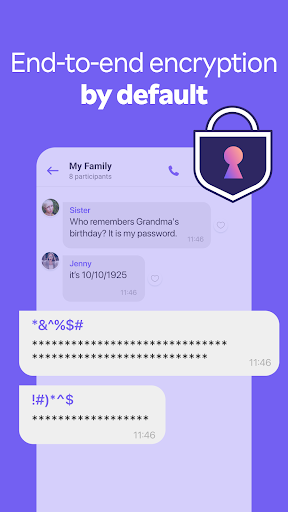
Rakuten Viber Messenger boasts an array of advanced features tailored to modern communication needs. One standout capability is its end-to-end encryption, which ensures complete privacy for 1-on-1 and group conversations. This feature positions Viber as one of the most secure apps among top messaging platforms. Additionally, the app supports high-definition audio and video calls across devices, making it reliable for both casual chats and professional meetings.

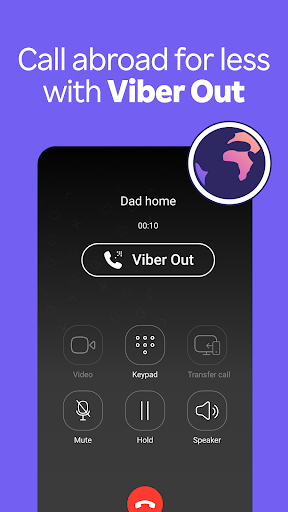
Another key highlight is Viber Out, a service that allows users to make affordable international calls to landlines and mobile phones. Coupled with disappearing messages, customizable timers, and creative tools like lenses, GIFs, and stickers, the app empowers users to communicate dynamically. With support for large group chats, polls, quizzes, and reactions, Rakuten Viber Messenger fosters interactive and engaging experiences for individuals and communities alike.

Real-time messaging speed & reliability

Real-time messaging speed and reliability are crucial factors in ensuring seamless communication experiences for users. In Rakuten Viber Messenger, this feature is designed to provide instant message delivery across various types of content including text, photos, stickers, GIFs, voice messages, and video messages. The application leverages advanced server infrastructure and optimized data transmission protocols to ensure that messages are delivered without delay, regardless of the user's location or network conditions. This immediacy in message delivery allows users to maintain continuous conversations, making it ideal for both personal and professional communication. The reliability aspect ensures that messages are consistently delivered without fail, even during peak usage times. Moreover, the app provides delivery and read receipts, giving users peace of mind knowing their messages have been successfully received and viewed. By prioritizing real-time messaging speed and reliability, Rakuten Viber Messenger offers a dependable platform where users can communicate effortlessly, fostering stronger connections and enabling efficient collaboration. Whether sending important work-related information or casually chatting with friends, users can trust that their messages will be delivered promptly and reliably.

Media sharing support

Media sharing support is an essential feature in modern communication apps, allowing users to exchange various forms of digital content seamlessly. Rakuten Viber Messenger excels in this area by providing comprehensive support for multiple media formats, enhancing the overall user experience. Users can easily share high-quality photos and videos without worrying about compression or loss of quality, ensuring that precious moments are preserved in their original form. The app also supports the sharing of voice messages, which is particularly useful for quick, hands-free communication or when users want to convey tone and emotion more effectively than through text alone. Additionally, Viber offers an extensive library of over 55,000 stickers and a wide selection of GIFs, enabling users to express themselves creatively and add personality to their conversations. For those who prefer creating their own content, the app includes fun and beautifying lenses that can be applied to photos and videos before sharing. Beyond traditional media, Viber allows the transfer of various file types, accommodating documents, presentations, and other work-related materials. This versatility makes the app suitable for both casual and professional use cases. Furthermore, the integration of disappearing messages adds an extra layer of privacy and control over shared media. Overall, Rakuten Viber Messenger's robust media sharing capabilities empower users to communicate more vividly and meaningfully, bridging distances and strengthening relationships through rich multimedia interactions.

Props

Free messaging and calls

End-to-end encryption

Supports large group chats

Creative personalization tools

Affordable international calls

Cons

Limited non-Viber call quality

High data usage on video

Occasional connection issues

Ads in free version

Complex interface for new users

Features and Functions

What is this app and what can I use it for?

Rakuten Viber Messenger is a secure communication app for free messaging, voice, and video calls.

How do I download and install this app on my device?

Download Rakuten Viber Messenger from Google Play Store and install it by following the on-screen instructions.

How do I get started after opening the app for the first time?

Sign up with your phone number, set preferences, and start connecting with contacts.

What are the main features and capabilities of this app?

Key features include free calls, end-to-end encryption, group chats, and creative tools like stickers.

How can I customize my experience and adjust preferences?

Adjust notification settings, chat preferences, and privacy options in the app menu.

How do I save or bookmark my favorite content for later access?

Use the Forward option to save messages or links to your Notes section for future reference.

How can I share content with friends or on social media?

Tap the Share button to send content directly to friends or post it on social media platforms.

How do I access detailed information and explore more content?

Explore detailed information about features under Settings or visit the Help Center within the app.

What permissions does this app need and how do I manage them?

The app requires permissions for microphone, camera, and storage access; manage these in device settings.

How do I check for updates and keep the app running smoothly?

Enable automatic updates in your device settings to keep the app running smoothly.
Show more

User Reveiws

{{ comment.reviewer_name }}
{{ comment.review_date_formatted}}
{{ comment.review_content }}
{{ tab.name }}
{{ comment.reviewer_name }}
{{ comment.review_date_formatted}}
{{ comment.review_content }}
No reviews with this rating