Nothing Icon Pack : Line

4.70

Information

Category:

Personalisation

Price:

$ 0.99

Rank:

48

Rating:

4.70

Overview

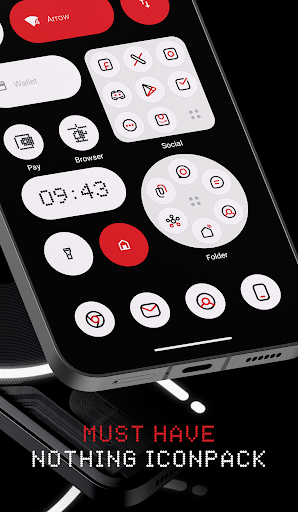
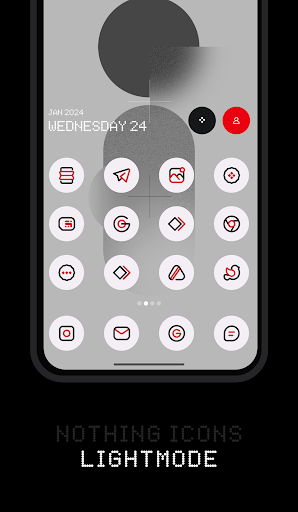
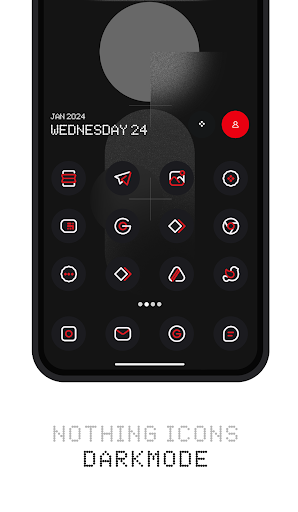
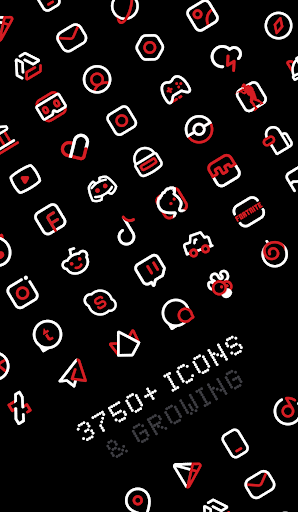
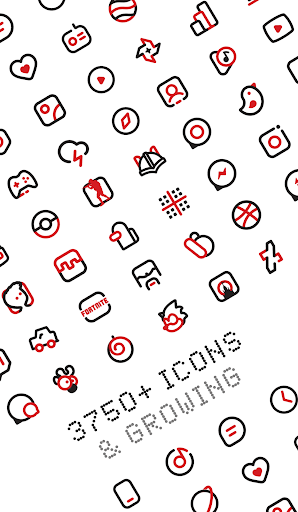
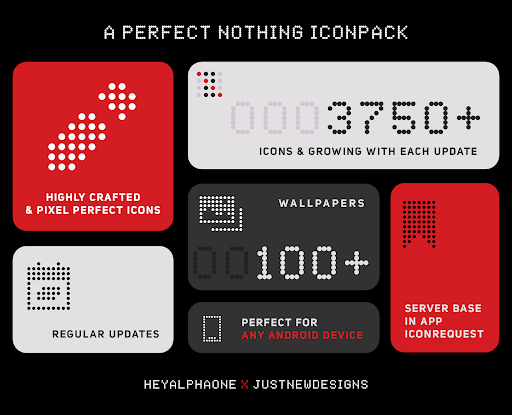
Nothing Icon Pack : Line is a visually stunning icon pack inspired by the Nothing brand's design philosophy. With over 3750 meticulously crafted icons, it brings a fresh and modern look to your Android device. The pack follows Google's Material Design guidelines while incorporating unique creative elements, making each icon a miniature masterpiece. These linear, colorful icons are designed to work seamlessly with various launchers, offering users an easy way to customize their device's appearance.

The icon pack includes numerous features beyond just icons. Users can enjoy dynamic calendar support, custom folder icons, and a vast collection of cloud-based wallpapers. It also offers practical tools like icon search and preview functionality. Whether you're using a Nothing Phone or any other Android device, this icon pack provides a cohesive and aesthetically pleasing experience that transforms your home screen into a work of art.

Features

Nothing Icon Pack stands out with its comprehensive feature set designed for customization enthusiasts. The pack includes over 3750 icons, each crafted with attention to detail, following precise size and dimension guidelines. Beyond standard app icons, it offers alternative icons for popular applications and system apps, giving users more personalization options. The inclusion of Muzei Live Wallpaper support and a matching wallpaper collection ensures a complete visual transformation for your device.

Practical features make the user experience even better. The icon pack supports dynamic calendars, custom folder icons, and app drawer icons. A slick material dashboard provides easy navigation and management of settings. Additionally, the server-based icon request system allows users to suggest missing icons, which are frequently added in updates. These features, combined with compatibility across multiple launchers, make Nothing Icon Pack a versatile tool for personalizing your Android device.

Customization options variety

The Nothing Icon Pack offers an extensive range of customization options that allow users to personalize their Android device's interface with ease. With over 3750 icons, the pack provides a rich selection for users to choose from, ensuring that they can find the perfect look for their device. Each icon is crafted with meticulous attention to detail, adhering to Google's Material Design guidelines while incorporating unique creative touches. This combination results in a harmonious blend of consistency and innovation, making the user's device not only visually appealing but also reflective of their personal style. The pack also includes alternative icons for popular apps and system apps, giving users even more ways to customize their experience. Additionally, features such as custom folder icons, app drawer icons, dynamic calendar support, and icon preview and search further enhance the ability to tailor the device's appearance. Users are not just limited to static changes; they can also enjoy a collection of cloud-based wallpapers that complement the icons, providing a cohesive and vibrant theme across their entire device. The inclusion of Muzei Live Wallpaper support adds another layer of dynamism, allowing for wallpapers that change based on user preferences or time of day. Overall, the Nothing Icon Pack stands out by offering top-notch quality and frequent updates, ensuring that users have access to new icons and activities, thus keeping their device's look fresh and engaging over time.

Theme compatibility

Theme compatibility is a crucial aspect of the Nothing Icon Pack, ensuring that users can seamlessly integrate this customization suite with a wide array of launchers on their Android devices. The pack has been specifically tested and optimized to work flawlessly with popular launchers such as Nova Launcher, Action Launcher, ADW Launcher, Apex Launcher, and many others. This broad compatibility ensures that regardless of the launcher a user prefers, they can apply the Nothing Icon Pack without any issues. For those who do not find their specific launcher listed in the apply section, the pack can still be applied through the theme settings, showcasing its versatile integration capabilities. It is important to note that while Google Now Launcher and ONE UI do not support icon packs, several stock launchers like Oxygen OS and Mi Poco do, expanding the reach of potential users who can benefit from this pack. The pack's adaptability extends beyond just launchers; it also supports various functionalities within the Android ecosystem, such as dynamic calendars and custom folder icons, which means users won't face disruptions in their usual interactions with the device. Moreover, the pack includes a server-based icon request system, enabling users to ask for specific icons that might be missing, thereby continually expanding its compatibility and relevance. By addressing possible concerns proactivelyu2014such as offering a 100% refund if unsatisfiedu2014and providing comprehensive support documentation within the app, the Nothing Icon Pack assures users of a reliable and satisfying customization experience. Thus, whether someone is looking to refresh their device's aesthetics or seeking a deeply personalized interface, the Nothing Icon Pack delivers a robust solution with its exceptional theme compatibility.

Props

Extensive icon library

Frequent updates

Wide launcher support

Unique design style

Cloud-based wallpapers

Cons

Paid application

No stock support

Some missing icons

Launcher required

Learning curve

Features and Functions

What is this app and what can I use it for?

An icon pack with 3750+ unique icons and wallpapers for Android devices.

How do I download and install this app on my device?

Search for Nothing Icon Pack in Google Play Store and tap Install.

How do I get started after opening the app for the first time?

Apply the icon pack through your launcher's theme settings after installation.

What are the main features and capabilities of this app?

Includes 3750+ icons, wallpapers, icon request system, and Muzei support.

How can I customize my experience and adjust preferences?

Use the icon request system and customize folders through the dashboard.

How do I save or bookmark my favorite content for later access?

Save wallpapers directly from the app's wallpaper section.

How can I share content with friends or on social media?

Share icons via supported launchers' built-in sharing functions.

How do I access detailed information and explore more content?

Explore additional content through the material dashboard interface.

What permissions does this app need and how do I manage them?

Requires launcher permissions; manage these in your device settings.

How do I check for updates and keep the app running smoothly?

Check for updates regularly in the Google Play Store app page.
Show more

User Reveiws

{{ comment.reviewer_name }}
{{ comment.review_date_formatted}}
{{ comment.review_content }}
{{ tab.name }}
{{ comment.reviewer_name }}
{{ comment.review_date_formatted}}
{{ comment.review_content }}
No reviews with this rating