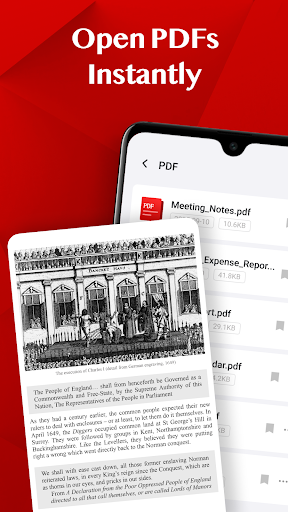
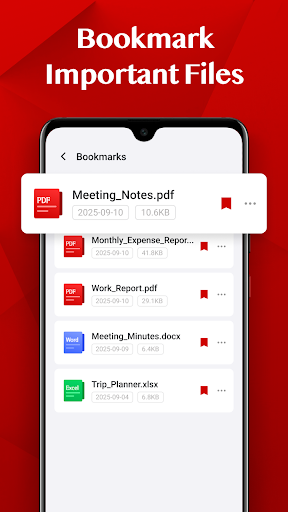
Turbo PDF is a lightweight and practical PDF reader designed for Android devices. With an intuitive interface, it allows users to open, read, and manage PDF documents efficiently. The app offers essential tools such as instant PDF opening, smooth scrolling, zooming, and bookmarking important files. Turbo PDF is ideal for professionals and students who need quick access to their documents on the go.
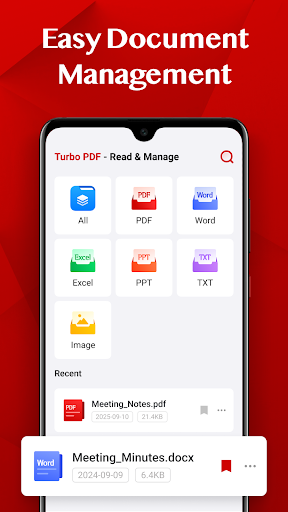
The app's standout feature is its easy document management system, which helps users organize their PDFs by allowing them to share or delete files effortlessly. Whether you're reviewing reports at work or studying lecture notes in class, Turbo PDF provides a seamless reading experience with its clean and responsive layout.
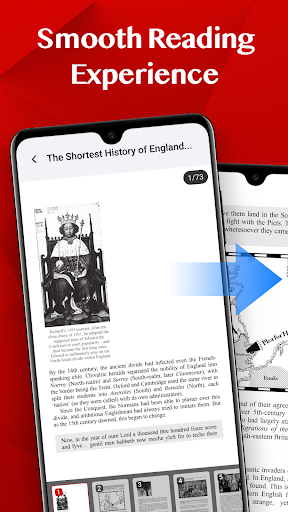
Turbo PDF stands out with its comprehensive set of features tailored for efficient PDF management. The app opens PDF files instantly without any loading time, ensuring users can access their documents immediately. Its smooth reading experience includes fluid scrolling, precise zooming, and easy page navigation, all presented through a clean and responsive interface.
Document organization is made simple with Turbo PDF's easy management options. Users can share files with colleagues, delete unnecessary documents, and bookmark key files for quick retrieval later. These features collectively enhance productivity by streamlining how users interact with their PDFs, making Turbo PDF an indispensable tool for anyone dealing with digital documents regularly.
User-friendly interface
Fast PDF loading
Smooth navigation
Efficient file management
Bookmarking functionality
Limited advanced features
No cloud integration
Basic design aesthetics
Restricted format support
Occasional performance lags

Find flexible, hourly jobs hiring near you in restaurant, retail & hospitality!
 4.00
4.00
ANDROID'S TOP MOBILE OFFICE - Word, Excel, PowerPoint and PDF at your fingertips
4.50
Scan Business Cards & Conference Badges - Capture Leads at Events & Tradeshows
4.20
viewing and sharing PDFs and other files—anytime, anywhere!
4.3
Finance, Investing, Stocks, Trading and Stock news
4.60
Find work, shifts and gigs near you. Jobs lasting a few hours to a few months.
4.30
Collaborate seamlessly with Google Chat, part of Google Workspace
4.50
All-in-one Mobile solutions for employees & managers to succeed at work
4.30
No more passwords, easier sign-in, and greater protection for your accounts.
4.60
TurboScan turns your phone into a full-featured PDF document scanner.
4.80
Access to Paylocity, empowering employees with information they need 24/7.
4.70
Find jobs near you and temp work in minutes, from your phone.
4.50
Measure distances, surfaces and draw plans in seconds with CamToPlan!
4.40
Deliver and earn money
4.30
VSD Viewer - Visio Drawings Viewer for Android Preview VSD, VDX, VSDX drawings
4.10
Get your benefits on-the-go.
3.80
Roadie connects people with stuff to send with drivers already going that way.
3.50
Find part-time earning opportunities near you that pay within days.
3.20
Completed Course Lectures on how to use IBM Maximo in Maintenance issues
4.5


User Reveiws