Glass Icons

4.00

Information

Category:

Personalisation

Price:

$ 0.99

Rank:

47

Rating:

4.00

Overview

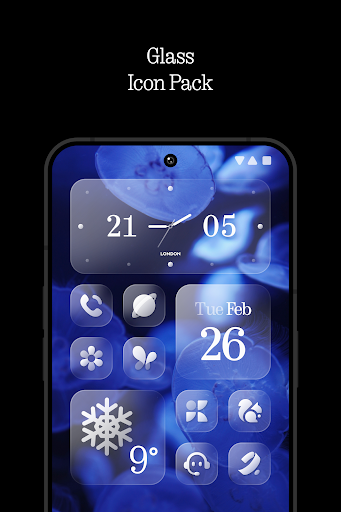
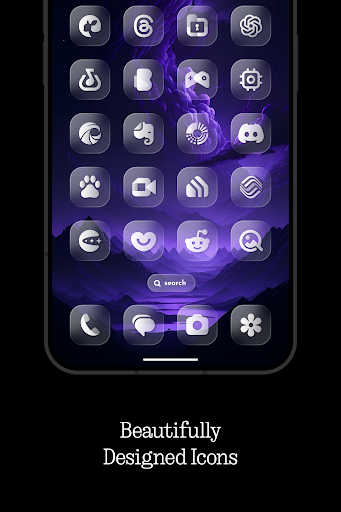
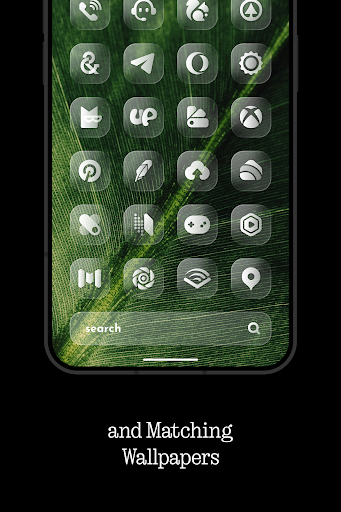
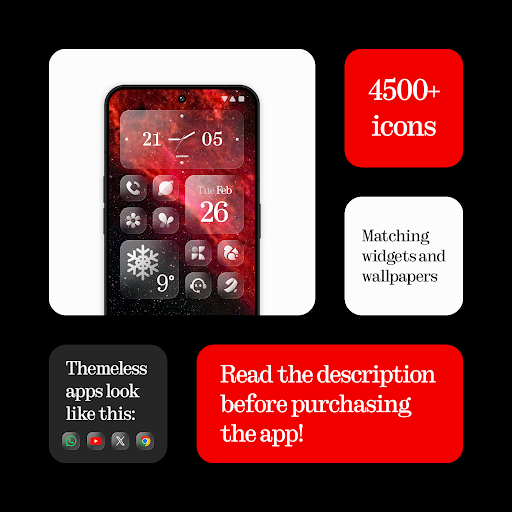
Glass Icons is a premium icon pack designed to provide users with a sleek and sophisticated visual upgrade for their mobile devices. Featuring over 5400 crystal-clear square icons, this pack seamlessly integrates with your device's interface, offering a modern and cohesive look.

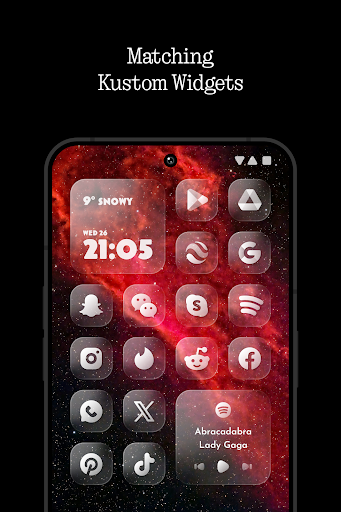
In addition to the extensive icon collection, Glass Icons includes five customizable Kustom widgets and cloud-based wallpapers, allowing for a personalized user experience. The pack also offers regular updates and an icon request tool, ensuring compatibility with new apps and maintaining a fresh appearance. Whether you're using Nova Launcher, Lawnchair, or other popular launchers, Glass Icons delivers a polished and professional aesthetic that enhances your device's overall design.

Features

Glass Icons stands out with its comprehensive feature set tailored for customization enthusiasts. The pack includes over 5400 meticulously designed icons, each crafted to maintain visual consistency while offering a distinct modern look. These icons are compatible with various launchers, including Nova, Lawnchair, and Niagara, providing users with flexibility in personalizing their home screens.

Beyond icons, the pack offers five Kustom widgets that allow users to create unique home screen layouts. The inclusion of cloud-based wallpapers ensures that users can access high-quality background images that complement the icons. With regular updates and an intuitive icon request tool, Glass Icons remains relevant and functional, adapting to new app releases and user needs. This combination of features makes Glass Icons an ideal choice for those seeking a complete visual transformation of their mobile devices.

Customization options variety

The Customization options variety in Glass Icons represents the extensive range of choices available to users for personalizing their device's interface. This feature is crucial as it allows users to express their individuality and tailor their device's appearance to their liking. With over 5400 icons, Glass Icons offers a vast library that ensures almost every app on your device can be visually transformed. The inclusion of five Kustom widgets further enhances this customization by allowing users to add unique, personalized widgets to their home screens. These widgets are not just functional but also contribute to the overall aesthetic of the device. Additionally, the icon pack provides a cloud-based wallpaper feature, enabling users to select wallpapers that complement their chosen icons perfectly. The regular updates to the icon pack ensure that new apps and user requests are continually accommodated, keeping the customization fresh and relevant. Users benefit from this variety by enjoying a cohesive and visually pleasing interface that reflects their style and preferences. The ability to request new icons also empowers users to fill any gaps in the existing library, ensuring comprehensive coverage of their installed apps. Overall, the Customization options variety in Glass Icons significantly enhances user satisfaction by providing the tools necessary for a personalized and dynamic device appearance.

Theme compatibility

Theme compatibility within Glass Icons refers to the seamless integration of its icons with various launcher applications, ensuring a consistent and harmonious visual experience across different devices and software versions. This compatibility is vital because it guarantees that the icons will display correctly and maintain their intended design integrity regardless of the launcher used. Glass Icons supports a wide array of popular launchers such as Nova Launcher, Lawnchair Launcher, and Niagara Launcher, among others, which means users can switch between launchers without losing the visual coherence provided by the icon pack. The requirement for specific settings like active shadows in Nova Launcher or using Theme Park for Stock One UI Launcher highlights the attention to detail needed to achieve optimal compatibility. Furthermore, the FAQ section inside the app addresses common compatibility questions, guiding users through any additional steps required for perfect integration. By ensuring broad theme compatibility, Glass Icons delivers a reliable and versatile customization solution that adapts to diverse user environments. Users gain peace of mind knowing that their chosen aesthetic will remain intact across different platforms and configurations, enhancing both usability and visual appeal. This level of compatibility underscores the commitment to quality and user-centric design, making Glass Icons a robust choice for those seeking a sophisticated and adaptable icon pack.

Props

Extensive icon library

Regular updates

Wide launcher support

Customizable widgets

Cloud-based wallpapers

Cons

Paid KWGT PRO required

Limited stock launcher support

No dynamic calendar icons

Some icons may lack uniformity

Advanced setup needed

Features and Functions

What is this app and what can I use it for?

Glass Icons is a premium icon pack with 5400+ icons for customizing your device's appearance

How do I download and install this app on my device?

Search for Glass Icons on Google Play Store and tap Install to download and install it

How do I get started after opening the app for the first time?

Install a supported launcher then open Glass Icons and apply it from the Apply section

What are the main features and capabilities of this app?

Includes 5400 icons cloud wallpapers Kustom widgets regular updates and icon request tool

How can I customize my experience and adjust preferences?

Use Kustom widgets and select preferred settings to customize your home screen layout

How do I save or bookmark my favorite content for later access?

Save favorite icons by creating shortcuts or using the built-in bookmarking feature

How can I share content with friends or on social media?

Share icons directly through the app's sharing option or via social media platforms

How do I access detailed information and explore more content?

Access detailed information about each icon through the app's info section or settings

What permissions does this app need and how do I manage them?

Requires basic storage permissions manage them through your device's settings menu

How do I check for updates and keep the app running smoothly?

Check for updates regularly in the app's settings to keep it running smoothly
Show more

User Reveiws

{{ comment.reviewer_name }}
{{ comment.review_date_formatted}}
{{ comment.review_content }}
{{ tab.name }}
{{ comment.reviewer_name }}
{{ comment.review_date_formatted}}
{{ comment.review_content }}
No reviews with this rating