Easy Homescreen

4.00

Information

Category:

Personalisation

Price:

Free

Rank:

1

Rating:

4.00

Overview

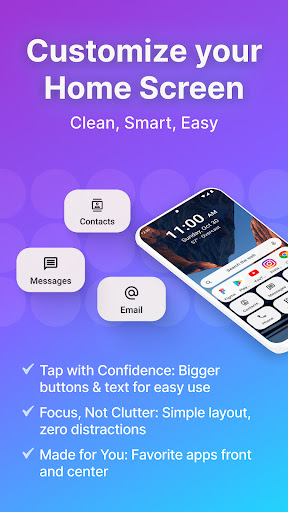
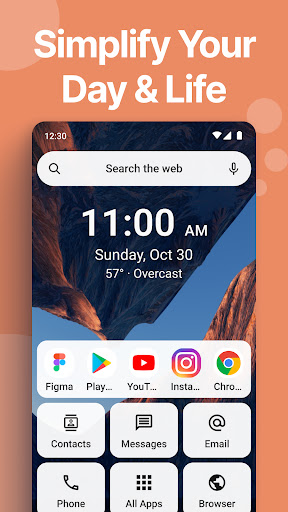
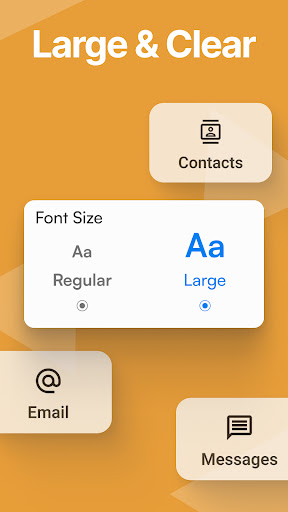
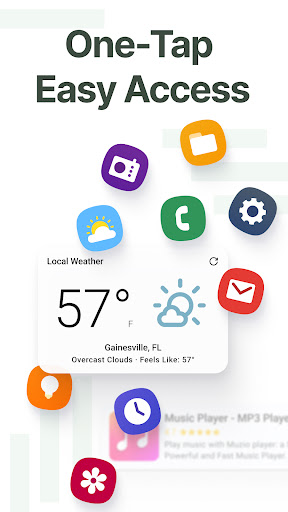
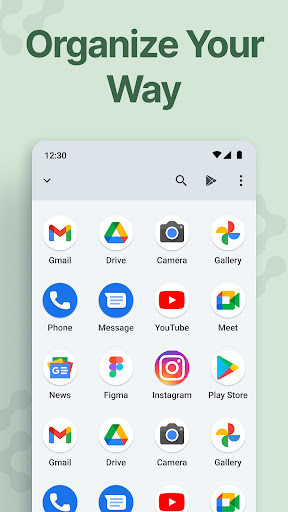
Easy Homescreen is a personalized home screen launcher designed to simplify and declutter your Android device. With its user-friendly interface, the app transforms chaotic screens into organized spaces by prioritizing frequently used apps and tools while hiding unnecessary ones. Its accessibility-first approach features oversized buttons, clear fonts, and customizable themes, making it ideal for users of all ages who seek both functionality and ease of use.

The app also includes advanced features such as widget support, app hiding, and even a custom keyboard with larger keys for better accessibility. Whether you're looking to streamline daily tasks or personalize your phone with unique themes and fonts, Easy Homescreen offers a calming, intuitive experience that reduces digital noise and enhances productivity.

Features

Easy Homescreen stands out with its robust customization options and accessibility features. The app allows users to personalize their home screens with custom fonts, themes, and app icons, ensuring a unique and enjoyable experience tailored to individual preferences. Additionally, its minimalist UI design focuses on reducing clutter, replacing tiny icons and text with large, easy-to-read buttons that make navigation effortless.

Beyond aesthetics, Easy Homescreen provides practical tools like homescreen widgets, lockscreen widgets, and an optional easy-to-use keyboard with enlarged keys. These features ensure that users can access essential functions quickly without compromising usability. Furthermore, the app's smart personalization adapts to each user's habits, displaying only the most relevant apps and tools, which streamlines the overall mobile experience.

Customization options variety

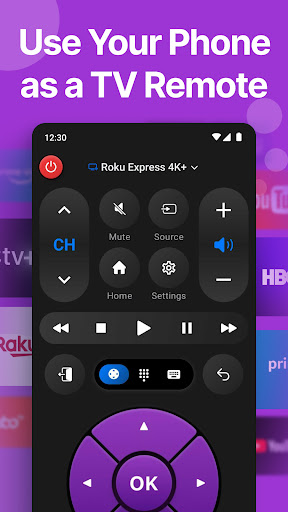
In the realm of mobile applications, personalization stands as a pivotal feature that enhances user engagement and satisfaction. Easy Homescreen excels in offering a broad spectrum of customization options, ensuring that users can tailor their smartphone experience to match their unique preferences and needs. The app provides an extensive selection of themes, fonts, and app icon designs, allowing users to express their individuality through their device's appearance. Whether one prefers a bold, playful aesthetic or a more professional look, Easy Homescreen adapts seamlessly to fit the desired vibe. This level of customization extends beyond mere aesthetics; it encompasses functional aspects such as widget support and app hiding features, which contribute to a decluttered and organized home screen environment. Users benefit from the ability to organize their apps, conversations, and shortcuts within a minimalist framework that remains both intuitive and visually appealing. By prioritizing accessibility-first design principles, Easy Homescreen incorporates large fonts and oversized buttons, facilitating ease of use for individuals with varying levels of technological proficiency. Moreover, the inclusion of essential tools like a universal remote and weather app underscores the appu2019s commitment to delivering a comprehensive yet streamlined user experience. Ultimately, the diverse array of customization options empowers users to create a personalized digital space that feels less like a device and more like an extension of their personal habitat.

Theme compatibility

Theme compatibility represents a critical aspect of any personalization-focused application, dictating how well various visual elements integrate and function together within the app ecosystem. Easy Homescreen distinguishes itself by ensuring exceptional theme compatibility across its platform, thus enabling users to enjoy a cohesive and harmonious interface regardless of their chosen design preferences. At the heart of this compatibility lies a robust system architecture that supports a wide range of themes without compromising performance or visual integrity. Users can effortlessly switch between different themes, confident that each will display correctly and maintain consistency throughout the app's layout. This seamless integration is further enhanced by the app's adaptive design philosophy, which ensures that all componentsu2014be they fonts, icons, or widgetsu2014are optimized for maximum visual impact and usability. For instance, when applying a new theme, users will notice that even secondary elements such as lockscreen widgets and keyboard designs adjust accordingly, preserving the intended aesthetic while maintaining optimal functionality. Such attention to detail not only elevates the overall user experience but also reinforces the notion that Easy Homescreen is designed with the end-user in mind. By prioritizing theme compatibility, the app fosters an environment where creativity and practicality coexist, empowering users to experiment with various styles without fear of encountering technical issues or inconsistencies. As a result, individuals can fully immerse themselves in crafting a personalized smartphone experience that truly reflects their personality and lifestyle aspirations.

Props

User-friendly interface

Customizable themes

Accessible design

Smart personalization

Advanced widget support

Cons

Limited iOS compatibility

Occasional performance lags

Requires permissions

Premium feature costs

Learning curve for new users

Features and Functions

What is this app and what can I use it for?

A customizable Android launcher for simplifying home screens

How do I download and install this app on my device?

Download from Google Play Store and follow installation prompts

How do I get started after opening the app for the first time?

Follow setup instructions to personalize layout and settings

What are the main features and capabilities of this app?

Customizable themes, app hiding, widgets, and accessible UI

How can I customize my experience and adjust preferences?

Adjust settings via menu options to tailor experience

How do I save or bookmark my favorite content for later access?

Use bookmark feature to save favorite apps or widgets

How can I share content with friends or on social media?

Share content directly through supported apps or social media

How do I access detailed information and explore more content?

Access details through widget info or app descriptions

What permissions does this app need and how do I manage them?

App needs accessibility permissions; manage in settings

How do I check for updates and keep the app running smoothly?

Check Google Play Store regularly for updates and enable auto-updates
Show more

User Reveiws

{{ comment.reviewer_name }}
{{ comment.review_date_formatted}}
{{ comment.review_content }}
{{ tab.name }}
{{ comment.reviewer_name }}
{{ comment.review_date_formatted}}
{{ comment.review_content }}
No reviews with this rating