

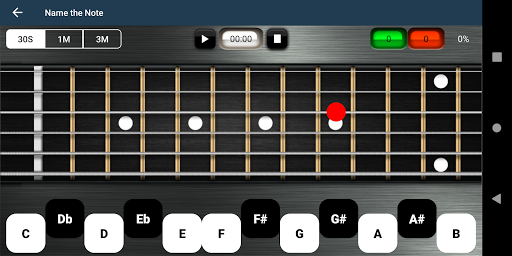
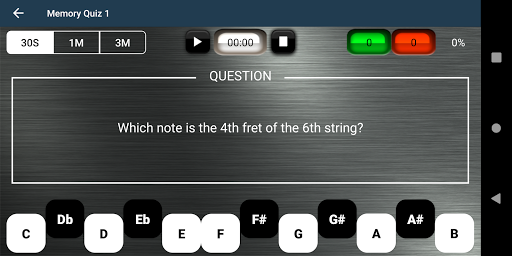
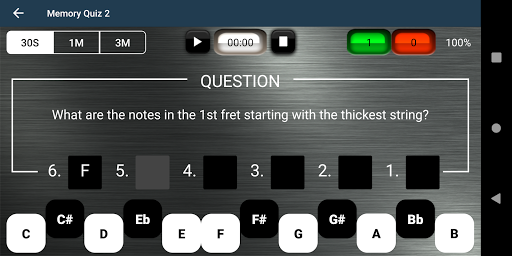
Guitar Fretboard Note Trainer is an innovative app designed to help guitarists master the essential skill of learning notes on the fretboard. The app offers a series of engaging and progressive games that can be played anywhere, making practice both fun and effective.
With four distinct training modes - Name The Note, Find A Note, Memory Quiz 1, and Memory Quiz 2 - users can progressively challenge themselves to identify notes across all six strings. The app also includes helpful features like 'Easy' options for beginners and an audio option to hear notes as you select them.
This app is particularly useful for intermediate guitarists looking to advance their skills. By incorporating regular practice with this app, users can significantly improve their fretboard knowledge, which translates to better improvisation and composition abilities.
The app's standout feature is its comprehensive approach to fretboard learning through gamification. The four training modes offer varied challenges - from basic note identification in Name The Note to the more complex task of naming all notes across a given fret in Memory Quiz 2.
Additional features include 'Easy' options that limit answer ranges for beginners, making the learning curve more manageable. The unique swipe function allows users to momentarily display all notes on the fretboard, serving as a helpful learning aid.
Perhaps most notably, the audio option lets users hear each note as they select it, reinforcing the connection between visual recognition and sound. This multisensory approach enhances learning effectiveness and caters to different learning styles.
User-friendly interface
Progressive learning system
Audio note feedback
Beginner-friendly options
Portable practice solution
Limited advanced features
No chord recognition
Premium version required
Occasional ads
Basic graphics
Your HD audio recorder on the go for music, meetings, ambience, animal sounds…
 4.30
4.30
VB-AUDIO Software / VBAN-Receptor allows listening to any VBAN Streams
4.10
Powerful beat maker & DJ mixer to remix tracks, make music, & perform DJ mix
3.70
Next generation modular control surface
4.10
The alternative folder based music player.
4.20
Learn to play the piano using falling notes!
3.80
Make songs with AI! Any genre, custom lyric, song generator for music creation!
4.80
Sheet music reader, piano & music note player. Play music score & learn to read.
3.90
Extra volume booster to boost volume & max sound of speaker and headphone.
4.70
Responsive piano with great sounds, graphics, and songs
4.80
Record, Mix & Master with all n-Track effects, 64-bit audio and Stem Separation.
4.70
Pay Once, no monthly payment
4.60
Play KORG’s revolutionary touch-based instrument on a variety of devices.
4.40
Manage your Sonos system directly from your home-screen!
4.40
Master Salsa Rhythm quickly and with a lot of fun!
4.30
The original SP-1200 experience on your iPad
4.20
Turn Every Moment into Music
3.60
Control your MIDI USB or Bluetooth devices in app and avoid some trampling
3.30
Simply convert wav to mp3. Clear. Reliable. Safe.
4.3


User Reveiws