
Invoice Maker

4.70

Information

Category:

Business

Price:

Free

Rank:

32

Rating:

4.70

Overview

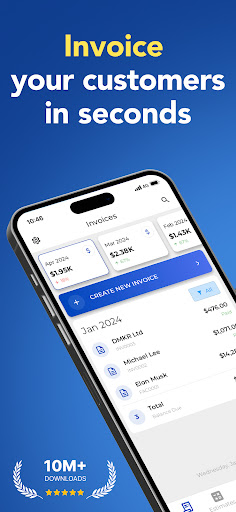
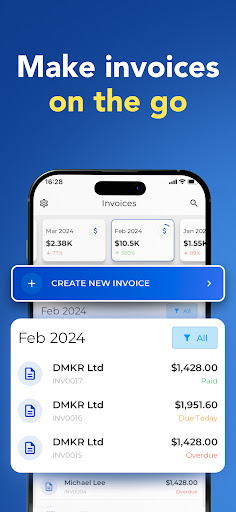
Invoice Maker is a powerful business tool designed to streamline the invoicing process for freelancers, small businesses, and contractors. This application allows users to create professional invoices quickly and efficiently directly from their mobile devices.

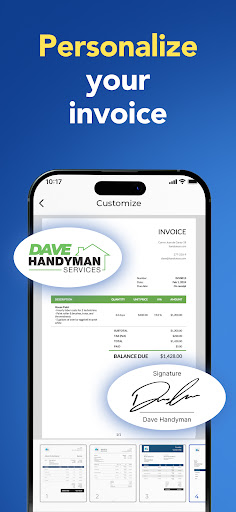
The app offers comprehensive customization options, enabling users to add payment information, taxes, discounts, due dates, and even signatures. Its intuitive interface ensures that creating an invoice takes less than a minute, providing a significant advantage in time management and organization.

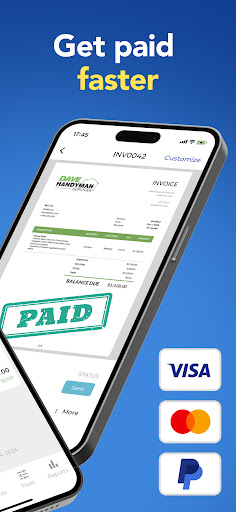
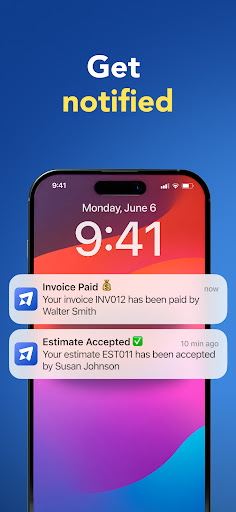
With real-time notifications when clients view invoices and the ability to sync across multiple devices, Invoice Maker ensures users stay informed and organized. Whether you're at home or on the go, managing your finances has never been easier.

Features

Invoice Maker stands out with its rich feature set tailored to meet the needs of modern businesses. The app provides multiple invoice templates that can be customized to match your brand, allowing for a professional appearance.

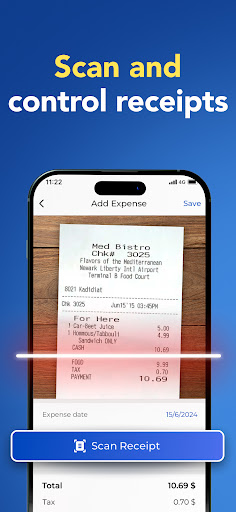
Advanced functionalities include the ability to generate invoices from estimates with a single tap, attach images and notes, and apply discounts and taxes either per item or on the total amount. These features ensure precision and flexibility in financial documentation.

Additionally, the app supports syncing across all your devices using the same account and offers 24/7 support. With income tracking through easy-to-use reports and quick client setup from your phone's contact list, Invoice Maker optimizes both time and resources.

Collaborative work features

Collaborative work features are essential for modern business applications as they enable teams to work together efficiently regardless of their physical locations. Invoice Maker excels in this area by providing functionalities that facilitate seamless collaboration among users. The app allows multiple users to access and manage invoices from different devices while maintaining data consistency through its synchronization feature. This ensures that all team members have access to the most up-to-date information which is crucial for making informed decisions. Additionally Invoice Makers integration with phone contact lists simplifies client management allowing users to quickly set up client profiles without manual data entry. The ability to share invoices directly from the app enhances communication between team members and clients ensuring everyone involved in a project is kept informed about financial matters. Furthermore real-time notifications alert users when clients receive and open invoices promoting timely follow-ups and discussions. These collaborative features not only streamline workflow but also foster better relationships with clients by demonstrating professionalism and attentiveness. Overall Invoice Makers approach to collaboration empowers small businesses freelancers and contractors to operate more efficiently and effectively in todays fast-paced business environment.

Task management

Task management is a critical component of any business application designed to help users organize and prioritize their work responsibilities. Invoice Maker offers robust task management capabilities that enable users to efficiently handle various aspects of invoicing. The app provides an intuitive interface for creating invoices in less than a minute allowing users to focus on other important tasks. With features like generating invoices from estimates with a single tap users can quickly convert potential sales into confirmed transactions streamlining the sales process. Moreover Invoice Maker supports detailed customization options such as adding payment information taxes withholding due dates extra images discounts signatures and more giving users full control over how they present financial information to clients. The apps reporting tools offer valuable insights into income tracking helping users make data-driven decisions about future business strategies. By enabling users to configure numerous details within each invoice Invoice Maker ensures that every document accurately reflects the unique requirements of each transaction. Additionally the apps support for attaching images and additional notes enhances documentation processes providing comprehensive records for both internal use and external audits. With 247 support available users can rely on assistance whenever needed ensuring uninterrupted productivity. In summary Invoice Makers comprehensive task management features empower users to maintain organized workflows stay on top of deadlines and ultimately achieve greater success in managing their business finances.

Props

User-friendly interface

Customizable invoice templates

Real-time notifications

Multi-device synchronization

Comprehensive client management

Cons

Limited free features

Occasional syncing issues

Subscription costs

Advanced options complexity

Learning curve for new users

Features and Functions

What is this app and what can I use it for?

Invoice Maker lets you create and send professional invoices easily.

How do I download and install this app on my device?

Download Invoice Maker from Google Play Store and install it on your device.

How do I get started after opening the app for the first time?

Start by creating an account and setting up your profile preferences.

What are the main features and capabilities of this app?

Key features include customizable templates, tax calculations, and real-time notifications.

How can I customize my experience and adjust preferences?

Adjust settings in the preferences menu to customize your experience.

How do I save or bookmark my favorite content for later access?

Save favorite content by bookmarking invoices for future reference.

How can I share content with friends or on social media?

Share invoices directly via email or social media platforms.

How do I access detailed information and explore more content?

Access detailed reports and explore more features in the main menu.

What permissions does this app need and how do I manage them?

The app requires basic permissions; manage them in your device settings.

How do I check for updates and keep the app running smoothly?

Check for updates in the app store to keep the app running smoothly.
Show more

User Reveiws

{{ comment.reviewer_name }}
{{ comment.review_date_formatted}}
{{ comment.review_content }}
{{ tab.name }}
{{ comment.reviewer_name }}
{{ comment.review_date_formatted}}
{{ comment.review_content }}
No reviews with this rating