
FedEx Mobile

4.00

Information

Category:

Business

Price:

Free

Rank:

6

Rating:

4.00

Overview

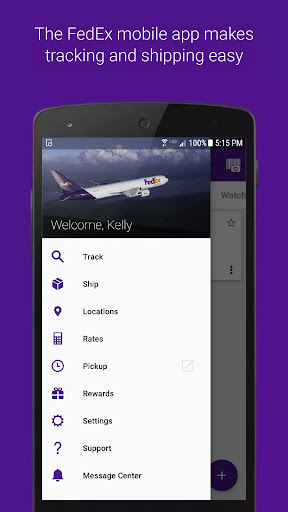
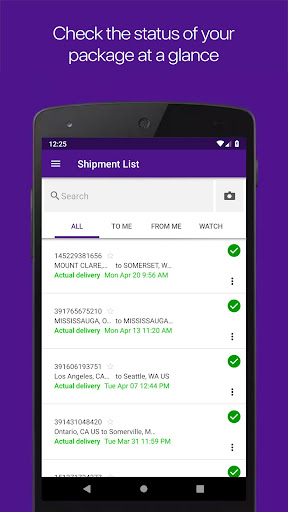
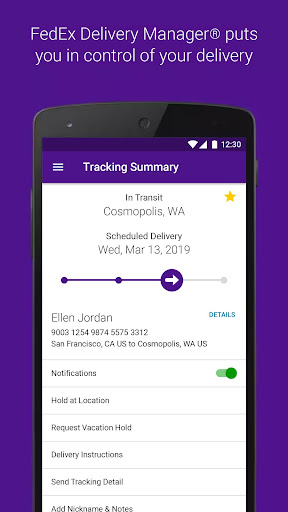
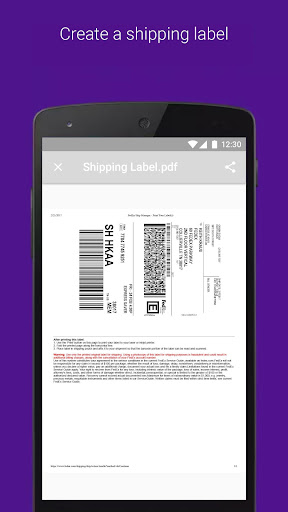
FedEx Mobile is a comprehensive business solution that allows users to manage shipments and deliveries efficiently. With this app, you can create domestic and international shipping labels, track the status of all incoming or outgoing packages, and customize delivery preferences through FedEx Delivery Manager®.

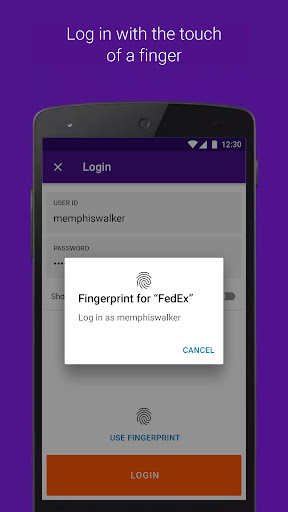
The app provides additional features such as getting quick shipment rates, finding pickup or drop-off locations, scanning barcodes for easy tracking, and accessing your shipper address book. Available in all regions, it also supports login with fingerprint or facial recognition, making it a versatile tool for modern businesses.

Features

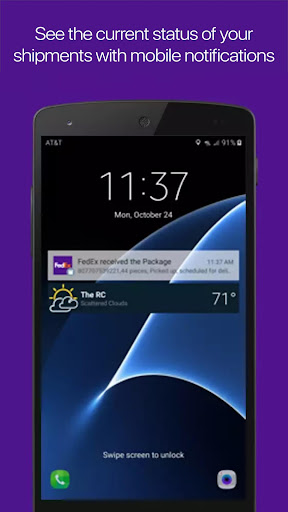
FedEx Mobile stands out with its robust feature set tailored for business logistics. The app enables users to create mobile shipment labels and request pickups directly from their devices. Push notifications keep users updated on their shipments, including sound alerts for delivered packages.

One innovative aspect is the ability to scan barcodes for instant tracking information. Additionally, users can search their shipment lists by tracking number, references, vendors, and more. For regions where available, features like rerouting packages to convenient FedEx locations and accessing chat assistance for service questions further enhance operational efficiency.

Collaborative work features

In the context of business applications like FedEx Mobile collaboration refers to the seamless integration of various operational functions that enable users to manage shipments effectively across different locations and teams The app excels in providing collaborative features that allow businesses to track the status of all incoming or outgoing packages from anywhere This ensures that all stakeholders are on the same page regarding shipment progress Additionally the app allows users to create a mobile shipment label and request pickups which can be crucial for businesses that operate in fast paced environments where time is of the essence Another significant collaborative feature is the ability to access the shipper address book directly from the app This functionality helps businesses maintain accurate records of their shipping contacts ensuring that shipments are addressed correctly every time Moreover the app supports push notifications which keep users informed about their shipments statuses in real time These notifications also include sound alerts for delivered shipments enhancing communication within teams and with clients Furthermore the app offers the ability to search the list of shipments by tracking number references vendors and more This level of detail in tracking and managing shipments provides businesses with the tools they need to collaborate efficiently By integrating these collaborative work features FedEx Mobile empowers businesses to streamline their logistics operations improve communication and ultimately enhance customer satisfaction through reliable and transparent shipment management

Task management

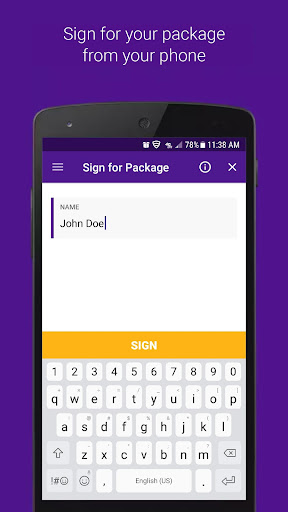
Task management within the FedEx Mobile app encompasses a range of functionalities designed to help users organize and oversee their shipping related tasks efficiently One of the primary task management features is the ability to schedule and manage pickups Users can not only create a new pickup request but also view or cancel a scheduled pickup offering flexibility and control over their shipping schedules This feature is particularly beneficial for businesses that need to adapt quickly to changing circumstances Another aspect of task management is the app s ability to provide shipment cost estimates and delivery times This allows users to plan their shipments more effectively ensuring that they can meet deadlines without incurring unnecessary costs For residential deliveries within the U S the app offers enrollment in FedEx Delivery Manager which adds another layer of task management capabilities Users can hold packages at a preferred FedEx location leave delivery instructions for couriers sign for packages requiring their signature and even request a vacation hold These options give users greater control over how and when they receive their packages enhancing convenience and security The app also enables users to reroute packages to a FedEx location for pickup at their convenience or ship directly to a FedEx designated location This flexibility in managing delivery locations is an essential part of effective task management Lastly the inclusion of a chat assistant for questions about the app and its services provides users with immediate support helping them resolve issues quickly and continue managing their tasks without interruption Overall the comprehensive task management features in FedEx Mobile contribute significantly to improving productivity and efficiency in handling shipping related activities

Props

User-friendly interface

Comprehensive tracking options

Efficient shipment management

Secure login methods

Wide range of functionalities

Cons

Limited regional features

Requires account registration

Permissions needed for full functionality

Some advanced features only for U.S. users

Occasional notification delays

Features and Functions

What is this app and what can I use it for?

FedEx Mobile helps manage shipments and deliveries efficiently.

How do I download and install this app on my device?

Download it from Google Play Store and install by following on-screen instructions.

How do I get started after opening the app for the first time?

Sign in or register, then explore main features like tracking and label creation.

What are the main features and capabilities of this app?

Key features include shipment tracking, label creation, and delivery customization.

How can I customize my experience and adjust preferences?

Adjust preferences in settings for notifications and location services.

How do I save or bookmark my favorite content for later access?

Use the app's tracking feature to save and access favorite shipments.

How can I share content with friends or on social media?

Share tracking info via email or social media directly from the app.

How do I access detailed information and explore more content?

Access detailed shipment data through the tracking section.

What permissions does this app need and how do I manage them?

The app needs location and camera permissions for full functionality.

How do I check for updates and keep the app running smoothly?

Check for updates in the app store to ensure smooth operation.
Show more

User Reveiws

{{ comment.reviewer_name }}
{{ comment.review_date_formatted}}
{{ comment.review_content }}
{{ tab.name }}
{{ comment.reviewer_name }}
{{ comment.review_date_formatted}}
{{ comment.review_content }}
No reviews with this rating