

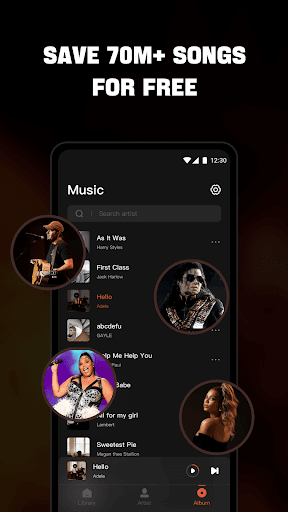

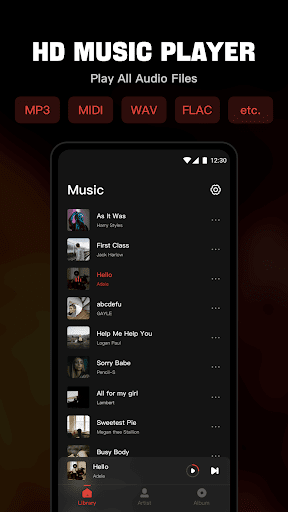
Mixtube is a versatile offline music player designed for audiophiles who value uninterrupted playback. This application allows users to import and play all their favorite audio files in various formats, including MP3, MIDI, WAV, FLAC, AAC, and APE, with high-quality sound output.
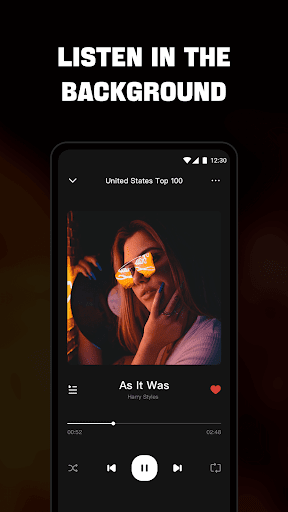
One of the standout features of Mixtube is its ability to keep playing music in the background, enabling multitasking without interrupting the audio experience. Whether you're working, studying, or doing housework, your music remains a constant companion. Additionally, the built-in equalizer enhances the listening experience by allowing users to customize sound profiles according to their preferences.
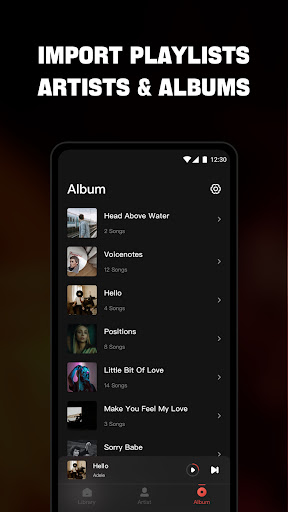
The app supports multiple viewing options such as songs, artists, albums, folders, and playlists, making it easy to organize and access your music library. With lock screen controls and notification bar playback options, managing your music has never been easier. Mixtube also offers widgets for quick access to frequently used functions, ensuring a seamless user experience.
Mixtube stands out with its comprehensive support for all major audio formats, positioning itself as an all-in-one solution for music enthusiasts. The app's equalizer feature provides top-notch sound quality, elevating the overall listening experience. Users can enjoy non-stop music playback even while using other apps or performing various tasks, thanks to its robust background play capability.
Customization is at the heart of Mixtube's design. Users can create personalized playlists, mark favorite songs, and adjust audio settings to suit their preferences. The app also includes lock screen controls and notification bar playback management, offering convenient access to essential functions without needing to open the app fully. Furthermore, widget support enhances accessibility, allowing users to control playback directly from their home screen.
While Mixtube focuses on providing an exceptional offline music experience, it also offers premium features through subscription plans. These include an ad-free environment and additional perks like monthly, yearly, or lifetime subscriptions. Users can manage their subscriptions via iTunes Account settings, ensuring flexibility and control over their music experience.
User-friendly interface
High-quality equalizer
Background music playback
Supports multiple audio formats
Customizable playlists
No online music streaming
Premium features require subscription
Limited free trial options
Ads in free version
iOS exclusive

DJ Music Mixer - DJ Remix: remix songs, make beat music & record mix of DJ.
 4.40
4.40
JBL PartyBox APP works with 110/310/710/120/320/520/Encore/Encore 2/Encore Ess 2
4.80
A High-Precision Audio Spectrum Analysis App
4.20
The ultimate media player for Android devices
3.90
Learn to play the piano using falling notes!
3.80
Listen radio AM / FM Stations. Live AM / FM Radio App Station. Radio Com.
4.70
The official Sonos app
4.10
Offline Tunes, Unlimited Vibes
3.90
Turn Every Moment into Music
3.60
Your song collections with lyrics and chords on Android smartphones and tablets.
4.80
Recording studio w/ 10k beats, pro vocal FX and a network of 20M rappers & fans!
4.60
Let your Android device with the sound effects you want
4.50
Formerly known as Spotistats! View your top tracks, artists, albums and more!
4.40
Bass Booster Pro takes auto-equalizing to the next level!
4.30
Master Salsa Rhythm quickly and with a lot of fun!
4.30
Time Trainer: accurate metronome w tools to help you develop your internal time!
4.20
Smart piano keyboard, Classical to Pop, Real-time multiplayer connection!
4.20
Versatile MP3 recorder with auto-backup to Dropbox and Google Drive
4.10
USB audio recording and playback finally possible on Android 3.1 or higher!
3.90


User Reveiws