


Neshan

4.50

Information

Category:

Maps & Navigation

Price:

Free

Rank:

14

Rating:

4.50

Overview

Neshan is a comprehensive Maps & Navigation application designed to provide users with the fastest and least congested routes by utilizing GPS and real-time traffic data. The app stands out by offering unique features tailored to Iranian users, such as displaying air pollution levels in cities with monitoring stations and providing combined bus-and-metro navigation.

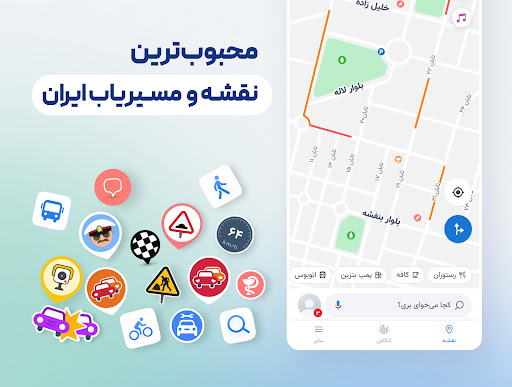
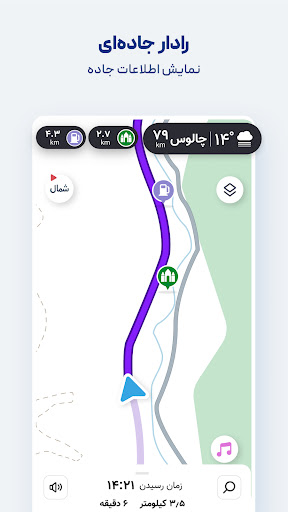
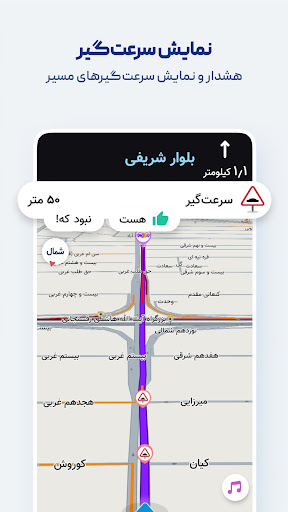
One of Neshan's key strengths is its ability to alert users about speed cameras, police checkpoints, and speed bumps along their route. Additionally, it offers routing that considers traffic restriction zones and low-emission areas, ensuring drivers avoid unintentional violations. With detailed offline maps and Persian voice guidance, Neshan proves to be an indispensable tool for both everyday commuters and professional drivers.

Features

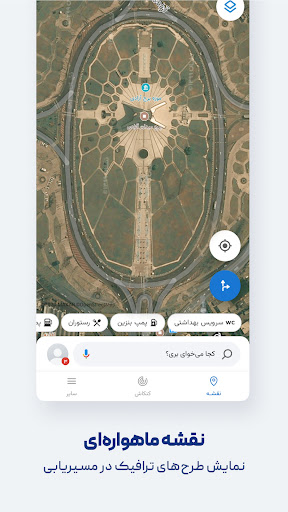
Neshan boasts an array of features that cater to diverse navigation needs. It provides maps of all cities and countries worldwide, powered by OpenStreetMap data, and displays air pollution monitoring stations in cities where available. Users can benefit from detailed offline maps with live traffic information, making it reliable even without an internet connection.

The app supports combined bus-and-metro routing, helping users find the best and cheapest way to reach their destination. Its global maps and navigation capabilities allow travel to any location with ease. Unique to Neshan is its Persian voice guidance, which speaks street names, allowing drivers to keep their eyes on the road. Furthermore, the app includes functionalities like search without typing through Persian speech recognition and alerts for police presence and traffic conditions.

Map accuracy

Map accuracy is a fundamental aspect of any navigation application as it directly impacts the user's ability to reach their destination efficiently and without confusion. Neshan leverages the power of OpenStreetMap data to provide detailed maps of all cities and countries worldwide ensuring that users have access to comprehensive and up-to-date geographical information. The app goes beyond basic mapping by offering live traffic information which is crucial for urban navigation where traffic patterns can significantly affect travel time. This real-time data combined with GPS functionality allows for precise location detection which is essential when navigating through unfamiliar areas or complex cityscapes. Furthermore Neshan provides offline map capabilities meaning that even without an internet connection users can still rely on the accuracy of the maps which is particularly beneficial in areas with poor connectivity. The inclusion of features such as displaying air pollution levels in cities with monitoring stations adds another layer of detail to the maps making them not only useful for navigation but also for understanding environmental conditions. By providing accurate and detailed maps Neshan empowers its users to navigate confidently knowing that the information they are relying on is both reliable and current.

Route planning

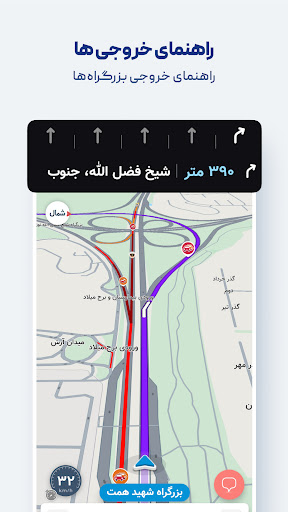
Route planning is a critical feature in navigation apps as it determines the efficiency and convenience of a user's journey. Neshan excels in this area by suggesting the fastest and least congested routes using real-time traffic data akin to leading international navigation applications. This ensures that users are always taking the optimal path reducing travel time and avoiding unnecessary congestion. One of the standout aspects of Neshan's route planning is its ability to account for local regulations and restrictions such as traffic restriction zones and low-emission zones helping drivers avoid fines and contributing to environmental conservation efforts. Additionally the app offers combined bus-and-metro navigation which is invaluable for users looking to utilize public transportation effectively. Motorcycle routing is another thoughtful addition catering to the specific needs of two-wheeled commuters. Throughout the journey Neshan keeps users informed with alerts for speed cameras police checkpoints speed bumps and other potential obstacles allowing for a safer driving experience. The option to select direct routes in the navigation settings gives users more control over their journey preferences whether they prioritize speed distance or simplicity. With these robust route planning capabilities Neshan not only simplifies the process of getting from point A to point B but also enhances the overall travel experience by providing intelligent and context-aware guidance tailored to the unique driving conditions found in Iran and beyond.

Props

Real-time traffic updates

Air pollution monitoring

Persian voice guidance

Offline map access

Traffic restriction alerts

Cons

Limited international focus

Region-specific features

Occasional inaccuracies

Heavy on battery

Interface complexity

Features and Functions

What is this app and what can I use it for?

Neshan is a navigation app offering real-time traffic data and optimal routes

How do I download and install this app on my device?

Download Neshan from Google Play Store and install it on your device

How do I get started after opening the app for the first time?

Open Neshan, grant necessary permissions, and start navigating

What are the main features and capabilities of this app?

Key features include real-time traffic, offline maps, and voice guidance

How can I customize my experience and adjust preferences?

Customize settings like route preferences and voice options in settings

How do I save or bookmark my favorite content for later access?

Bookmark locations using the save feature for quick access later

How can I share content with friends or on social media?

Share your current location or routes via social media or messaging apps

How do I access detailed information and explore more content?

Access detailed info by tapping on specific map locations or searches

What permissions does this app need and how do I manage them?

Neshan requires location permissions; manage them in app settings

How do I check for updates and keep the app running smoothly?

Check for updates in the app store to ensure smooth performance
Show more

User Reveiws

{{ comment.reviewer_name }}
{{ comment.review_date_formatted}}
{{ comment.review_content }}
{{ tab.name }}
{{ comment.reviewer_name }}
{{ comment.review_date_formatted}}
{{ comment.review_content }}
No reviews with this rating